Shopify Checkout Extensibility Deep Dive 2026: Functions, UI Extensions & APIs
Master Shopify's checkout customization platform. Functions, UI extensions, GraphQL APIs, and best practices for 2026. Build checkout experiences that convert.
What Is Checkout Extensibility?
Shopify Checkout Extensibility (CE) is the platform's replacement for checkout.liquid — the old way to customize checkout by editing Liquid templates directly.
Key difference:

- Legacy: Edit Liquid templates (checkout.liquid) directly — fragile, upgrade-conflicts, security risks
- Extensibility: Build isolated apps using Functions, UI Extensions, and official APIs — upgrade-safe, sandboxed, performant
Core components:
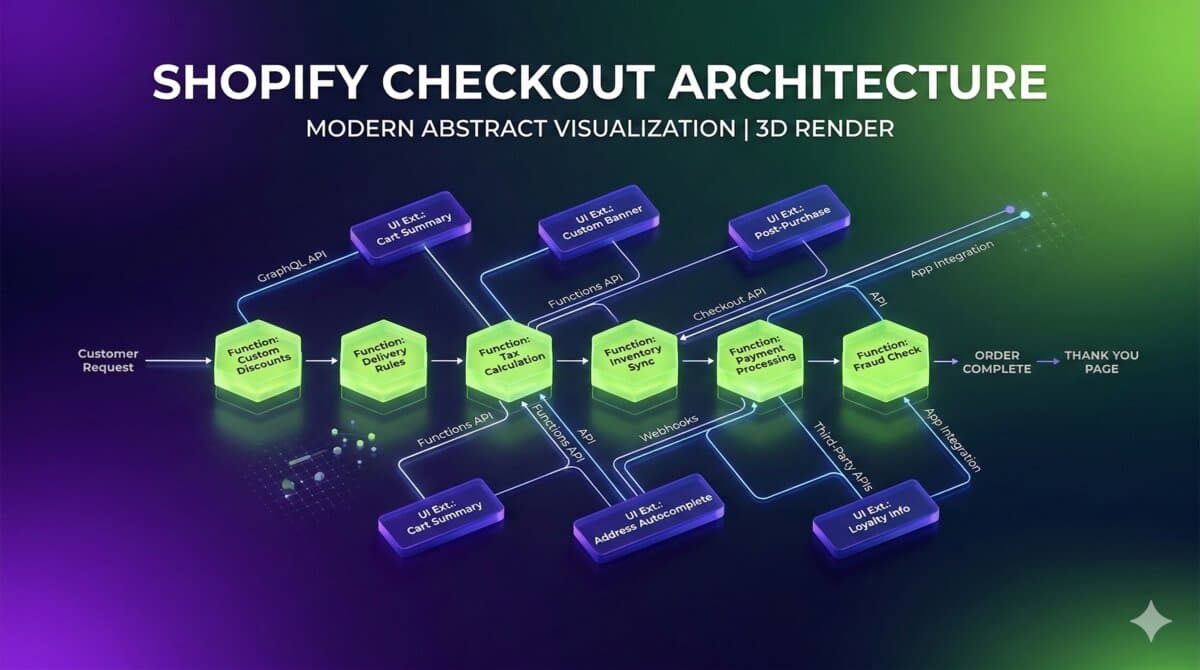
- Functions — Server-side logic (discounts, delivery, payments, validation)
- UI Extensions — React components injected into checkout UI
- GraphQL APIs — Read cart, apply discount codes, write metafields
- Web Pixels — Tracking and analytics events
Functions: Backend Logic
Functions run on Shopify's edge at sub-5ms latency. They're WebAssembly modules that execute during the checkout flow.
Available Function Types (2026)
- Product Discount — Line-item discounts, BOGO, automatic discounts (API: 2026-01)
- Order Discount — Cart-level discounts for bulk or customer tiers (API: 2026-01)
- Shipping Discount — Free shipping, conditional shipping rates (API: 2026-01)
- Payment Customization — Hide/show/reorder payment methods (API: 2026-01)
- Delivery Customization — Hide delivery options by conditions (API: 2026-01)
- Validation — Custom validation rules before checkout completes (Coming 2026)
Example: Discount Function
// src/run.ts
import {
  ProductDiscountFunction,
  ProductDiscountInput,
  ProductDiscountOutput,
} from '@shopify/shopify_function';

export function run(input: ProductDiscountInput): ProductDiscountOutput {
  const targets = input.cart.lines
    .filter(line => line.merchandise.product.tags.includes('MEMBER'))
    .map(line => ({
      productVariant: line.merchandise.id,
      quantity: line.quantity,
    }));

  return {
    discounts: [{
      targets,
      value: { percentage: { value: 20 } },
      message: 'Member discount (20% off)',
    }],
    discountApplicationStrategy: 'FIRST',
  };
}
Deployment
# Shopify CLI
shopify function push

# Or via GraphQL Admin API
mutation {
  functionSignatureUpsert(
    signature: "...wasm bytecode..."
  ) {
    functionSignature {
      id
      uuid
    }
  }
}
UI Extensions: Frontend Components
UI Extensions use React to render components inside Shopify's checkout. They run in a sandboxed web worker, keeping them isolated and secure.
Extension Targets (Where to Inject)
purchase.checkout.shipping-option-list.render-after— Below shipping options: delivery notes, special instructionspurchase.checkout.payment-method-list.render-after— Below payment methods: trust badges, payment notespurchase.checkout.contact-information.render-after— Below email field: loyalty info, account promptspurchase.checkout.delivery-address.render-after— Below address form: store pickup notes, address validationpurchase.checkout.cart-line-list.render-after— Below cart items: upsells, gift messagespurchase.checkout.order-summary.render-after— Order summary sidebar: insurance offers, tipspurchase.thank-you.block.render— Post-purchase thank you page: tracking info, referral codes
Example: Custom Delivery Note Input
// src/Extension.tsx
import {
  reactExtension,
  Text,
  TextField,
  useApplyMetafieldsChange,
  useMetafield,
} from '@shopify/ui-extensions-react/checkout';

export default reactExtension(
  'purchase.checkout.shipping-option-list.render-after',
  () => <Extension />
);

function Extension() {
  const [deliveryNote, setDeliveryNote] = useState('');
  const applyMetafieldChange = useApplyMetafieldsChange();

  const saveNote = async (value: string) => {
    await applyMetafieldChange({
      type: 'updateMetafield',
      namespace: 'custom',
      key: 'delivery_note',
      value,
      valueType: 'string',
    });
  };

  return (
    <TextField
      label="Delivery Instructions (optional)"
      placeholder="Leave at side door, ring bell, etc."
      value={deliveryNote}
      onChange={(value) => {
        setDeliveryNote(value);
        saveNote(value);
      }}
    />
  );
}
Configuration in shopify.extension.toml
type = "ui_extension"
name = "checkout-delivery-note"

[[metafields]]
namespace = "custom"
key = "member_tier"

[capabilities]
api_access = true

[[extension_points]]
target = "purchase.checkout.shipping-option-list.render-after"
module = "./src/Extension.tsx"
Reading Metafields in Extensions
import { useMetafields } from '@shopify/ui-extensions-react/checkout';

function Extension() {
  const metafields = useMetafields({
    namespace: 'custom',
    key: 'member_tier',
  });

  const memberTier = metafields[0]?.value; // 'gold', 'silver', etc.

  return <Text>Member: {memberTier}</Text>;
}
GraphQL APIs: Data Flow
Checkout Extensibility queries Shopify data via the GraphQL Storefront API. Enable API access in your extension config, then use hooks to read cart data.
Reading Cart Data
query GetCart($cartId: ID!) {
  cart(id: $cartId) {
    id
    lines(first: 10) {
      edges {
        node {
          merchandise {
            ... on ProductVariant {
              id
              title
              product {
                tags
                metafield(namespace: "custom", key: "warranty") { value }
              }
            }
          }
          quantity
        }
      }
    }
    cost {
      totalAmount { amount currencyCode }
    }
  }
}
API Access in shopify.extension.toml
[capabilities]
api_access = true

[api_version]
2026-01 = true

# Scope access to sensitive fields (PII)
[capabilities]
customer_privacy = ["email", "phone"]
Migration from checkout.liquid
The checkout.liquid deprecation deadline was August 2024 — new Shopify stores can no longer access checkout.liquid and must use Checkout Extensibility. If you're still on checkout.liquid, you're on a legacy path and should migrate for upgrade safety and new features.
What You Can't Do Anymore
- Direct DOM manipulation → Use UI Extensions targeting specific injection points
- checkout.liquid includes → App-based UI Extensions
- Custom CSS injection → Limited styling via component props
- Full page control → Composable, targeted components only
Step-by-Step Migration
Step 1: Inventory your customizations
Document CSS customizations, JavaScript tracking, additional form fields, custom trust badges, and post-purchase flows. Map each to its CE equivalent.
- Trust badges → UI Extension at payment-method-list.render-after
- Custom fields → Metafields via UI Extension at appropriate target
- Discount logic → Function (product/order discount)
- Shipping rules → Function (delivery customization)
- Tracking pixels → Web Pixel app
Step 2: Build and deploy
# Use Shopify CLI to preview on development store
shopify app dev

# Test Function
shopify function run --input=input.json

# View live logs
shopify app logs --tail
Performance Best Practices
Functions
- Keep WebAssembly bundle < 100KB
- Minimize GraphQL query complexity
- Cache API responses where possible
- Use input queries efficiently — only fetch what you need
UI Extensions
- React bundle < 200KB
- Use
useMemofor expensive calculations - Lazy load non-critical components
- Minimize API calls (batch where possible)
- Extensions render in 50–100ms, served globally via Shopify CDN
Common Patterns
Pattern 1: Conditional Upsell
function WarrantyUpsell() {
  const { lines } = useCartInstructions();
  const applyMetafieldChange = useApplyMetafieldsChange();

  const needsWarranty = lines.some(
    line => !line.merchandise.product.metafields?.warranty
  );

  if (!needsWarranty) return null;

  return (
    <BlockStack>
      <Heading>Protect Your Purchase</Heading>
      <Button onPress={() => addWarrantyToCart()}>
        Add Extended Warranty — $29
      </Button>
    </BlockStack>
  );
}
Pattern 2: Store Pickup Toggle
function StorePickupToggle() {
  const [isPickup, setIsPickup] = useState(false);
  const applyChange = useApplySelectedDeliveryOptionsChange();

  useEffect(() => {
    if (isPickup) {
      applyChange({
        type: 'updateDeliveryOption',
        code: 'store_pickup',
      });
    }
  }, [isPickup]);

  return (
    <ChoiceList
      choices={[
        { label: 'Ship to Address', value: 'shipping' },
        { label: 'Store Pickup', value: 'pickup' },
      ]}
      onChange={setIsPickup}
    />
  );
}
Pattern 3: Post-Purchase Survey
// Target: purchase.thank-you.block.render
function PostPurchaseSurvey() {
  const { orderConfirmation } = useExtensionApi();

  return (
    <Survey
      orderId={orderConfirmation.id}
      questions={[
        'How did you hear about us?',
        'How was your checkout experience?',
      ]}
    />
  );
}
Debugging & Testing
Shopify CLI Commands
# Run extension locally
shopify app dev

# View logs
shopify app logs --tail

# Test Function with custom input
shopify function run --input=input.json

# Validate Function schema
shopify function schema
Common Issues
- Extension not appearing: Verify target name, check shopify.extension.toml, ensure app is installed
- Function not running: Check input query returns expected data, validate schema, review Partner Dashboard logs
- Metafields not reading: Define metafields in shopify.extension.toml, verify namespace/key match exactly
Comparison: Legacy vs Extensibility
- Security: checkout.liquid runs in checkout context; CE is sandboxed and isolated
- Upgrades: checkout.liquid requires manual conflict resolution; CE upgrades automatically
- Performance: checkout.liquid varies based on code; CE is optimized by Shopify
- PCI Compliance: checkout.liquid is risky; CE is certified
- Custom Fields: checkout.liquid requires JS hacks; CE has first-class metafields
- CSS: checkout.liquid offers full control; CE provides limited styling via props
- DOM Access: checkout.liquid has full access; CE uses React components only
- Maintainability: checkout.liquid is brittle; CE is app-based and versioned
Bottom Line
Checkout Extensibility is Shopify's bet on composable, secure, performant checkout customization. The trade-off is less direct control for dramatically better reliability and upgrade-safety.
- For new projects: Start with CE, never touch checkout.liquid — it's already deprecated
- For existing stores: Migrate from checkout.liquid to Extensibility ASAP — you're on a legacy path
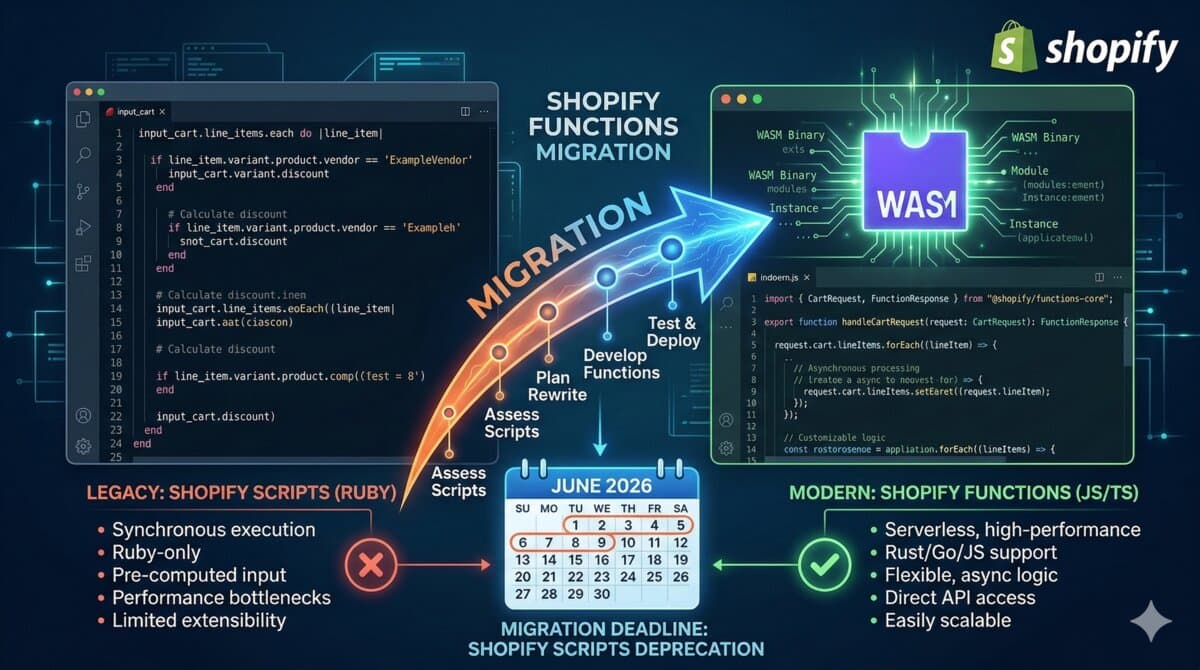
- Scripts users: Migrate before June 2026 — the Scripts deprecation deadline is firm
The days of checkout.liquid hacks are ending. The future is Functions + UI Extensions + APIs.
Resources
- Shopify Checkout Extensibility Docs — shopify.dev/docs/api/checkout-ui-extensions
- Functions API Reference — shopify.dev/docs/apps/functions
- UI Extension React Components — shopify.dev/docs/api/checkout-ui-extensions/react
- Migration Guide — shopify.dev/docs/apps/checkout/migrate
Can I customize the thank you page with extensions?
Yes, using Post-Purchase Extensions. These render after checkout completion and can show surveys, upsells, or custom messaging.
Want this built for you instead of DIY?
I'm Karan — a Top Rated Plus Shopify Expert ($300K+ earned, 100% Job Success). If you'd rather hand this to someone who's done it hundreds of times, let's talk.
🛠️Shopify Development Tools You Might Like
Tags
📬 Get notified about new tools & tutorials
No spam. Unsubscribe anytime.
Comments (0)
Leave a Comment
No comments yet. Be the first to share your thoughts!