Starmap Shopify App: A Custom Star Map Product Customizer for Gift Stores
A practical look at Starmap, my Shopify App Store app for selling custom star map posters with live preview, design controls, translations, and fulfillment-ready order data.
Why I Built a Star Map App for Shopify
A star map product looks simple to a buyer: choose a date, choose a place, add a message, pick a design, and order the print.
For a merchant, that product is not simple. A normal Shopify product page only knows variants, quantity, cart, and checkout. A custom star map needs date and time input, location search, sky rendering, design controls, translated labels, product variant mapping, and fulfillment data that survives the trip from storefront to order dashboard.
That is why I built Starmap: Star Map Customizer for the Shopify App Store. The goal is to let a Shopify merchant sell personalized star map posters without rebuilding the store, hiring a developer for every theme change, or forcing customer choices into a generic product options app.
I am treating this as a product note, not a press release. I want the post to answer the questions I would ask if I owned a gift store: what the app actually does, where Shopify still stays in charge, where the customizer takes over, and what can go wrong if the setup is rushed.
What Starmap Does
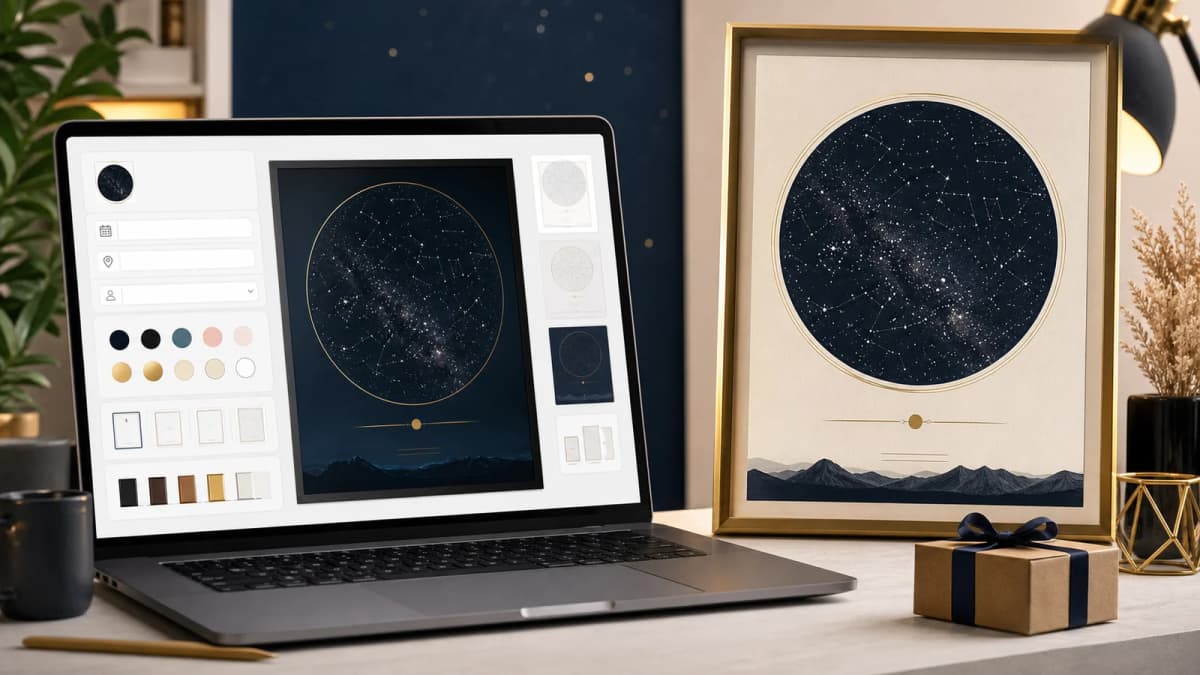
Starmap adds a live customizer to a Shopify storefront where a customer can create a star map poster from a specific moment and location.
The core flow is:
- Customer opens the customizer from a Shopify product or storefront navigation link.
- They choose a date, time, and location.
- The app renders a star map preview for that sky.
- They customize text, colors, fonts, shape, border, layout, and product options.
- The selected design is added to cart as a Shopify product variant.
- Order details and generated files are available for fulfillment.
The App Store listing positions the app around live star map customization, design control, no-code storefront installation, translation support, and an order dashboard for poster data. That matches the actual architecture: Shopify owns product, cart, checkout, and merchant admin, while the customizer and rendering backend handle the parts Shopify does not model natively.

Why This Is Not Just a Product Options App
Product options apps are useful when the customization is simple: size, color, engraving text, upload a file, or choose add-ons.
A star map product has a different failure mode. The customer is not only selecting options. They are creating the product.
That means the store needs to answer questions while the buyer is still designing:
- Is this the right date?
- Should I use the exact time or only the date?
- Is the location precise enough?
- Will the preview match the final print?
- Can I change the colors and message without breaking the design?
- Will the fulfillment team receive enough data to print the correct poster?
If those answers are unclear, conversion drops. If the data is incomplete, fulfillment becomes support work.
Starmap exists because personalized products need a real product-creation flow, not only extra form fields under an Add to Cart button.
The Merchant Setup Flow
Inside the Shopify admin, the app is organized around the steps a merchant actually needs to complete before selling:
- Create or connect a Shopify product.
- Configure product types, sizes, frames, and prices.
- Set date and time behavior.
- Choose the default location and location search provider.
- Configure design options such as colors, fonts, backgrounds, shapes, and borders.
- Translate the customizer labels.
- Preview the storefront URL.
- Review incoming orders and generated poster data.
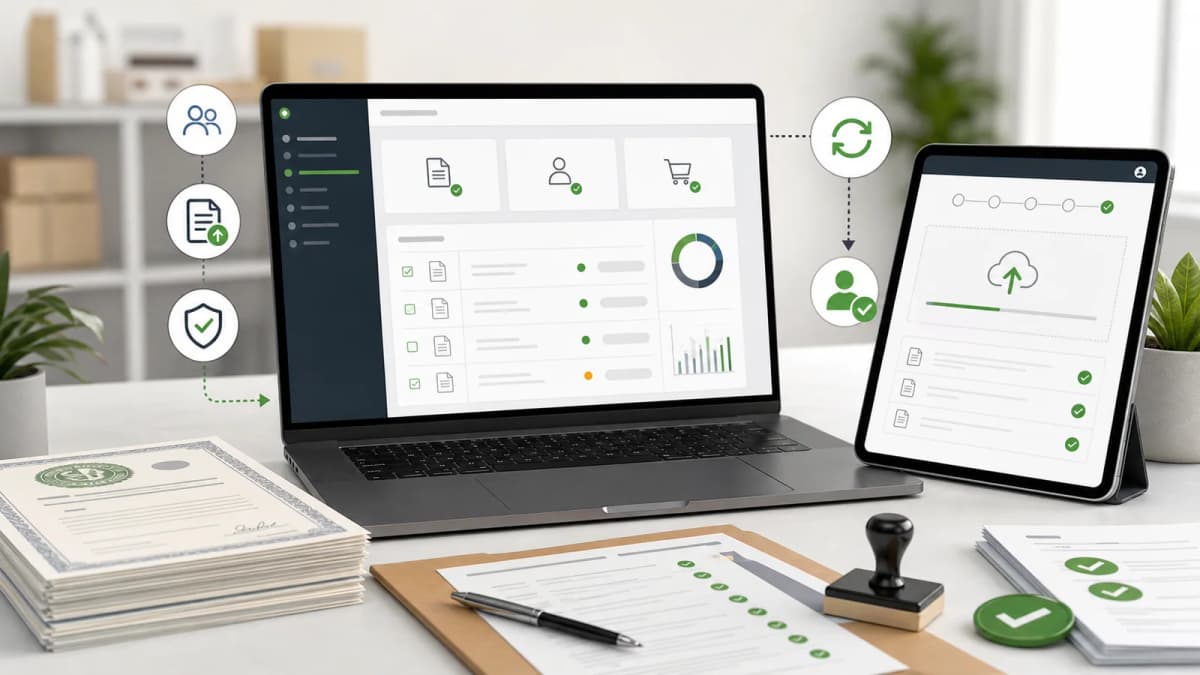
The app dashboard shows setup progress, connected products, variant counts, and recent order count. That matters because most app friction happens during setup, not after the first sale.
For a merchant, the practical question is not "does this app have many settings?" It is "can I get from installation to a working product without guessing what to do next?" The setup checklist is built around that.
Product and Variant Handling
A personalized poster still has to behave like a normal Shopify product at checkout. Starmap keeps that relationship clear by creating or connecting a Shopify product and mapping customer choices to variants.
A merchant can configure:
- Product type labels
- Size labels
- Frame labels
- Enabled product types
- Enabled sizes
- Enabled frame options
- Default prices
- Per-variant prices
- Product title, description, vendor, and tags
For example, a store may want to sell only digital downloads at first. Another store may want framed posters, canvas prints, and multiple sizes. Those should be business decisions in the admin, not hardcoded decisions inside a theme file.
This also helps with SEO and merchandising. The store can still have a normal Shopify product page, collections, tags, pricing, and checkout behavior, while the customizer handles the personalization layer.

Storefront Integration Without Theme Surgery
One design decision I cared about was avoiding fragile theme edits.
The customizer is exposed through a Shopify app proxy route, so a store can link customers to a path like:
/apps/starmap/customize?product=star-mapThe app proxy route loads merchant configuration, product variant data, translation strings, colors, fonts, shapes, backgrounds, and custom icons, then renders the customizer on the storefront.
That is better than asking every merchant to paste a long script into their theme. Theme edits break during redesigns, theme updates, or agency handoffs. An app proxy keeps the storefront integration more contained and gives the merchant a predictable URL they can add to navigation, product buttons, landing pages, email campaigns, or ads.
Design Controls That Matter for Gift Stores
For personalized gifts, design flexibility is part of the product value.
Starmap lets merchants control design choices such as:
- Star map colors
- Background colors
- Text colors
- Message fonts
- Detail fonts
- Preset backgrounds
- Custom background uploads
- Star map shapes
- Border options
- Default visual style
- Button colors and accent colors
This is important because gift brands do not all look the same. A wedding-focused brand may want soft neutrals. A baby keepsake brand may want pastel options. A premium print store may want dark, minimal, gallery-style designs.
The point is not to overwhelm the buyer with every possible control. The point is to let the merchant decide which options support the brand and which options should stay hidden.
Translation and International Selling
The Shopify App Store listing mentions language support, and this is a serious requirement for this category.
Personalized gift stores often sell across countries because the emotional intent is universal: anniversary, first date, wedding, birth, memorial, graduation, new home. But the customizer text has to feel native enough that the buyer trusts the flow.
Starmap stores customizer labels in app metafields and exposes a translations section in the admin. A merchant can adjust the customer-facing labels instead of waiting for a code deployment.
That matters for AEO and SEO too. If a store writes helpful pages around "custom star map gift", "star map anniversary gift", or localized equivalents, the product experience should not suddenly switch into awkward or incomplete interface language when the customer starts designing.
Fulfillment Is Where Personalized Apps Prove Themselves
A customizer is not finished when the customer clicks Add to Cart.
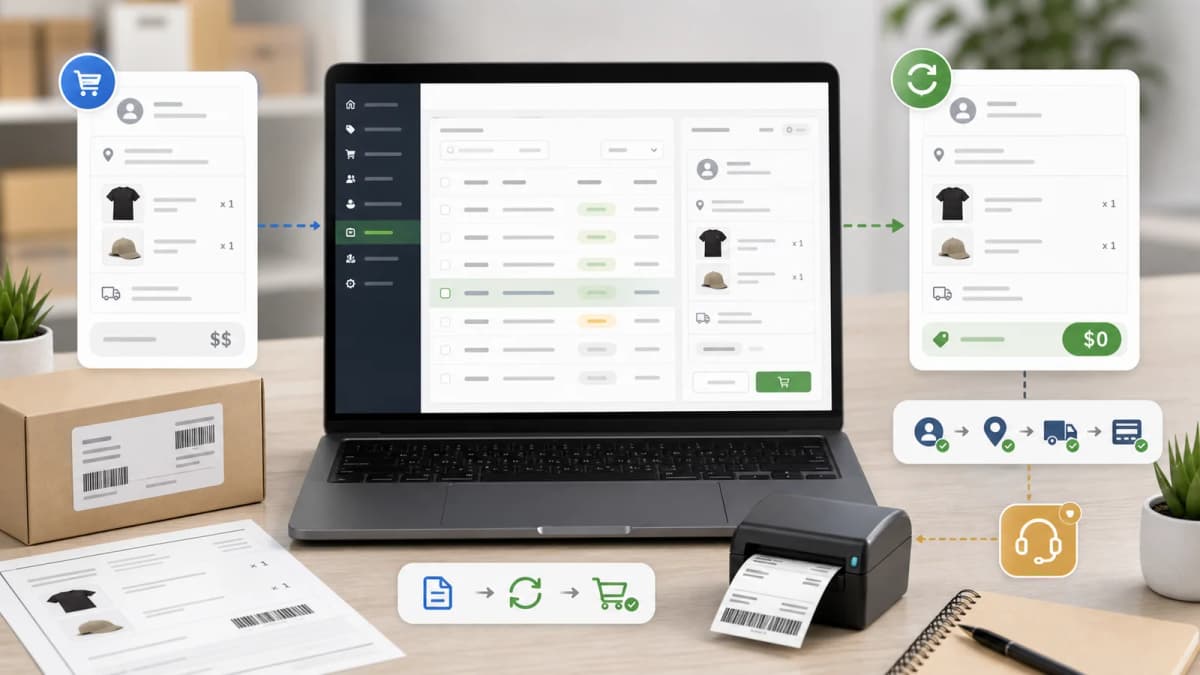
The order has to preserve the design data. The fulfillment team needs enough information to reproduce the poster. Generated JPG or PDF files need to be available. If something fails, the merchant needs a way to regenerate files or inspect the order.
The Starmap admin includes an order dashboard for recent star map orders. It supports search, date filters, generated media links, and regeneration actions through the backend.
This is the part I care about most in real projects. A pretty customizer is easy to demo. The harder test is whether the store can accept a paid order on Friday night and still give the fulfillment team enough clean data on Monday morning to print the right design.
Pricing and App Store Details
As of the Shopify App Store listing I checked, Starmap is listed at:
- $49/month
- 2% usage fee on each order's product value
- Usage fee capped at $1,000/month
- Shopify App Store launch date: April 30, 2026
- Category: custom products
The app is new, so it currently has no public reviews. That is normal for a fresh App Store listing, but merchants should still test the full flow on a development product before sending paid traffic to it.
My recommended test path is simple:
- Install the app.
- Create a test star map product.
- Configure one product type, one size, and one frame option.
- Open the app proxy storefront URL.
- Create a design on desktop and mobile.
- Add to cart.
- Place a test order.
- Confirm that the order dashboard contains the expected design data and generated files.
I would do that test before writing ads, before sending influencer traffic, and before making the product visible in the main menu. A personalized product should not go live until the boring order path has been checked.
Who Should Use Starmap
Starmap is a fit for merchants who want to sell personalized star map posters inside Shopify and keep Shopify as the commerce system.
The best-fit stores are usually:
- Personalized gift stores
- Print-on-demand poster brands
- Wedding and anniversary gift shops
- Baby and family keepsake stores
- Astrology or astronomy-inspired gift brands
- Existing Shopify stores that want to add a star map product line
It is less useful if you only need a text engraving field or a simple upload option. For that, a general product options app may be enough.
Starmap makes sense when the star map itself is the product, and when the merchant needs the design, preview, order data, and fulfillment workflow to stay connected.
What I Would Build Around the App for Organic Growth
The app can add the product capability, but organic growth still depends on the store's content and product pages.
For a store using Starmap, I would build a content cluster like this:
- What is a custom star map?
- How accurate are star map posters?
- What date should you use for an anniversary star map?
- Do you need the exact time for a star map?
- Best custom star map messages for couples
- Star map gift ideas for weddings, birthdays, and newborns
- Framed vs unframed star map posters
- How to choose a location for a star map gift
These pages should link naturally to the Shopify product and customizer. The content should answer real buying questions, not repeat the same sales paragraph in different words.
That is also why I am writing this post on my own site. The app needs a clean entity trail: developer site, Shopify App Store listing, technical context, merchant use cases, and related personalized commerce work. A backlink helps, but the real value is that the link sits inside useful content.
How This Connects to My Personalized Commerce Work
I have built personalized gift systems outside Shopify too, including custom star map and keepsake experiences where the product editor is the center of the store.
That work shaped the decisions in Starmap. A custom storefront gives maximum control, but not every merchant wants to run a custom commerce stack. Many merchants want Shopify's admin, products, checkout, apps, and operational familiarity, with a better personalized product layer on top.
That is the gap Starmap is trying to fill.
If you want the custom-store angle, read my related case study: How I Built Stars In Hands: A Custom Next.js Personalized Gift Store. If you want the Shopify App Store version, Starmap is the installable app path.
Practical Notes Before Installing
Before installing any personalized product app, I would check these things:
- Does the app preserve the full design payload through cart and order?
- Can the merchant control product variants and pricing?
- Can the storefront be linked cleanly without fragile theme edits?
- Does the customer see a live preview before checkout?
- Can the fulfillment team access generated files?
- Are translations editable?
- Does the mobile customizer feel usable?
- Is the pricing model acceptable at your expected order volume?
Those checks are not specific to Starmap. They are the checks I would run before trusting any product customizer with paid traffic.
Sources and Links
- Starmap: Star Map Customizer on the Shopify App Store
- Stars In Hands personalized gift store case study
- Shopify Billing API legacy and App Pricing guide
Common Questions
What is the Starmap Shopify app?
Starmap is a Shopify app for selling custom star map posters. It adds a live storefront customizer where customers choose a date, time, location, text, colors, fonts, shapes, and product options before adding the design to cart.
Does Starmap require theme code edits?
The app is designed around a Shopify app proxy URL, so merchants can link to the customizer from navigation, product pages, campaigns, or buttons without relying on heavy manual theme edits.
Can merchants control the design options?
Yes. The admin includes controls for colors, fonts, backgrounds, shapes, borders, default styles, product options, variant prices, and translated customer-facing labels.
Is this only for printed posters?
The product configuration can support different product types depending on the merchant setup, such as poster, frame, canvas, digital, or other configured options. The merchant should test the fulfillment flow for the product types they plan to sell.
Is Starmap better than a normal product options app?
It depends on the product. For a simple engraved name or file upload, a general options app may be enough. For a star map product where the preview, sky data, location, date, design, and fulfillment payload matter, a dedicated customizer is a better fit.
Want this built for you instead of DIY?
I'm Karan — a Top Rated Plus Shopify Expert ($300K+ earned, 100% Job Success). If you'd rather hand this to someone who's done it hundreds of times, let's talk.
🛠️Shopify Development Tools You Might Like
📬 Get notified about new tools & tutorials
No spam. Unsubscribe anytime.
Comments (0)
Leave a Comment
No comments yet. Be the first to share your thoughts!