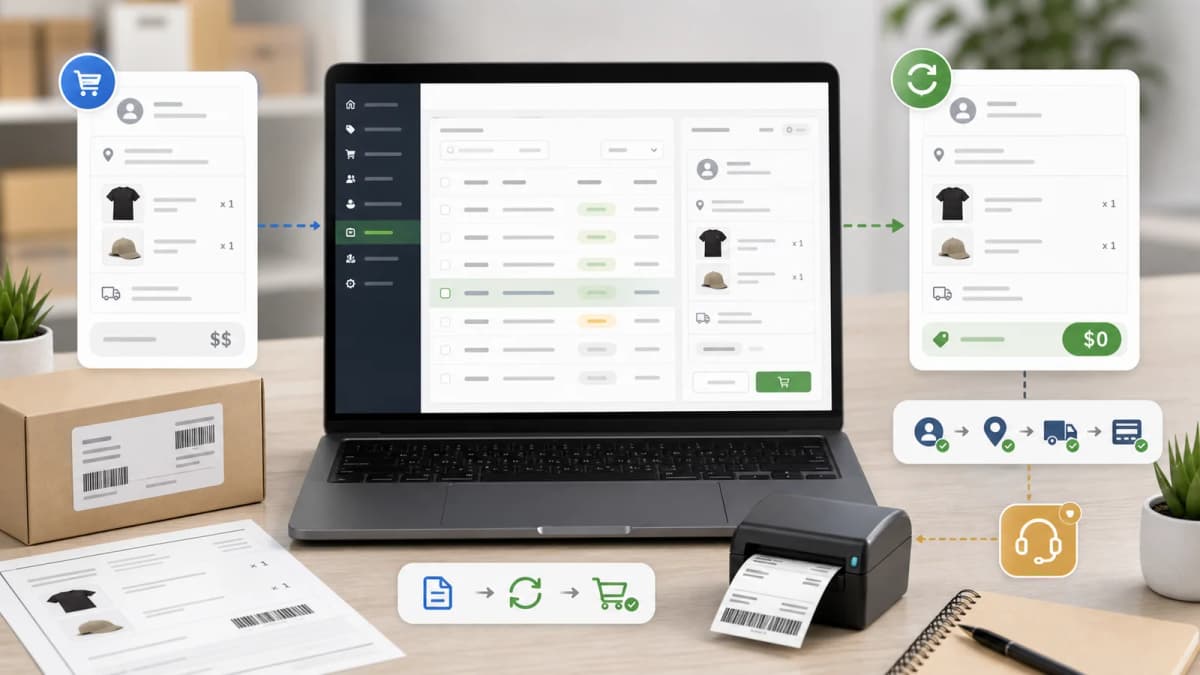
ExemptSync Shopify App: Tax Exempt Certificate Manager for B2B Stores
A practical look at ExemptSync, my Shopify App Store app for collecting tax exemption certificates, reviewing uploads, syncing customer tax-exempt status, and keeping B2B certificate records organized
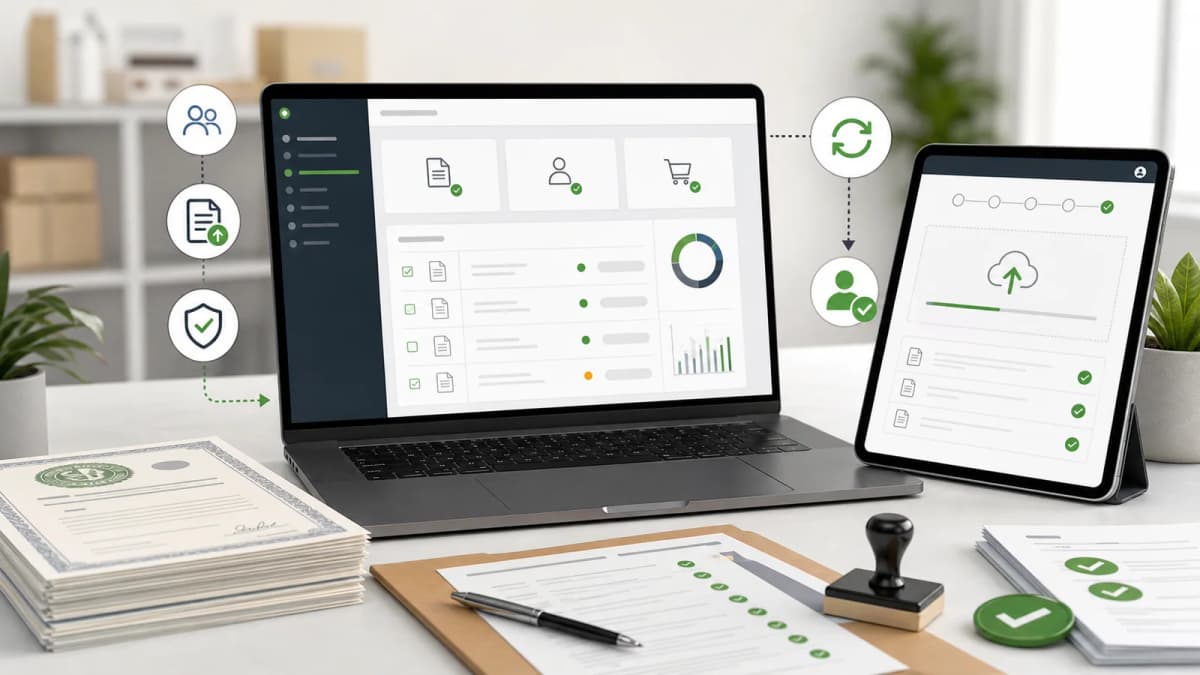
Why Tax Exempt Orders Become Messy in Shopify
Tax-exempt selling sounds like a small admin setting until a real B2B store has to handle it at volume.
A wholesale customer emails a resale certificate. Another customer uploads a nonprofit exemption form. Someone on the team marks a Shopify customer as tax exempt, but the certificate lives in an inbox. Six months later, the accounting team needs to know which document justified an exempt order. The store can still take orders, but the evidence trail is thin.
That is the problem I built ExemptSync - Auto Tax Certs to solve.
This post is not tax advice, and the app does not replace an accountant or a sales tax compliance review. The point is narrower: give Shopify merchants a better workflow for collecting exemption certificates, reviewing them, syncing customer tax-exempt status, and keeping certificate records in one place.
If I were running a U.S. wholesale store on Shopify, I would not want tax exemption approvals living across email threads, staff notes, spreadsheets, and customer tags. I would want a repeatable path that starts on the storefront and ends with a reviewed customer record in Shopify.
What ExemptSync Does
ExemptSync is a Shopify app for B2B merchants who need to collect and manage tax exemption certificates from customers.
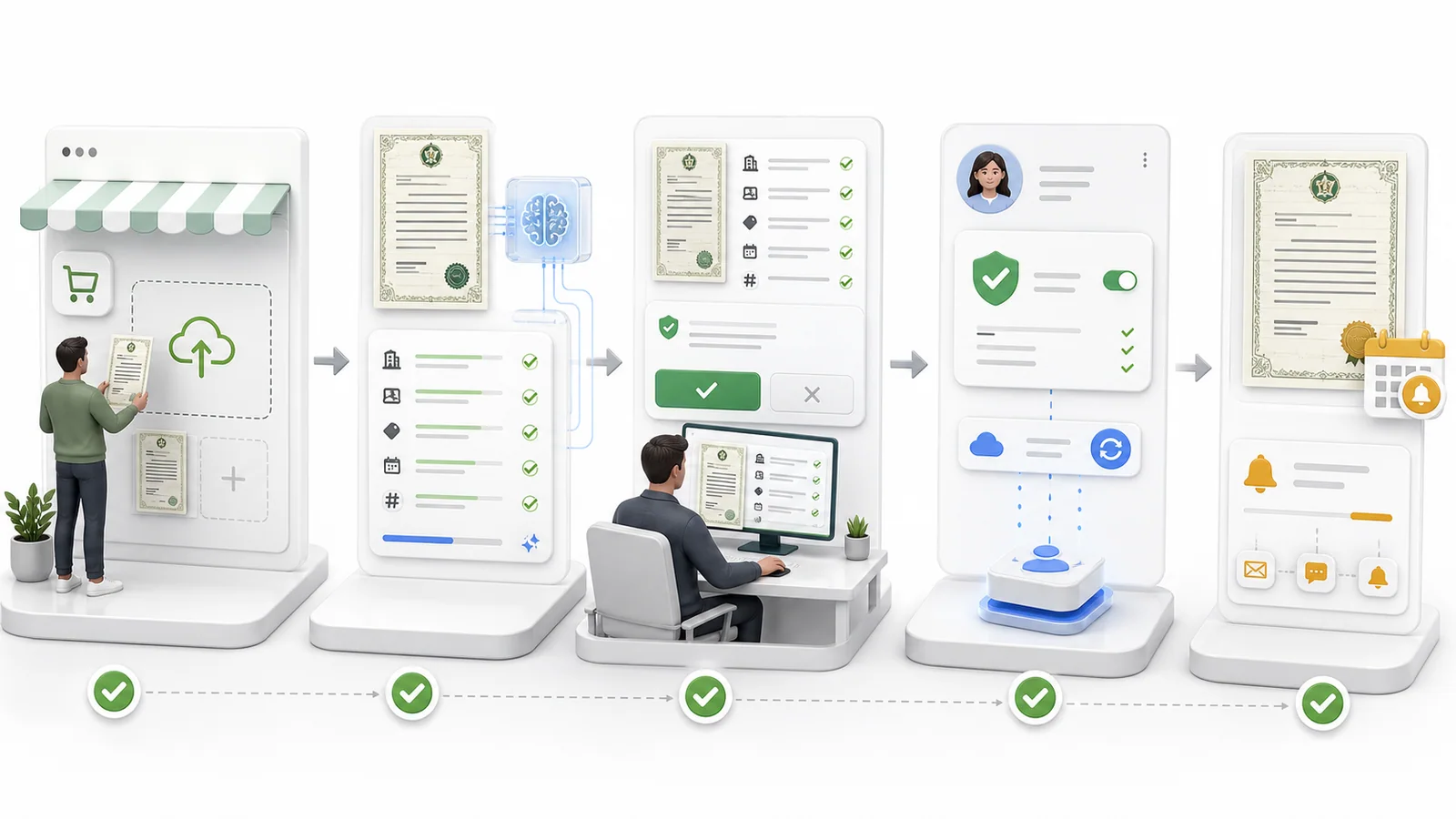
The basic workflow is:
- A merchant installs the app from the Shopify App Store.
- The app creates a customer-facing certificate portal through Shopify app proxy.
- A customer submits their contact details, business information, states covered, certificate type, and certificate file.
- The merchant reviews the submission inside the Shopify embedded app.
- The app can use AI-assisted extraction to read fields from the uploaded certificate.
- The merchant approves or rejects the submission.
- Approved certificates can sync tax-exempt status back to the Shopify customer account.
- Certificate records, expiry dates, review notes, and audit events stay available for later review.
The Shopify App Store listing describes it as a way to automate U.S. B2B tax exemption certificate handling with a branded storefront portal, AI-powered OCR, review flows, Shopify customer sync, expiry reminders, and email notifications.
That description is accurate, but I would phrase the value more plainly: it keeps the certificate, the approval decision, and the Shopify customer tax setting connected.
The Merchant Problem It Is Built Around
The weak point in many tax-exempt workflows is not the first approval. It is everything after the first approval.
A merchant needs answers to simple questions:
- Who submitted the certificate?
- Which business name is on the document?
- Which states does it cover?
- What type of exemption is it?
- Did someone review it before the customer became tax exempt?
- When does it expire?
- What happens when the customer uploads a replacement certificate?
- Can the team find the file later?
Those questions become harder when the store grows. A small team can survive with email and manual notes for a while. A busy B2B store eventually needs a system.
ExemptSync is built around that operational need, not just around the initial file upload.
Customer Portal Instead of Email Attachments
The app includes a customer-facing portal available through a Shopify app proxy path like:
/apps/tax-exemptThat matters because a customer should not need to guess where to send a certificate. A merchant can add the portal link to the store navigation, a wholesale account page, a B2B onboarding email, or a support macro.
The portal collects the details a reviewer usually needs:
- Customer email
- Customer name
- Phone number
- Business name
- Tax ID or EIN
- Certificate number
- Certificate type
- Requested states
- Certificate file upload
The merchant can control portal settings such as heading, description, colors, logo URL, favicon URL, font choice, allowed file types, file size limits, and the success message shown after submission.
This is not glamorous work, but it is the kind of work that makes a B2B store easier to operate. A clean submission form beats asking every customer to send a PDF to a shared inbox with the right subject line.
Review Queue for Submissions
Inside the embedded Shopify app, submissions move into a review queue.
The dashboard shows pending submissions, active certificates, certificates expiring soon, total certificates, recent pending items, and plan usage. That gives the merchant a daily operating view instead of forcing them to search customer records one by one.
On the submission detail screen, the reviewer can inspect:
- Customer information
- Business details
- Submitted certificate file
- Extracted certificate data
- Certificate number
- Business name
- Tax ID or EIN
- Issue date
- Expiry date
- States covered
- Internal notes
The reviewer can then approve and sync the certificate, or reject it with a reason.
I do not like tax workflows where the software silently approves everything. The final decision should still sit with the merchant. The app can make the review faster, but the merchant remains responsible for deciding whether a certificate is acceptable for their business and jurisdiction.

AI Extraction Is a Reviewer Aid, Not a Legal Opinion
The App Store listing mentions AI-powered OCR. In practice, ExemptSync uses AI-assisted extraction to read certificate files and pre-fill useful fields for the reviewer.
The extraction flow looks for things such as:
- Business name
- Certificate number
- Tax ID or EIN
- Issue date
- Expiry date
- States covered
- Certificate type
- Issuing authority
- Business address
- Signatory name
- Document title
- Missing fields
- Risk flags
- Discrepancies between customer-entered data and the document
The app also stores an extraction confidence value and shows a reviewer-facing assessment. Empty form fields can be pre-filled from extraction, while customer-entered data is preserved unless the reviewer changes it.
That last detail matters. AI should not overwrite a customer's submitted data without review. It should help a merchant notice mismatches, missing fields, expiration problems, or unreadable documents before approval.
For example, if the customer enters one business name but the certificate shows another, the reviewer needs to see that before the Shopify customer is marked tax exempt. If a certificate is missing an expiry date, that may not always mean it is invalid, but it should be a conscious review point.
Syncing Tax-Exempt Status Back to Shopify
The core Shopify-side action happens after approval.
When a submission is approved, ExemptSync creates an active certificate record and can sync tax exemption data to the Shopify customer account. If the customer does not already exist, the app can resolve or create the customer by email before syncing.
The app also tracks state-level exemption keys internally and can tag customers with tax-exempt labels. This helps keep the customer record useful inside Shopify instead of making the app the only place where staff can see what happened.
The important part is the direction of control: the merchant reviews first, then the app updates Shopify. That is a safer workflow than automatically changing tax settings the moment a file is uploaded.
Expiry Reminders and Renewal Control
Tax exemption certificates are not always permanent. Some expire. Some need renewal. Some need replacement because the customer's legal entity or address changes.
ExemptSync stores issue dates and expiry dates on certificate records. The dashboard surfaces certificates expiring within the next 30 days, and settings include reminder windows such as 30 days and 7 days before expiry.
For a merchant, this turns certificate management into a queue instead of a surprise.
The practical value is simple: a store should not discover expired certificates only after a tax question appears. Expiry tracking gives the team a chance to request updated paperwork before the next high-value order.
Audit Trail and Customer Communication
The app stores audit events for actions such as approval, rejection, revocation, Shopify sync issues, and customer creation problems. It also has email template and notification queue models for operational messages.
The customer communication pieces include:
- Submission received emails
- Merchant alerts for new submissions
- Approval emails
- Rejection emails
- Revocation emails
- Expiry-related notifications
This is useful because a tax-exempt workflow touches more than one person. The customer wants confirmation. The merchant needs a record. The support team needs to know what was approved. The finance team may need to review the trail later.
Good software in this category should reduce the number of "who approved this?" conversations.
Plans and App Store Details
As of the Shopify App Store listing I checked on May 22, 2026, ExemptSync is listed as:
- App name: ExemptSync - Auto Tax Certs
- Developer: Karan Goyal
- Launch date: April 1, 2026
- Category: Taxes
- Works with: Shopify Admin
- Free plan: up to 5 tax exemption certificates
- Starter: $9.99/month, up to 50 certificates
- Professional: $19.99/month, unlimited certificates
The listing is new and shows no public reviews yet. That is normal for a fresh app, but merchants should still test the full path before relying on it for live B2B approvals.
My suggested test path is:
- Install the app on a development or low-risk store.
- Open the portal URL from the storefront.
- Submit a sample resale certificate as a customer.
- Confirm the submission appears in the review queue.
- Check the AI extraction output, but do not treat it as final.
- Approve the certificate.
- Confirm the Shopify customer tax-exempt status and tags are updated as expected.
- Review the stored file, expiry date, notes, and audit trail.
- Reject a second test submission to verify the unhappy path.
I would run that test before adding the portal link to a live wholesale onboarding flow.
Who Should Use ExemptSync
ExemptSync is a fit for Shopify merchants who sell to tax-exempt B2B customers and want a clearer certificate workflow.
The best-fit stores are usually:
- U.S. wholesale stores
- B2B supply stores
- Industrial, medical, office, or trade suppliers
- Stores selling to nonprofits or government buyers
- Shopify merchants moving tax-exempt approvals out of email
- Teams that need certificate files tied to customer records
It is not meant to be a full tax engine, a substitute for accounting advice, or a promise that every uploaded document is legally acceptable. It is a workflow app for collecting, reviewing, storing, and syncing certificate decisions.
That distinction matters for trust. Apps in tax-adjacent categories should avoid pretending they can remove merchant responsibility. The better goal is to make the responsibility easier to carry.
What I Would Build Around This for Organic Growth
The app can solve the workflow, but organic traffic will come from answering the questions B2B merchants and their customers actually search.
For a Shopify merchant using ExemptSync, I would build a content cluster like this:
- How to collect resale certificates on Shopify
- How to make a Shopify customer tax exempt
- What to include in a tax exemption certificate upload form
- How to handle expired resale certificates
- Resale certificate vs tax exemption certificate
- B2B tax-exempt customer onboarding checklist
- How to review tax exemption certificates before approval
- What records to keep for tax-exempt Shopify orders
- How to ask wholesale customers for updated certificates
Those pages should be written from the merchant's real policy and process, not copied from generic tax articles. A good page can explain what the store requires, what file types are accepted, how long review takes, and what happens when a certificate is rejected.
That kind of content helps SEO, but it also reduces support tickets. Customers trust the process more when the store explains it clearly.
How This Connects to My Shopify App Work
ExemptSync sits in a different category from my personalized product apps, but the product thinking is similar.
In both cases, Shopify is strong at commerce primitives: customers, products, checkout, orders, and admin workflows. The app's job is to handle the specialized workflow that Shopify does not model deeply by default.
For Starmap, that specialized workflow is live personalized product creation. For ExemptSync, it is B2B certificate collection and approval.
The common pattern is this: keep Shopify as the operating system, then add a purpose-built layer for the part of the business that needs more structure.
If you want the personalized commerce side, read Starmap Shopify App: A Custom Star Map Product Customizer for Gift Stores. If you want the billing and App Store pricing side, read Shopify Billing API Deprecation: How to Use Default Shopify App Pricing for App Submission.
Installation Checklist for Tax-Exempt Workflows
Before installing any Shopify tax exempt app, I would check these things:
- Does it collect certificates from customers without relying on email?
- Can the merchant review before changing customer tax settings?
- Does it store certificate files and metadata?
- Can it track issue dates and expiry dates?
- Does it preserve an audit trail?
- Can it sync the decision back to Shopify customers?
- Does it handle rejection, renewal, and revocation paths?
- Are plan limits clear enough for the store's certificate volume?
- Does the merchant have an internal policy for which certificates are acceptable?
The last point is important. Software can make the process cleaner, but the merchant still needs a policy.
References
- ExemptSync - Auto Tax Certs on the Shopify App Store
- Shopify Billing API legacy and App Pricing guide
- Starmap Shopify app product note
Merchant Questions
What is ExemptSync?
ExemptSync is a Shopify app for collecting tax exemption certificates, reviewing customer submissions, storing certificate records, and syncing approved tax-exempt status to Shopify customer accounts.
Does ExemptSync replace tax advice?
No. ExemptSync helps with workflow and recordkeeping. Merchants should still follow their own tax policy and consult the right tax professional for compliance decisions.
Can customers upload certificates from the storefront?
Yes. The app provides a branded customer portal through a Shopify app proxy URL, so customers can submit certificate details and upload PDF or image files.
Does the app approve certificates automatically?
The intended workflow is merchant review first. AI extraction can help read fields and flag possible issues, but the merchant should approve or reject the submission.
What happens after a certificate is approved?
The app creates an active certificate record and can sync tax-exempt status to the Shopify customer account. It can also keep related metadata such as states, expiry date, notes, and audit events.
Is ExemptSync only for resale certificates?
Resale certificates are a common use case, but the app also models certificate types such as government, nonprofit, agricultural, manufacturing, and other exemption categories.
Want this built for you instead of DIY?
I'm Karan — a Top Rated Plus Shopify Expert ($300K+ earned, 100% Job Success). If you'd rather hand this to someone who's done it hundreds of times, let's talk.
🛠️Shopify Development Tools You Might Like
📬 Get notified about new tools & tutorials
No spam. Unsubscribe anytime.
Comments (0)
Leave a Comment
No comments yet. Be the first to share your thoughts!