Reprint Vault Shopify App: One-Click Order Reprints for Replacement Orders
A practical look at Reprint Vault, my Shopify App Store app for creating $0 reprint and replacement orders while preserving line items, customer details, shipping addresses, and order history.
Why Reprint Orders Need Their Own Workflow
Most Shopify stores eventually need to send a replacement order.
A print arrives damaged. A personalized item has a production issue. A warehouse ships the wrong size. A customer support agent needs to send the same products again, but the second shipment should not charge the customer.
That sounds simple until someone has to recreate the order manually.
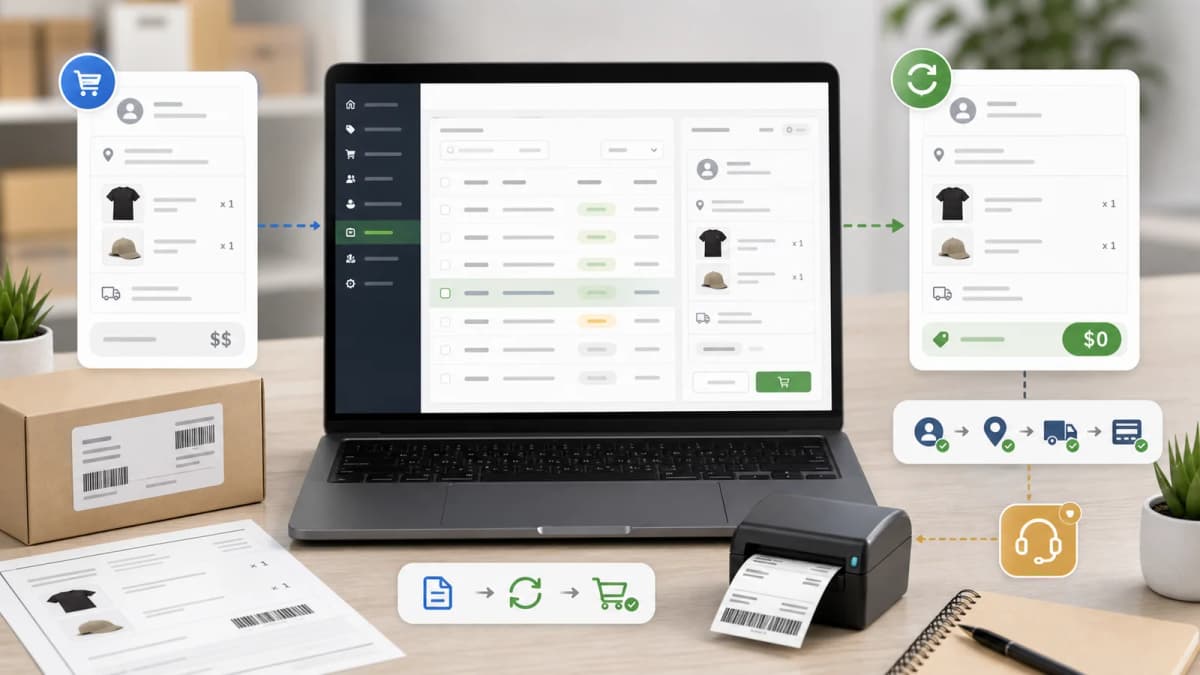
Manual re-entry is where mistakes happen. A staff member has to copy the customer, shipping address, variants, quantities, SKU details, custom properties, order note, and internal reason for the replacement. If the product is personalized, the line item properties matter as much as the SKU. If those properties are missed, the replacement can be wrong again.
That is why I built Reprint Vault | Order Reprints for the Shopify App Store. It is a small app with a narrow job: create reprint and replacement orders from an existing Shopify order without making staff rebuild the order by hand.
The app is listed as free on the Shopify App Store. As of the listing I checked on May 22, 2026, it launched on May 8, 2026, has no public reviews yet, and sits in the Orders category.
What Reprint Vault Does
Reprint Vault helps merchants create a duplicate order for a reprint, replacement, or resend workflow.
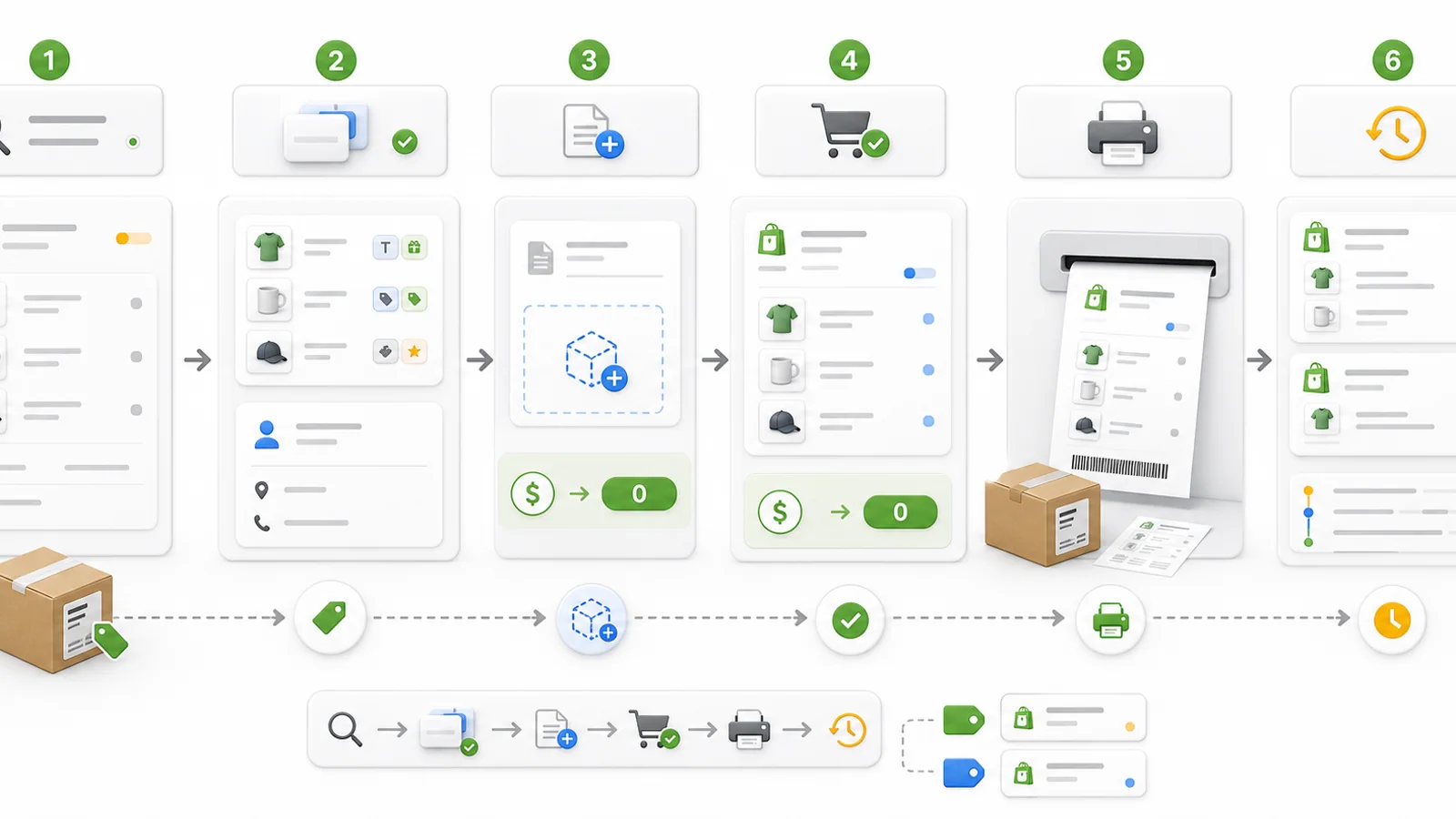
The core flow is:
- The merchant opens the app inside Shopify admin.
- The app lists recent orders and supports search by order number or email.
- The merchant opens an order that needs a reprint.
- The app shows the original order, line items, customer, shipping address, and previous reprint history.
- The merchant adds an optional reason and confirms the action.
- The app creates a $0 draft order or completes it into a $0 order.
- The new order is tagged as a reprint.
- The original order is tagged so staff can see it has already been reprinted.
- A Reprint History screen links the original order to the reprint record.
The listing describes this as one-click reprint creation with line item properties, customer details, shipping information, and reprint history preserved. That matches the code: the app reads the original Shopify order, builds a draft order input, copies the important order data, sets replacement line prices to 0.00, and stores the relationship in its own Reprint table.
The Problem With Manually Duplicating Orders
Shopify makes it easy to manage orders, but a reprint is not exactly the same as a normal repeat purchase.
A replacement order usually has different rules:
- It should be free for the customer.
- It should keep the original shipping address unless staff intentionally changes it.
- It should preserve the exact variants and quantities.
- It should preserve custom line item properties.
- It should be tagged clearly for operations.
- It should have a reason or trail explaining why it exists.
- It should link back to the original order.
Without an app, staff often solve this with a mix of duplicate draft orders, copied addresses, manual discounts, support notes, and tags. That can work for a low volume store, but it is fragile.
The risk is not only that staff spend time. The bigger risk is that a replacement order gets recreated with missing personalization data, the wrong variant, or no traceable reason.
For a store that sells custom prints, made-to-order products, gifts, apparel, or anything with order properties, the replacement workflow has to be boring and repeatable.
Orders List Built for Support Work
The app starts with an Orders screen inside Shopify admin.
It pulls Shopify orders with useful support fields:
- Order name
- Created date
- Customer display name
- Customer email
- Payment status
- Fulfillment status
- Tags
- Total price
- A short line item summary
The list supports search by order number or email, and it has date filters for any time, the last year, and the last 30 days. That matters because support work usually starts from a ticket or message: "Please reprint order #1234" or "The customer with this email needs a replacement."
The list also surfaces reprint-related tags. If an order is already a reprint, staff can see a reprint badge. If the original order already has a reprint attached, staff can see that it has been reprinted before.
That is a small detail, but it prevents duplicate support actions. A team should not send three replacement orders because different people worked the same ticket.
The Reprint Review Screen
After the merchant selects an order, the app shows a dedicated reprint screen.
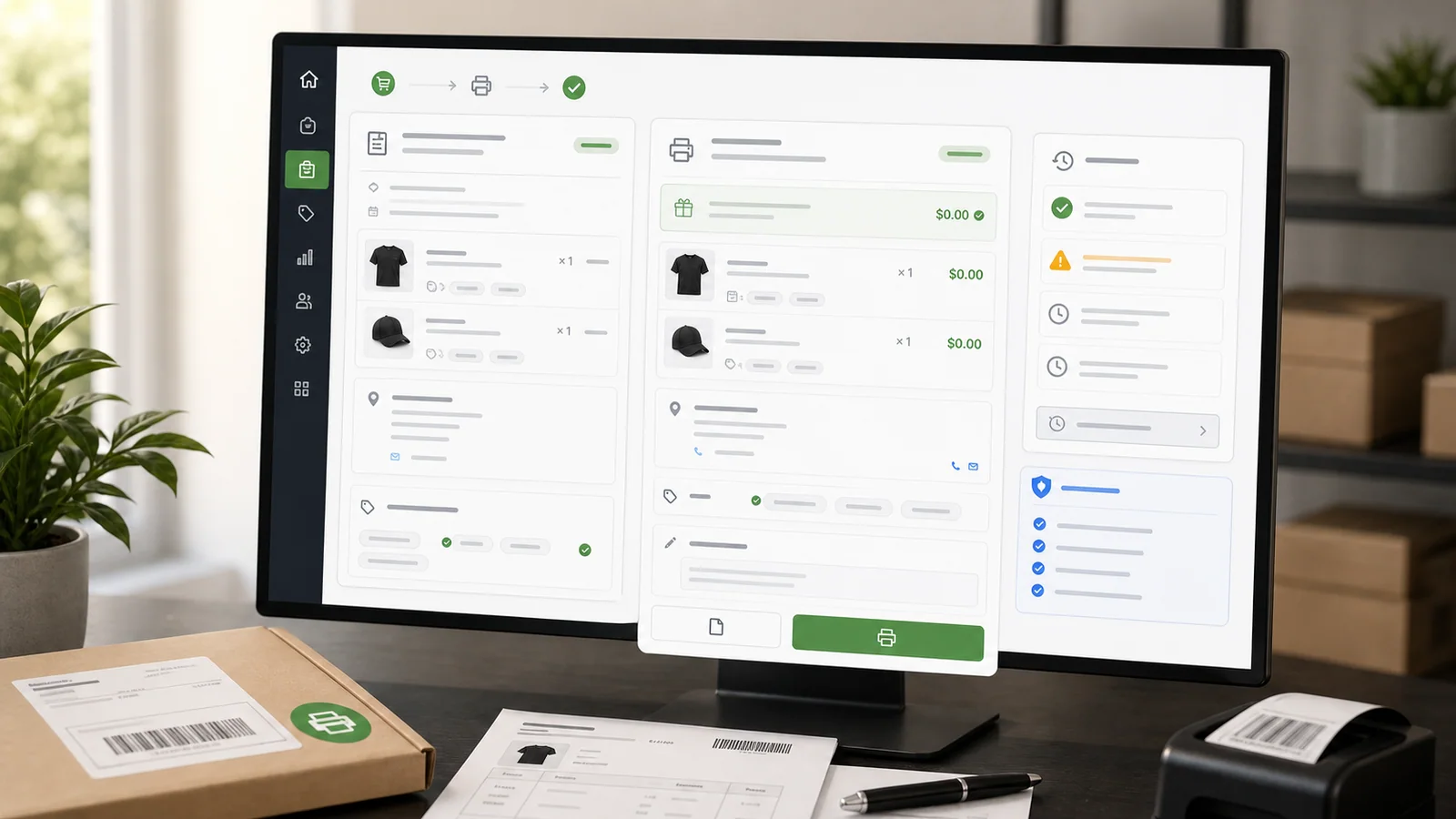
The screen summarizes:
- Original order number
- Order date
- Customer name
- Original order total
- Line items
- SKUs
- Quantities
- Visible custom line item properties
- Shipping address
- Existing reprints for the same original order
The screen also explains what will happen before the merchant creates the replacement: a new order will be created with $0 prices, tagged as a reprint, and built from the original customer, shipping address, and line item properties.
I like this confirmation step because reprints are operational actions. They should be fast, but not invisible. Staff should see exactly what is about to be copied before creating another order.
Preserving Line Item Properties
This is the most important part of the app for stores that sell customized products.
A line item is not always just a product variant. Shopify line items can include custom attributes. These are often used for:
- Engraving text
- Gift messages
- Print personalization
- Size or layout choices from a customizer
- Uploaded file references
- Product option app values
- Internal production notes
If those properties are not copied, the reprint order may contain the correct product but the wrong instructions.
Reprint Vault copies custom attributes from the original line items into the draft order line items. It also keeps variant IDs when available and falls back to title and shipping requirements for non-variant line items.
That is the real reason this app exists. A replacement order should not depend on a support agent noticing every small property by hand.
Creating a $0 Replacement Order
The app uses Shopify draft orders as the safe creation path.
When the merchant creates a reprint, each line item gets a price override of 0.00 in the order currency. The app can either:
- Create the reprint as a draft order for review.
- Create and complete the draft into a finalized $0 order immediately.
Both options are useful.
For a small team, "Create & Complete Order" is faster. For a larger team, creating a draft first may be safer because someone can review the replacement before it becomes a live order.
The app also sets free shipping for the replacement flow when a shipping address exists. The goal is to create an operational replacement order, not a second paid purchase.
Tags and Order Traceability
Reprint Vault uses tags to keep the Shopify admin readable.
The new replacement order gets tags such as:
reprintreprint-of-ORDERNAME
The original order receives:
has-reprint
That gives staff a simple way to filter and recognize reprints inside the normal Shopify Orders page. It also makes the replacement visible outside the app, which is important because staff may work from Shopify admin, shipping tools, fulfillment apps, or customer support tools.
The app also stores its own reprint record with:
- Shop
- Original order ID
- Original order name
- Reprint draft ID
- Reprint order ID
- Reprint order name
- Optional reason
- Status
- Creation date
That record powers the Reprint History screen.
Reprint History for the Audit Trail
The Reprint History page is intentionally simple.
It lists recent reprints with:
- Original order
- Reprint order or draft
- Reason
- Status
- Date
That is enough for most support and operations questions:
- Was this order already reprinted?
- Which replacement order was created?
- Was it completed or left as a draft?
- Why did staff create it?
- When did it happen?
This matters because replacement workflows are often reviewed later. A customer may ask for tracking. A manager may ask why a free order was created. A fulfillment team may need to match a replacement shipment back to the original issue.
Without history, the answer becomes tribal knowledge. With history, it is a visible operational record.
Where This Fits in a Shopify Store
Reprint Vault is not trying to be a full returns platform, helpdesk, shipping app, or warranty system.
It fits in a narrower place:
- The store already knows a replacement is needed.
- The replacement should contain the same products and properties.
- The customer should not be charged.
- The order needs to exist in Shopify so fulfillment can process it.
- Staff need a traceable connection back to the original order.
That makes it useful for:
- Print-on-demand stores
- Personalized gift stores
- Apparel stores
- Merch stores
- Handmade product stores
- Stores with custom product options
- Stores where support teams regularly send replacements
It is less useful if a merchant only needs to refund orders, manage returns labels, or create warranty rules. Those are related workflows, but they are different jobs.
App Store Details
As of the Shopify App Store listing I checked on May 22, 2026:
- App name: Reprint Vault | Order Reprints
- Developer: Karan Goyal
- Pricing: Free
- Launch date: May 8, 2026
- Category: Orders - Other
- Language: English
- Public reviews: 0
- Main claim: create reprint orders in one click while preserving line items, customer info, and shipping details
The listing description also mentions the name "Reprinta" in its body copy. The App Store title and local app configuration use "Reprint Vault | Order Reprints", so that is the name I would use consistently in content and links.
How I Would Test It Before Using It Live
I would test the app with three order types before using it in a real support workflow.
First, test a simple order with one normal product variant. Confirm that the new order is $0, tagged as a reprint, and linked in history.
Second, test an order with multiple line items and different quantities. Confirm that every line carries over with the expected quantity and variant.
Third, test a personalized order with custom line item properties. This is the important test. Confirm that the values needed by production are still present on the reprint order.
My basic checklist would be:
- Install the app.
- Search for a known order by order number.
- Open the reprint screen.
- Add a clear reason, such as "damaged in shipping".
- Create a draft reprint first.
- Inspect the draft in Shopify admin.
- Confirm line items, properties, address, tags, and $0 pricing.
- Create a completed reprint for a second test.
- Check the Reprint History page.
- Confirm the original order is tagged as having a reprint.
If a store relies heavily on fulfillment apps, I would also check how those apps handle $0 replacement orders before giving the workflow to the support team.
Organic Content Ideas Around Reprints
The app can help with the workflow, but organic growth for this category comes from practical operations content.
For a Shopify store or app site, I would build pages around:
- How to create a replacement order in Shopify
- How to send a free replacement order without charging the customer
- How to handle damaged product replacements in Shopify
- Shopify reprint order workflow for print-on-demand stores
- Why line item properties matter for replacement orders
- How to track replacement orders with Shopify tags
- How to avoid duplicate replacement shipments
- Draft order vs completed order for customer replacements
These are not broad, glamorous keywords. They are support and operations problems. But the search intent is strong because the merchant usually needs an answer while dealing with a real customer issue.
That is also why a focused app can rank through useful content. A generic article about "better order management" is not enough. The content should answer the exact support problem: how do I create a free replacement order that keeps the same order details?
Why This Fits My Shopify App Work
Reprint Vault sits beside my other Shopify App Store apps as a small operational tool.
Starmap handles a custom product creation workflow. ExemptSync handles B2B tax exemption certificate review. Reprint Vault handles a post-purchase support workflow.
The common thread is that Shopify gives merchants the commerce system, but some workflows need a purpose-built layer:
- Personalized product data needs a customizer.
- Tax-exempt approvals need a certificate review flow.
- Replacement orders need a reprint flow.
Reprint Vault is intentionally small because the problem is small but painful. The best version of this app should save time, reduce support mistakes, and keep the Shopify order history understandable.
Sources
- Reprint Vault | Order Reprints on the Shopify App Store
- Starmap Shopify app product note
- ExemptSync Shopify tax exempt app note
- Shopify Billing API legacy and App Pricing guide
Reprint Order Questions
What is Reprint Vault?
Reprint Vault is a Shopify app for creating $0 reprint or replacement orders from existing orders. It is built for merchants who need to resend products without manually rebuilding the order.
Does it preserve line item properties?
Yes. The app copies custom line item attributes into the replacement draft order, which is important for personalized products, product option apps, gift messages, and production details.
Does the customer get charged again?
The replacement line items are created with a 0.00 price override. The workflow is designed for free replacement or reprint orders, not for normal repeat purchases.
Can staff review the order before completing it?
Yes. The app supports creating a draft order first, or creating and completing the $0 order immediately.
How does the app help prevent duplicate reprints?
It shows previous reprints for the same original order, tags the original order with has-reprint, tags the replacement as reprint, and stores records in the Reprint History page.
Who should use this app?
It is most useful for Shopify stores that regularly send replacements, especially stores with custom products, print-on-demand workflows, personalized gifts, apparel, or line item properties that must be preserved.
Want this built for you instead of DIY?
I'm Karan — a Top Rated Plus Shopify Expert ($300K+ earned, 100% Job Success). If you'd rather hand this to someone who's done it hundreds of times, let's talk.
🛠️Shopify Development Tools You Might Like
📬 Get notified about new tools & tutorials
No spam. Unsubscribe anytime.
Comments (0)
Leave a Comment
No comments yet. Be the first to share your thoughts!