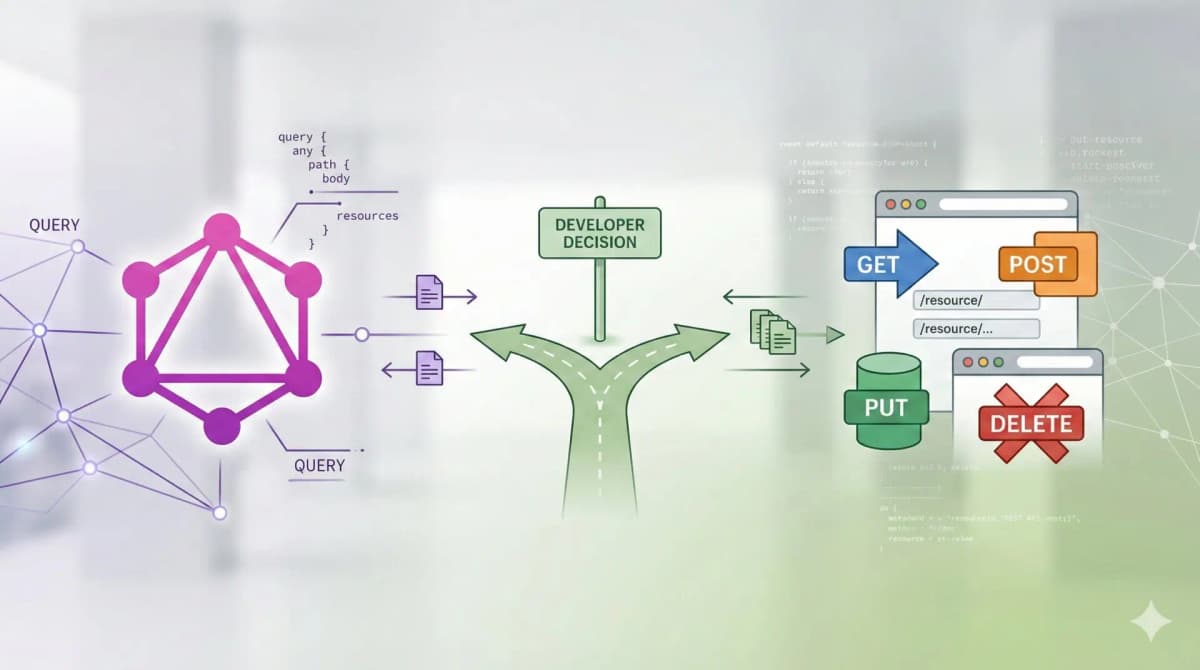
Mastering Shopify API Integration: A Guide to Connecting Third-Party Services
Learn how to extend your Shopify store's functionality by integrating third-party APIs for enhanced automation, data syncing, and superior customer experiences.

Why Standard Apps Aren’t Always Enough
The Shopify App Store is vast, but it is built for the mass market. If your business has unique workflows—such as a custom manufacturing process or a proprietary loyalty algorithm—you need a bespoke connection. Custom API integrations allow for:
- Real-time Data Sync: Moving data between Shopify and external platforms without manual exports.
- Process Automation: Reducing human error in order fulfillment and inventory management.
- Enhanced UX: Bringing external data (like live shipping tracking or AI recommendations) directly into the storefront.
Understanding the Shopify API Landscape
Before you write a single line of code, you need to choose the right entry point into Shopify.
1. Shopify Admin API (REST vs. GraphQL)
For most back-office integrations (orders, products, customers), you’ll use the Admin API. While Shopify supports REST, I strongly recommend GraphQL. It is significantly more efficient, allowing you to request exactly the data you need in a single call, which is crucial for staying within Shopify’s rate limits.
2. Shopify Storefront API
If you are building a headless commerce experience or adding dynamic features to a Liquid theme using JavaScript, the Storefront API is your tool. It is optimized for speed and unauthenticated access to product data.
Choosing Your Integration Architecture
How you host your integration is just as important as the code itself.
Custom Shopify Apps
Building a custom app (hosted on platforms like Heroku, Fly.io, or AWS) is the most robust method. It allows you to use Shopify’s OAuth flow and provides a secure environment for your API keys.
Middleware and iPaaS
For simpler tasks, tools like Zapier or Make (formerly Integromat) act as a bridge. While easy to set up, they can become expensive at high volumes and offer less flexibility than custom code.
Serverless Functions
If your integration is event-driven (e.g., "do X when an order is placed"), using AWS Lambda or Vercel Functions is highly cost-effective. You only pay for the execution time, and it scales automatically with your traffic.
The Step-by-Step Integration Workflow
Step 1: Authentication and Security
Never hardcode API keys in your frontend. Use environment variables and, for private apps, generate 'Admin API access tokens'. If your integration involves a third-party service, ensure you are using OAuth 2.0 whenever possible to keep credentials secure.
Step 2: Leveraging Webhooks for Real-Time Action
Polling an API every few minutes is inefficient. Instead, use Shopify Webhooks. You can subscribe to events like orders/paid or products/update. When the event occurs, Shopify sends a JSON payload to your specified endpoint.
Pro-tip: Always verify the HMAC header sent by Shopify to ensure the request actually came from your store and not a malicious actor.
Step 3: Managing the 'Leaky Bucket' (Rate Limits)
Shopify uses a 'leaky bucket' algorithm for API throttling. If you blast the API with too many requests at once, you’ll get a 429 Too Many Requests error. Your integration must include logic to handle these errors, ideally using an exponential backoff strategy or a request queue.
Case Study: AI-Powered Product Descriptions
Recently, I helped a client with 10,000+ SKUs integrate the OpenAI API with their Shopify Admin. We built a middleware that:
- Listened for a
products/createwebhook. - Sent the product title and raw specs to GPT-4.
- Received a formatted, SEO-optimized description.
- Updated the Shopify product via the GraphQL Admin API.
This integration saved the client hundreds of hours of manual copywriting and ensured a consistent brand voice across their entire catalog.
Best Practices for a Healthy Integration
- Logging and Monitoring: Use tools like Sentry or Datadog to monitor your integration. You need to know if a sync fails before your customer does.
- Idempotency: Ensure that if a webhook is sent twice, your system doesn't create duplicate data.
- Versioning: Shopify updates its API versions every quarter. Always keep an eye on the release notes and update your integration before older versions are deprecated.
Conclusion
Integrating third-party APIs with Shopify is a powerful way to transform a simple storefront into a sophisticated business engine. By choosing the right architecture, respecting rate limits, and prioritizing security, you can build a system that grows with your business.
How I Would Audit This
A Shopify API integration is only as good as its failure handling. I start by mapping data direction, ownership, retry rules, idempotency, and what happens when Shopify or the third-party system is temporarily wrong.
- Identify source of truth for each field.
- Use stable external IDs.
- Plan retries and dead-letter handling.
- Log payload references without storing sensitive data unnecessarily.
- Test duplicate webhooks and partial failures.
Production Failure Modes
The production bug is assuming every API call succeeds once. Real integrations see timeouts, duplicate webhooks, stale inventory, changed schemas, and support teams asking what happened to a specific order.
- No idempotency key.
- No mapping table between Shopify IDs and external IDs.
- Retries create duplicate records.
- No alert for stuck sync jobs.
- Error logs omit the shop/order reference needed for debugging.
Copy/Paste Starting Point
const idempotencyKey = `${shop}:${topic}:${payload.admin_graphql_api_id}`;
if (await alreadyProcessed(idempotencyKey)) return;
await processWebhook(payload);
await markProcessed(idempotencyKey);
The exact storage layer can vary, but the behavior matters: duplicate webhook delivery should not create duplicate external actions.
What I Would Ship First
I would ship the integration with observability from day one, even if the first version has fewer features.
- Add mapping tables.
- Centralize retries.
- Store sync status per record.
- Expose manual retry for admins.
- Write a runbook for failed jobs.
Shopify implementation notes
When I would review this in a client Shopify store, I would start with the operational surface instead of the headline. Mastering Shopify API Integration: A Guide to Connecting Third-Party Services only becomes useful when the reader can map it to a theme file, app setting, Admin API job, checkout rule, or storefront behavior they can actually test.
My review path is simple: connect the advice to one real workflow, make the risk visible, change only what is needed, and keep proof that the change worked.
Store implementation checklist
- Check the exact Shopify surface before changing code.
- Test with products that have missing images, long variants, empty metafields, and unusual prices.
- Confirm the change is visible in server-rendered HTML where SEO/AEO matters.
- Keep a rollback path for app or theme changes.
- Write a handoff note so the merchant team knows what can be edited safely.
Store risks I would test
- The article sounds correct but does not explain what to edit in Shopify.
- The guidance ignores app conflicts, API versions, or messy product data.
- The change helps desktop screenshots but hurts mobile checkout.
- The page makes a claim that is not backed by visible content or schema.
Store QA note template
Implementation check for Mastering Shopify API Integration: A Guide to Connecting Third-Party Services:
1. Confirm the Shopify surface involved: theme, Admin API, checkout, app, or storefront.
2. Test with messy catalog data, not only a demo product.
3. Verify permissions, API version, and rollback path.
4. Record the production edge case this change protects.
This block is meant to force a practical check before code, content, or client advice moves forward.
Next Shopify improvement
To make this stronger over time, I would add proof from the workflow itself: a screenshot, log excerpt, metric table, source link, or concrete QA result.
Want this built for you instead of DIY?
I'm Karan — a Top Rated Plus Shopify Expert ($300K+ earned, 100% Job Success). If you'd rather hand this to someone who's done it hundreds of times, let's talk.
🛠️Shopify Development Tools You Might Like
Tags
📬 Get notified about new tools & tutorials
No spam. Unsubscribe anytime.
Comments (0)
Leave a Comment
No comments yet. Be the first to share your thoughts!