Shopify Native Rollouts: A/B Testing Without the Third-Party App
Shopify's new Rollouts feature lets merchants run A/B tests natively without installing third-party apps. Learn how it works, what's possible now, and when to use it vs Shoplift/Intelligems.
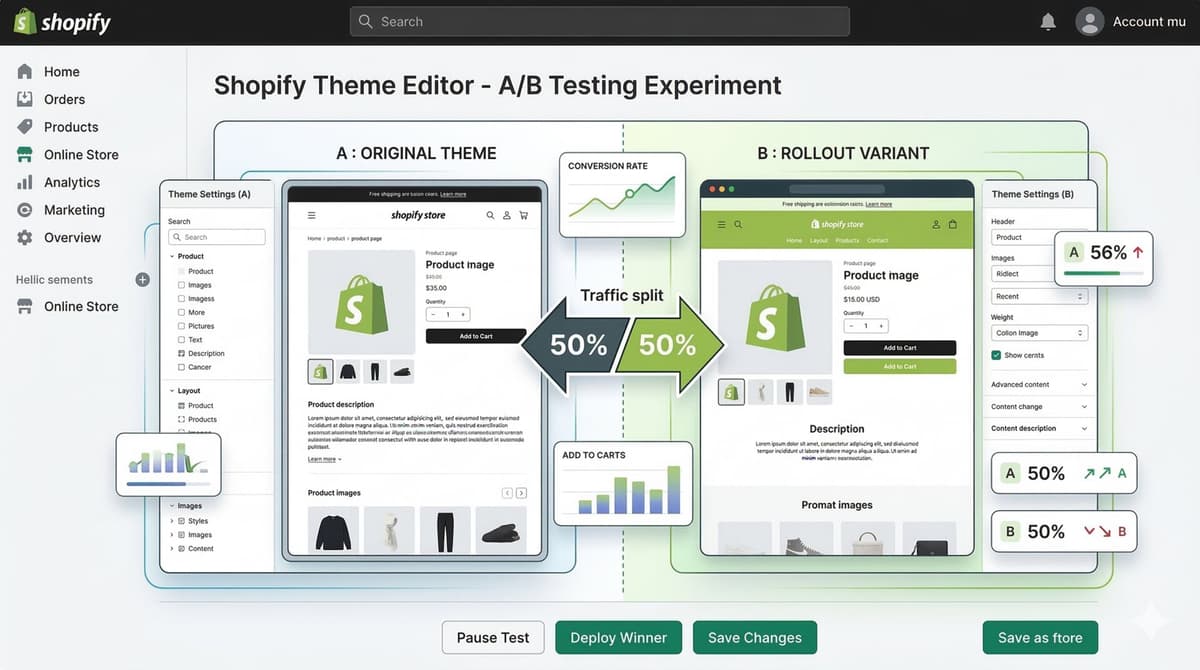
The first time a Rollout changed my mind about a "winner," it was a hero image. A client was convinced their lifestyle shot was killing conversions and wanted to swap it for a plain product-on-white. We ran it. After four days at a 20% split, the plain version was up 6% on click-through to the product page and down 4% on actual checkout completion. People clicked more and bought less. If we'd judged on the metric everyone stares at first, we'd have shipped the worse page.
That's the whole reason native Rollouts matter, and it's also why most store owners get A/B testing wrong: they measure the thing that's easy to see instead of the thing that pays the bills.

What Rollouts actually does
Rollouts is staged theme deployment with traffic control, built straight into the admin. You're not bolting a third-party script onto your storefront and praying it doesn't tank your LCP. The variant is served by Shopify itself.
In practical terms you can:
- Run a slice of traffic (say 10%) against a modified copy of your live theme
- Edit that copy in the normal theme editor without touching your published store
- Compare conversion and revenue between the variant and the control
- Ramp the winning version up gradually, or schedule a launch for a specific date
- Apply the change for everyone, or discard it and leave your live theme untouched
All of it lives under Online Store > Themes. No app install, no checkout script, no extra request blocking the render.
How it works, step by step
1. Create the rollout
Online Store > Themes, hit Rollouts next to your published theme, then Create rollout. Name it properly (more on that below) and set a traffic percentage. Start at 10%. I know you want to go faster. Don't.
2. Make your changes
Changes > Customize drops you into the theme editor on the rollout copy. Everything you touch here only affects the variant. You get a preview URL, so QA it on real devices before you point any live traffic at it. Half the "failed tests" I get called in on are just a broken variant on mobile that nobody previewed.
3. Launch or schedule
Deploy immediately for a quick read, or schedule it. Scheduling is genuinely useful for BFCM prep, you can stage the seasonal homepage weeks ahead and have it go live at midnight without anyone awake. The percentage ramp lets you creep from 10% to 100% as the data holds up.
4. Monitor and decide
Shopify shows conversion rate against control, revenue impact, and how traffic is split. When you've got enough data, you apply the changes or discard them. The control is always sitting there intact, which is the part that lets you sleep.
What you can realistically test today
Rollouts handles theme-level changes: layout, adding or removing sections, content blocks, design tweaks like colors, fonts and spacing, and straight-up comparing two different themes head to head.
Tests I'd actually reach for:
- Hero section: lifestyle image vs. product shot vs. short looping video
- Product page layout, like sticky add-to-cart vs. inline, or moving reviews above the fold
- Homepage section order, collections first vs. social proof first
- A trust/proof block on the PDP (badges, shipping promise, review count) on or off
- A whole new theme vs. your current one before you commit to migrating
That last one is underrated. A theme migration is the highest-risk change most stores make all year, and Rollouts lets you put real traffic on the new theme before you flip the switch for everyone.
Where it falls short, and you should know this going in
Native Rollouts is release control with a measurement layer, not a full experimentation platform. As of now it doesn't do:
- Audience segmentation (new vs. returning, geo, device, traffic source)
- Custom event tracking beyond Shopify's built-in conversion and revenue
- Testing past the theme, so no checkout, no discounts, no app behavior
- Liquid-level logic branching inside a single template
- Multivariate testing, you're comparing variants, not isolating factors
- Holding a variant stable for an individual shopper across long sessions the way a dedicated tool guarantees
Shopify's said products, discounts and other surfaces are on the roadmap. Treat that as "coming," not "here."
Rollouts vs. third-party tools
Native wins on the things that quietly cost you: it's free instead of $50–500+/month, it doesn't inject a render-blocking script, and setup is minutes. Tools like Shoplift and Intelligems win on audience targeting, custom events, full-storefront testing, and the ability to test actual Liquid changes.
My rule: if the test is "does this content/layout change help or hurt," use native Rollouts. If you need to test by segment, track a custom funnel, or experiment on checkout, pay for the dedicated tool. Don't pay $300/month to test a hero image.
How to actually structure a test so the result means something
This is where most people lose, so I'll be specific.
One hypothesis, written down, before you start. Not "let's see what happens." Something like: "Moving reviews above the fold on the PDP will lift add-to-cart because returning shoppers trust social proof." If you can't write the sentence, you don't have a test, you have a redesign.
Pick one primary metric and pick it in advance. Usually that's checkout conversion or revenue per visitor, not click-through, not bounce, not time on page. Decide before you see data, because if you choose after, you'll always find a number that makes your variant look good. I've explained which numbers are worth watching in my piece on ecommerce analytics that actually drive growth, and the short version is: revenue per session beats almost everything else.
Change one thing. If you swap the hero, reorder sections, and change the button color all at once and conversion moves, you've learned nothing about why. You can't ship "the good part" because you don't know which part was good. This is the single most common mistake I see.
Respect sample size and significance. Don't call a winner after 100 visitors, and don't call one after a 2% lift that Shopify's confidence interval still flags as noisy. A rough gut check: a store doing a few hundred orders a week usually needs one to two full weeks to read a moderate effect, and run it in complete 7-day cycles so you're not comparing a weekday variant against a weekend control. Low-traffic stores trying to detect a 3% lift will be waiting months, which is the honest reason small stores often shouldn't A/B test at all.
Watch a guardrail metric. Your primary might be conversion, but keep an eye on average order value and refund rate. A variant that lifts conversion by pushing a cheaper bundle can quietly drop revenue. That's exactly the kind of trap I dig into in the broader conversion rate optimization guide.
When not to run a test
People forget this is an option. Don't test when:
- Traffic is too low to ever hit significance. Just make the better-judgment change and move on.
- The change is obviously broken or obviously right. Don't A/B test fixing a typo or a broken mobile menu, ship it.
- You're testing five things in one rollout. Split them.
- You haven't decided what "winning" means. Decide first.
If your PDP is fundamentally weak, you'll get more from rebuilding it on solid principles than from testing button shades on a page that was never going to convert. I keep a running list of what actually works on product pages in my 2025 product page design notes.
Naming and documentation
Name rollouts so a future you understands them: not "Test 1" but "PDP — Reviews Above Fold — June 2026." For each one, record the hypothesis, the split, start and end dates, the result, and the decision. Six months from now when someone asks "didn't we already try this," you'll have an answer instead of a shrug.
Have a rollback plan before you launch
Set a scheduled end date on every rollout. If a variant tanks conversion, the control is already live and intact, so reverting is instant, no 3 a.m. firefight. And after any test, whether it won or lost, clean up. Leftover theme branches and half-removed sections are a real source of bugs weeks later, long after everyone's forgotten the test ran.
A theme-side assignment sketch
If you're hand-rolling a variant split in Liquid (outside native Rollouts), the thing that matters is stable assignment, a given shopper should always see the same variant:
{% assign rollout_variant = customer.id | default: cart.token | slice: -1, 1 %}
{% if rollout_variant == "0" or rollout_variant == "1" %}
  {% render "pdp-proof-block-v2" %}
{% else %}
  {% render "pdp-proof-block" %}
{% endif %}
This is a sketch, not a testing system. It has no analytics events and no proper decision rule, and the assignment is crude. For anything you'll make a real decision on, use native Rollouts or a dedicated tool. I leave this here only to show the shape: stable bucket per shopper, render one block or the other.
The bottom line
Native Rollouts solves a real merchant problem, testing theme changes safely without expensive tooling or a slower storefront. It's not feature-complete: no segmentation, no custom events, theme-only for now. But for the majority of stores that just want to know whether a new homepage helps or hurts, it's exactly the right tool, and it builds the discipline of deciding things with data before your competitors do.
Start with native for content and layout. Reach for a paid platform when you genuinely need segments or checkout tests. And whatever you use, the testing fundamentals matter more than the tool.
FAQ
How long should I run a Shopify Rollout? In full 7-day cycles, and long enough to hit statistical significance on your primary metric, not just a target number of visitors. For a store doing a few hundred orders a week, that's often one to two weeks. Very low-traffic stores may never reach significance on small changes, which is a sign to just make the call and skip the test.
Do native Rollouts slow down my store like third-party A/B apps? No. The variant is served by Shopify, so there's no render-blocking script injected into your storefront. That's one of the bigger advantages over script-based tools.
Can I test checkout or discounts with Rollouts? Not yet. Native Rollouts is theme-only right now. Checkout, products and discounts are on Shopify's roadmap but aren't available, so for those you still need a dedicated experimentation platform.
What's the most common reason A/B tests give wrong answers? Changing several things at once and judging on the wrong metric. If you swap the hero, reorder sections, and recolor the button together, a lift tells you nothing about cause. Pick one change, one primary metric chosen up front, and a guardrail metric to catch hidden losses.
Should a small store bother A/B testing at all? Often no. If you can't realistically reach significance, you'll spend weeks learning nothing. Make the better-judgment change, watch your overall numbers, and save formal testing for when traffic supports it. If you're unsure where your store sits, ask Shopify for a quick gut check on whether your volume can support a test.
Want this built for you instead of DIY?
I'm Karan — a Top Rated Plus Shopify Expert ($300K+ earned, 100% Job Success). If you'd rather hand this to someone who's done it hundreds of times, let's talk.
🛠️Shopify Development Tools You Might Like
Tags
📬 Get notified about new tools & tutorials
No spam. Unsubscribe anytime.
Comments (0)
Leave a Comment
No comments yet. Be the first to share your thoughts!