Detect Fetch Requests with PerformanceObserver Without Monkey Patching Fetch
A practical PerformanceObserver pattern for seeing fetch resource timings, filtering initiatorType, and understanding what this API cannot tell you.
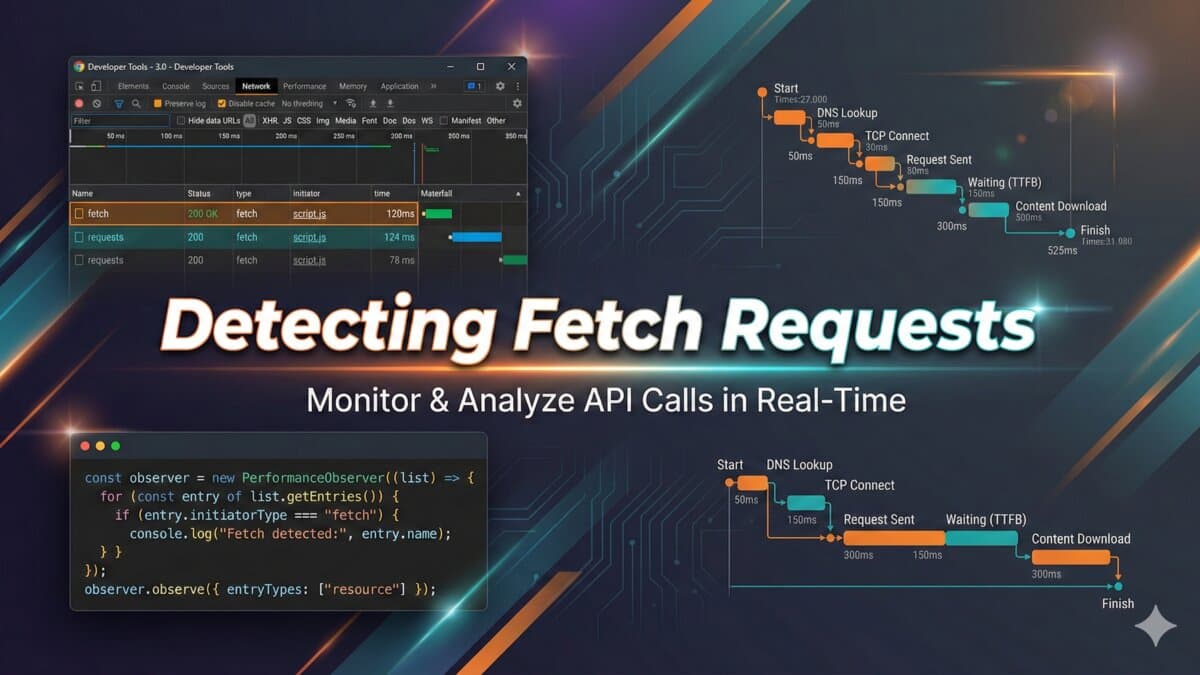
Short answer: use PerformanceObserver on resource entries, then filter PerformanceResourceTiming entries where initiatorType is fetch. This observes completed resource timing entries. It does not give you request bodies, response bodies, custom headers, or a hook before the request leaves the browser.
I reach for this when I need passive telemetry: which endpoint was called, when it started, how long it took, and whether a page is doing extra work after hydration. If I need to modify the request, I use a real wrapper around fetch instead.
Copy/Paste Starting Point
const observer = new PerformanceObserver((list) => {
  for (const entry of list.getEntries()) {
    if (entry.entryType !== 'resource') continue;
    if (entry.initiatorType !== 'fetch') continue;

    console.log({
      url: entry.name,
      startTime: Math.round(entry.startTime),
      duration: Math.round(entry.duration),
      transferSize: entry.transferSize,
      encodedBodySize: entry.encodedBodySize,
    });
  }
});

observer.observe({ type: 'resource', buffered: true });
The buffered option is important. Without it, your observer only sees entries created after the observer starts. On a Next.js or Shopify theme page, some fetches may already have happened by the time your script runs.
What You Can Reliably Use It For
- Finding duplicate API calls after hydration.
- Checking whether a third-party widget is calling an endpoint repeatedly.
- Measuring slow fetches without changing app code.
- Building lightweight debugging logs in development builds.
- Auditing resource timing data before adding heavier analytics.
What It Will Not Do
- It will not show request or response bodies.
- It will not catch blocked requests that never produce a resource timing entry.
- It will not bypass timing privacy limits for cross-origin requests.
- It will not replace server logs when you need ground truth.
Filtering Your Own API Calls
const ownApiCalls = [];

const observer = new PerformanceObserver((list) => {
  for (const entry of list.getEntriesByType('resource')) {
    const url = new URL(entry.name);

    if (entry.initiatorType === 'fetch' && url.pathname.startsWith('/api/')) {
      ownApiCalls.push({
        path: url.pathname,
        duration: entry.duration,
        size: entry.transferSize,
      });
    }
  }
});

observer.observe({ type: 'resource', buffered: true });
In production, I would sample this data and strip query strings before sending it anywhere. Query strings can contain search terms, emails, tokens, or customer identifiers.
When I Use a Fetch Wrapper Instead
If the goal is retries, auth headers, request IDs, request body inspection, or error normalization, PerformanceObserver is the wrong tool. Wrap fetch at the call site, or use your HTTP client layer. PerformanceObserver is best as an observer, not as control flow.
Sources
- MDN PerformanceObserver: https://developer.mozilla.org/en-US/docs/Web/API/PerformanceObserver
- MDN PerformanceResourceTiming initiatorType: https://developer.mozilla.org/en-US/docs/Web/API/PerformanceResourceTiming/initiatorType
A Debug Overlay Pattern
For development builds, I sometimes want a tiny overlay that shows recent fetch calls without opening DevTools. PerformanceObserver is a good fit because it stays passive and does not alter network behavior.
const recentFetches = [];
const MAX_ROWS = 20;

new PerformanceObserver((list) => {
  for (const entry of list.getEntries()) {
    if (entry.initiatorType !== 'fetch') continue;
    recentFetches.unshift({
      url: entry.name,
      duration: Math.round(entry.duration),
      startedAt: Math.round(entry.startTime),
    });
    recentFetches.length = Math.min(recentFetches.length, MAX_ROWS);
  }
}).observe({ type: 'resource', buffered: true });
I would keep this out of production bundles unless it is sampled and privacy-reviewed. URLs can leak sensitive query parameters. If the page calls third-party endpoints, you also need to think about whether those URLs belong in your logs.
Cross-Origin Timing Caveat
Resource timing data can be limited for cross-origin requests unless the remote server opts in with Timing-Allow-Origin. That means you may see the URL and rough entry, but not all timing detail. If you are debugging your own API, configure timing headers deliberately. If you are observing third-party scripts, expect partial data.
PerformanceObserver vs Fetch Monkey Patch
- Use PerformanceObserver when you only need completed timing entries.
- Use a fetch wrapper when you own the call sites and need request context.
- Use service workers only when you need a network boundary and understand the caching impact.
- Use server logs when you need the final source of truth.
Validation Steps
- Load the page with DevTools Network open and compare observed entries.
- Test with observer created before and after the first fetch to confirm buffered behavior.
- Check same-origin and cross-origin requests separately.
- Confirm the observer disconnects in tests or single-page app teardown when needed.
The API is small, but the boundary matters. PerformanceObserver tells you what the browser recorded. It does not make fetch observable in the same way an application-level client does.
How I would debug this in production
When I would use this in production, I would turn the idea into a repeatable debug path. Detect Fetch Requests with PerformanceObserver Without Monkey Patching Fetch should leave the reader with a command, fixture, checklist, or failure mode they can verify without guessing.
I would treat this as a real production decision: define the expected behavior, name the risk, make the smallest useful change, and verify the result with evidence from the page, command, metric, or support case.
Engineering validation checklist
- Create a small reproduction before editing the main codebase.
- Add logging or command output that proves the issue.
- Prefer a small fix over a broad rewrite.
- Test the failure case and the normal case.
- Document version, environment, and dependency assumptions.
Technical failure modes
- The fix works only for the demo case.
- The command succeeds locally but fails on the server.
- The article hides an environment assumption.
- No one can reproduce the bug after reading it.
Debug note template
Debug checklist for Detect Fetch Requests with PerformanceObserver Without Monkey Patching Fetch:
- Reproduce the issue with a small fixture.
- Log the failing input and expected output.
- Patch the smallest responsible module.
- Add a regression test or repeatable command.
- Document the remaining production risk.
I keep this kind of note short so it can be reused during review without becoming another document nobody reads.
What I would test next
The next upgrade I would make is to add a real artifact: screenshot, command output, before/after table, benchmark, source link, or QA note. Those details give the page more authority and make it more useful to answer engines.
Want this built for you instead of DIY?
I'm Karan — a Top Rated Plus Shopify Expert ($300K+ earned, 100% Job Success). If you'd rather hand this to someone who's done it hundreds of times, let's talk.
🛠️Web Development Tools You Might Like
Tags
📬 Get notified about new tools & tutorials
No spam. Unsubscribe anytime.
Comments (0)
Leave a Comment
No comments yet. Be the first to share your thoughts!