Claude Code Remote Control: Code from Your Phone Now Possible
Anthropic new Remote Control feature lets you start coding on your terminal and continue from your phone. Local execution meets mobile convenience. Full guide.
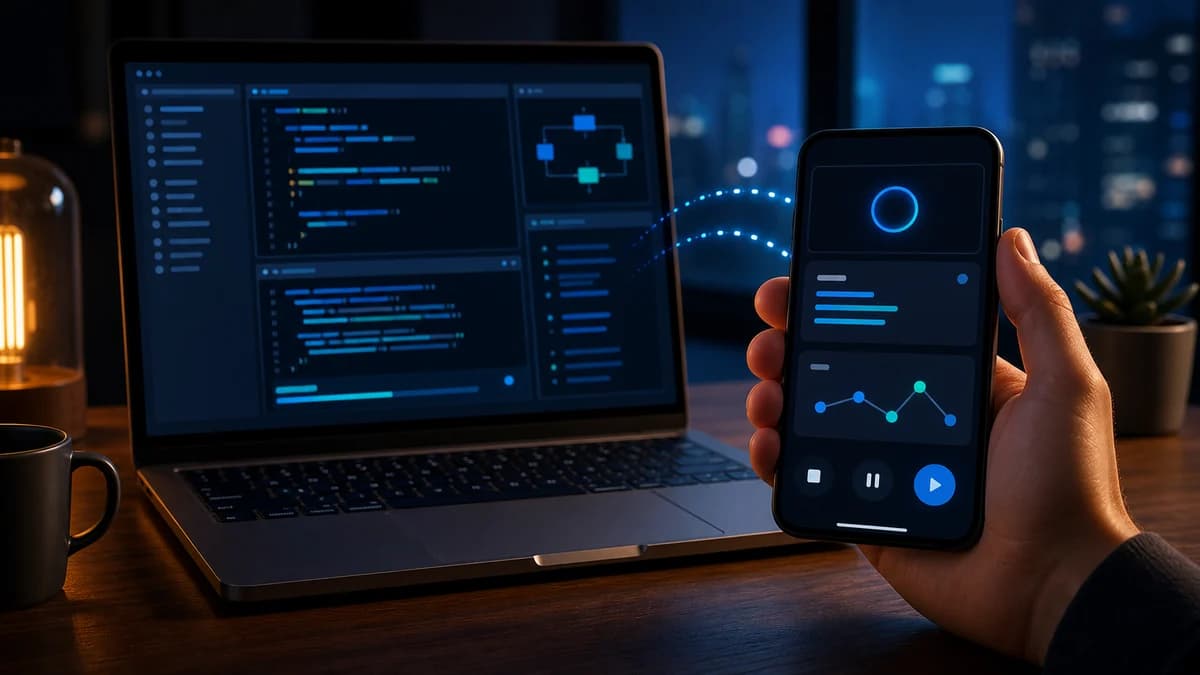
Anthropic's new Remote Control feature lets you start coding on your terminal and continue from your phone. Local execution meets mobile convenience. Here's everything you need to know.
The Problem: Coding Chains You to Your Desk
You're debugging at 11 PM. You need a break. But stepping away means losing context, killing the session, and starting over.
Sound familiar?
Claude Code has been a meaningful shift for developers — but it was desktop-only. Until now.
Enter: Remote Control
Announced February 2026, Remote Control is Anthropic's answer to mobile coding. It lets you:
- Start a session locally in your terminal
- Pick it up anywhere — phone, tablet, another computer
- Keep full context — files, MCP servers, project config
- Work interchangeably — terminal, browser, and mobile sync in real-time
Take a walk, see the sun, walk your dog without losing your flow.
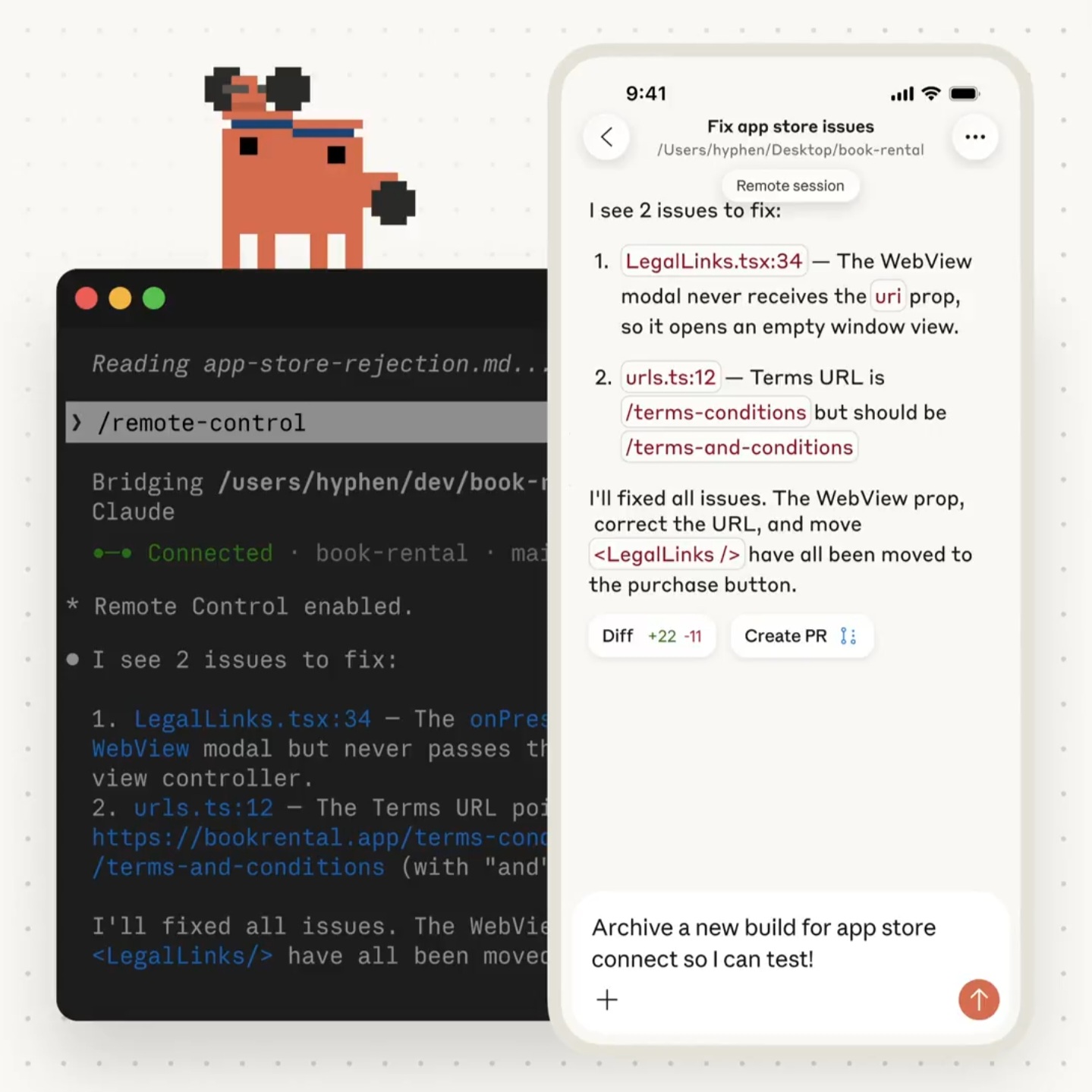
— Noah Zweben, Claude Code PM
How It Works (The Architecture)
Key insight: Remote Control ≠ Cloud Execution
The web/mobile interface is just a window into your local session. Your code never leaves your machine.
Connection Flow
- Start session: claude remote-control in terminal
- Register: Session registers with Anthropic API
- Connect: Phone/browser connects via URL/QR code
- Sync: Messages route through streaming connection
- Persist: Auto-reconnects after network interruptions
Getting Started
Prerequisites
- Claude Pro or Max subscription (Team/Enterprise coming)
- Latest Claude Code: claude update
- Logged in via /login
- Workspace trusted
Starting a Remote Session
Option A: New session
cd your-project/
claude remote-control --name "My Project"
Option B: From existing session
/remote-control My ProjectYou'll see:
- Session URL (open in browser)
- QR code (scan with Claude app)
- Connection status in terminal
Connecting From Another Device
By browser:
- Open the displayed URL directly
By QR code:
- Press spacebar in terminal to toggle QR display
- Scan with Claude app camera
By session list:
- Open the Claude mobile app → tap the menu → look for "Code"
- Your active Remote Control sessions appear there with a computer icon and green dot
- On claude.ai/code in browser, sessions show in the sidebar
Features in Detail
1. Full Environment Access
Your remote session has access to:
- Local filesystem
- MCP servers (your custom tools)
- Project configuration
- Environment variables
- Git history
Nothing leaves your machine. The remote is just a view.
2. Bidirectional Sync
Send messages from:
- Terminal → Syncs to phone
- Phone → Syncs to terminal
- Browser → Syncs to both
All surfaces are equal. No primary device.
3. Interruption Survival
- Laptop sleeps? Auto-reconnects when awake
- Network drops? Resumes when back online
- Terminal closed? Session ends (limitation)
4. Security Model
- Outbound HTTPS only (no inbound ports)
- TLS encryption throughout
- Short-lived credentials (expire independently)
- Anthropic never sees your code
Limitations (Research Preview)
Note: Some users report janky behavior — it's a research preview.
- One session per machine — run multiple claude instances as workaround
- Terminal must stay open
- 10-minute timeout if offline
- Max/Pro only (currently)
Use Cases
1. The Walking Break
Debug on laptop → Hit a wall → Take a walk → Continue from phone (voice input) → Return to laptop with solution
2. Meeting Multitasking
Long build running → Leave desk for standup → Monitor from phone → Jump back in when done
3. Multi-Device Workflow
Start on desktop workstation → Continue on laptop from couch → Quick check from phone in bed
4. Pair Programming
Share session URL with teammate → They connect from their device → Both see same session (one at a time)
Remote Control vs Claude Code on Web
Use Remote Control when: Continuing local work remotely, using custom MCP servers, full filesystem access needed, privacy-sensitive code
Use Web when: Starting fresh without local setup, working on repos you haven't cloned, quick one-off tasks, parallel task running
Pro Tips
Auto-enable: Run /config → Enable Remote Control for all sessions: true
Quick mobile download: Run /mobile to get QR codes for iOS/Android
Session naming: Use /remote-control "Auth Bug Fix" to find sessions easier
Verbose mode: claude remote-control --verbose for debugging
Community Reactions
This is not just 'viewing code on a phone' — it's truly connecting desktop and mobile workflows.
Perfect for engineers who frequently switch contexts or prefer vibe coding.
The local + remote hybrid model offers better security and flexibility than pure cloud solutions.
Criticism: Some users wish it supported multiple simultaneous sessions per machine — currently one per instance.
The Bottom Line
Remote Control is Anthropic's answer to a real developer pain point: being chained to your desk.
It doesn't replace your IDE — but it removes the friction of context switching when you need to step away.
The killer feature? Your code never leaves your machine. Remote Control is a window, not a relocation.
For developers already living in Claude Code, this is a workflow unlock. For others, it's another reason to try the tool.
Related Resources
- Official Documentation: code.claude.com/docs/en/remote-control
- Claude Code Overview: code.claude.com/docs/en/overview
- Anthropic Announcement: @claudeai on X
How I would evaluate this AI workflow
For AI topics, I would separate what is confirmed, what is likely, and what still needs human review. Claude Code Remote Control: Code from Your Phone Now Possible should not ask the reader to trust hype; it should show how to evaluate the workflow safely.
I would treat this as a real production decision: define the expected behavior, name the risk, make the smallest useful change, and verify the result with evidence from the page, command, metric, or support case.
AI safety checklist
- Use primary sources for factual claims.
- Keep AI-generated output behind human review where risk exists.
- Log prompts or decisions when the workflow affects customers.
- Avoid sending data the task does not require.
- Measure whether AI made the workflow safer or only faster.
AI failure modes
- The article treats a demo as production proof.
- The workflow hides data and review assumptions.
- The model output is trusted without validation.
- The post predicts too much and teaches too little.
AI review block
AI review checklist for Claude Code Remote Control: Code from Your Phone Now Possible:
- Separate confirmed facts from prediction.
- Name the data source.
- Describe the failure mode.
- Keep a human review step.
- Measure the workflow after shipping.
I keep this kind of note short so it can be reused during review without becoming another document nobody reads.
What I would validate next
The next upgrade I would make is to add a real artifact: screenshot, command output, before/after table, benchmark, source link, or QA note. Those details give the page more authority and make it more useful to answer engines.
Want this built for you instead of DIY?
I'm Karan — a Top Rated Plus Shopify Expert ($300K+ earned, 100% Job Success). If you'd rather hand this to someone who's done it hundreds of times, let's talk.
Tags
📬 Get notified about new tools & tutorials
No spam. Unsubscribe anytime.
Comments (0)
Leave a Comment
No comments yet. Be the first to share your thoughts!