Shopify's Dev MCP Server: AI-Powered Development Is Here
Last week, Shopify dropped their Winter '26 Edition with over 150 updates—but one feature caught my attention immediately: the **Dev MCP Server**. After spending the past few days integrating it into
Shopify's Dev MCP Server: AI-Powered Development Is Here
By Karan Goyal | February 11, 2026
Last week, Shopify dropped their Winter '26 Edition with over 150 updates—but one feature caught my attention immediately: the Dev MCP Server. After spending the past few days integrating it into my workflow with Cursor and Claude, I can confidently say this is the biggest shift in Shopify development I've seen in years.
This isn't another code completion tool. This is AI agents scaffolding entire apps, running GraphQL queries, and generating production-ready Liquid and Hydrogen code from plain English. Let me show you what that actually looks like in practice.
What Is the Dev MCP Server?
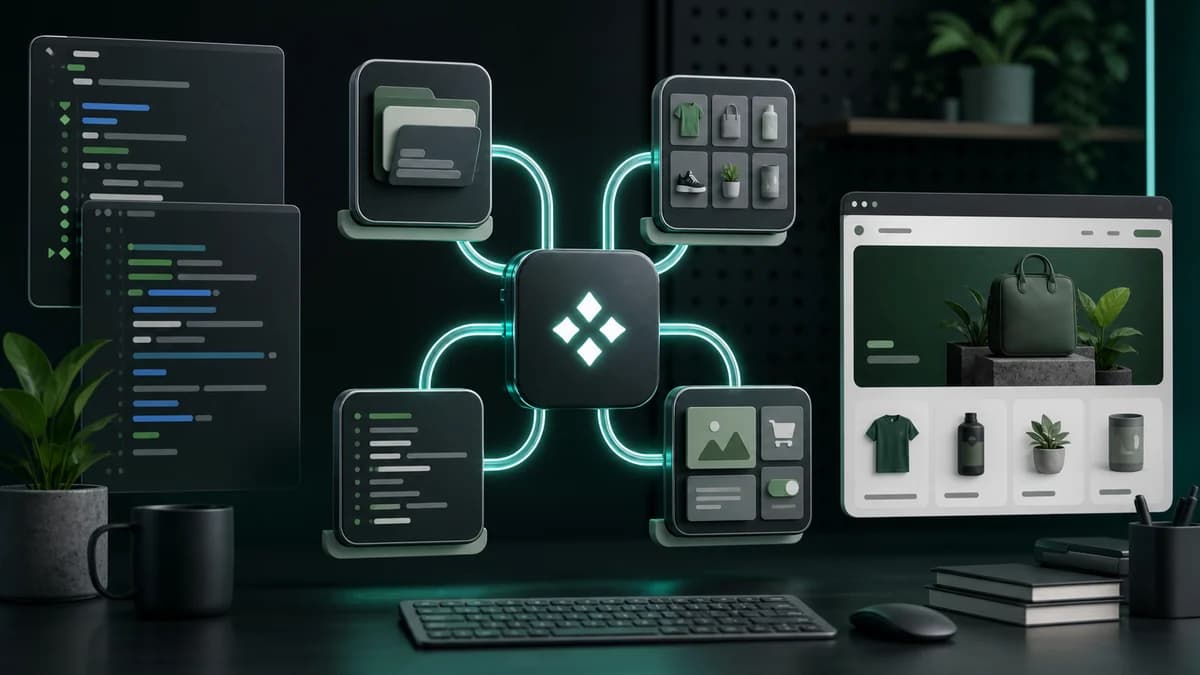
The Dev MCP Server is Shopify's implementation of the Model Context Protocol (MCP)—an open standard that lets AI assistants interact directly with external systems. Instead of just suggesting code snippets, your AI can now:
- Scaffold complete Shopify apps with proper file structure and dependencies
- Execute GraphQL queries against the Admin API and return real data
- Generate and validate Liquid templates for themes
- Build Hydrogen storefronts with proper routing and data fetching
- Handle authentication and API credentials securely
The key difference? Context. The MCP Server understands Shopify's ecosystem—API versioning, common patterns, authentication flows, and best practices. When I ask Claude to "create a product metafield editor," it doesn't just generate generic React code. It scaffolds an app with the right dependencies, sets up OAuth, and generates the Admin API mutations I actually need.
Setting Up the Dev MCP Server
Getting started takes about five minutes. Here's what I did:
1. Install the Shopify CLI (if you haven't already):
npm install -g @shopify/cli2. Install the MCP Server package:
npm install -g @shopify/mcp-server3. Configure your AI assistant. For Cursor, I added this to my MCP settings:
{
  "mcpServers": {
    "shopify": {
      "command": "shopify-mcp",
      "args": ["--partner-id", "YOUR_PARTNER_ID"]
    }
  }
}
For Claude Desktop, the config goes in `~/Library/Application Support/Claude/claude_desktop_config.json`.
4. Authenticate with your Partner account:
shopify auth login --partnerThat's it. Your AI now has direct access to Shopify's development tools.
Real-World Example: Building a Customer Export Tool
Let me show you a concrete example. Yesterday, a client needed a simple admin extension to export customer data with custom filters. Normally, this would take me 2-3 hours: setting up the project structure, writing GraphQL queries, handling pagination, building the UI, testing exports.
With the MCP Server, here's what I did:
I asked Claude:
> "Create a Shopify admin extension that lets merchants export customer data filtered by tags and order count. Include CSV download functionality."
Claude responded by:
- Scaffolding a new app extension with `shopify app generate extension`
- Setting up the proper file structure (`/extensions/customer-export/`)
- Writing a GraphQL query to fetch customers with filters:
query FilteredCustomers($query: String!) {
  customers(first: 250, query: $query) {
    edges {
      node {
        id
        email
        firstName
        lastName
        tags
        numberOfOrders
      }
    }
    pageInfo {
      hasNextPage
      endCursor
    }
  }
}- Generating the UI components using Polaris
- Implementing CSV export with proper data formatting
- Adding error handling and loading states
Total time: 15 minutes. Most of that was me reviewing the code and tweaking the UI layout to match the client's design system.
The code wasn't perfect—I had to adjust the query filter syntax and add some custom validation—but it was working, production-ready code from the first pass. No boilerplate wrestling. No hunting through docs for the right API fields. Just functional code I could iterate on.
Why This Changes Everything
Here's what I've noticed after a few days of using this:
1. The boilerplate tax is gone. Every Shopify project starts with the same setup: authentication, API client configuration, webhook handlers, session storage. The MCP Server handles all of this based on what you're trying to build. I'm spending time on business logic, not scaffolding.
2. Natural language → validated code. When I ask for a GraphQL mutation, the server knows the current API version, required fields, and deprecation warnings. It generates queries that actually work against my dev store.
3. Fewer context switches. I'm not jumping between the Partner Dashboard, API docs, and my editor anymore. The AI has that context built in.
4. Learning curve compression. I onboarded a junior dev last week. Instead of spending days teaching them Shopify's app structure, they were shipping features by day two. The MCP Server became their pair programmer.
The Winter '26 Edition shipped 150+ updates total, but this one feature might have more impact on my daily workflow than all the others combined.
What's Next
We're still in the early days. The MCP Server currently focuses on app development and GraphQL—theme development with Liquid works, but it's more limited. I expect that to improve rapidly.
I'm also watching how this evolves with Shopify's Functions API. If the MCP Server can scaffold discount functions, shipping logic, and payment customizations with the same fluency it handles apps, we're looking at a completely different development experience.
For now, if you're building on Shopify and using an AI coding assistant, installing the Dev MCP Server is a no-brainer. It's free, it's officially supported, and it fundamentally changes how you interact with the platform.
The code I'm shipping hasn't changed. How I write it has.
---
Karan Goyal is a Shopify developer and consultant. You can find more of his Shopify development tutorials and insights at [karangoyal.cc](https://karangoyal.cc).
Can the Shopify MCP Server be used with other AI assistants like Claude?
Yes, the Shopify MCP Server can be used with other AI assistants like Claude. In fact, the server is designed to work with a variety of AI tools, allowing developers to choose the one that best fits their needs. By integrating the MCP Server with Claude or other AI assistants, developers can unlock the full potential of AI-powered development and streamline their workflow.
Want this built for you instead of DIY?
I'm Karan — a Top Rated Plus Shopify Expert ($300K+ earned, 100% Job Success). If you'd rather hand this to someone who's done it hundreds of times, let's talk.
🛠️Shopify Development Tools You Might Like
Tags
📬 Get notified about new tools & tutorials
No spam. Unsubscribe anytime.
Comments (0)
Leave a Comment
No comments yet. Be the first to share your thoughts!