Why I Moved From Claude Code to Codex for Daily Development
A practical developer note on moving most daily coding work from Claude Code to Codex: speed, context, writing, images, ChatGPT Pro features, and where Claude still fits.

The Short Version
I have not stopped respecting Claude Code. It is still one of the strongest coding agents I have used, especially when I want a focused terminal-first workflow.
But for my daily work, I have moved most of my coding sessions to Codex.
The reason is not that Codex suddenly made Claude Code bad. The real reason is simpler: Codex fits more of my actual work in one place. It feels a bit faster in the way I iterate, the code quality is close enough that workflow decides the winner, the writing is better for product and SEO work, image generation is available inside the same ChatGPT ecosystem, and the Pro plan gives me more useful adjacent features than a coding tool alone.
That combination matters when a day includes fixing production code, writing a Shopify app blog, checking SEO copy, generating blog thumbnails, reviewing diffs, and then asking the same assistant to explain the tradeoff in plain English.

What I Was Using Claude Code For
Claude Code was my main coding assistant for a while because it did the important things well.
It could read a codebase, make edits, run commands, debug errors, and work inside the terminal without forcing me into a separate app. Anthropic describes Claude Code as an agentic coding tool that lives in the terminal, can build features from descriptions, debug issues, navigate a codebase, edit files, run commands, and automate development tasks.
That is the right product shape for developers. I do not want a toy chat window when I am working on real code. I want an agent that can inspect the repository, touch the files, run the checks, and explain what changed.
Claude Code gave me that. So this is not a "Claude is useless now" post. That would be lazy and wrong.
The question is narrower: when I compare Claude Code and Codex for the work I do every day, which one gives me less friction?
For now, my answer is Codex.
Where Codex Started Winning My Day
The first difference I noticed was speed.
I do not mean a lab benchmark. I mean the practical feeling of asking for a change, watching the repository inspection happen, getting an edit, running a check, and then doing the next small correction.
In that loop, Codex feels slightly quicker for me. The small delay between idea and patch matters because coding with an agent is not one giant prompt. It is a series of small decisions:
- Read this file.
- Check the related route.
- Make the copy tighter.
- Run the test.
- Fix the lint issue.
- Explain why this behavior changed.
- Add a safer fallback.
If each step feels a little lighter, the whole session feels better.
OpenAI's Codex docs describe the product as a coding agent that can read, modify, and run code, work locally through the CLI, and delegate tasks to cloud environments that can run in the background. That matches how I now use it: quick local work when I am actively steering, and cloud-style task thinking when I want a bigger change broken down.
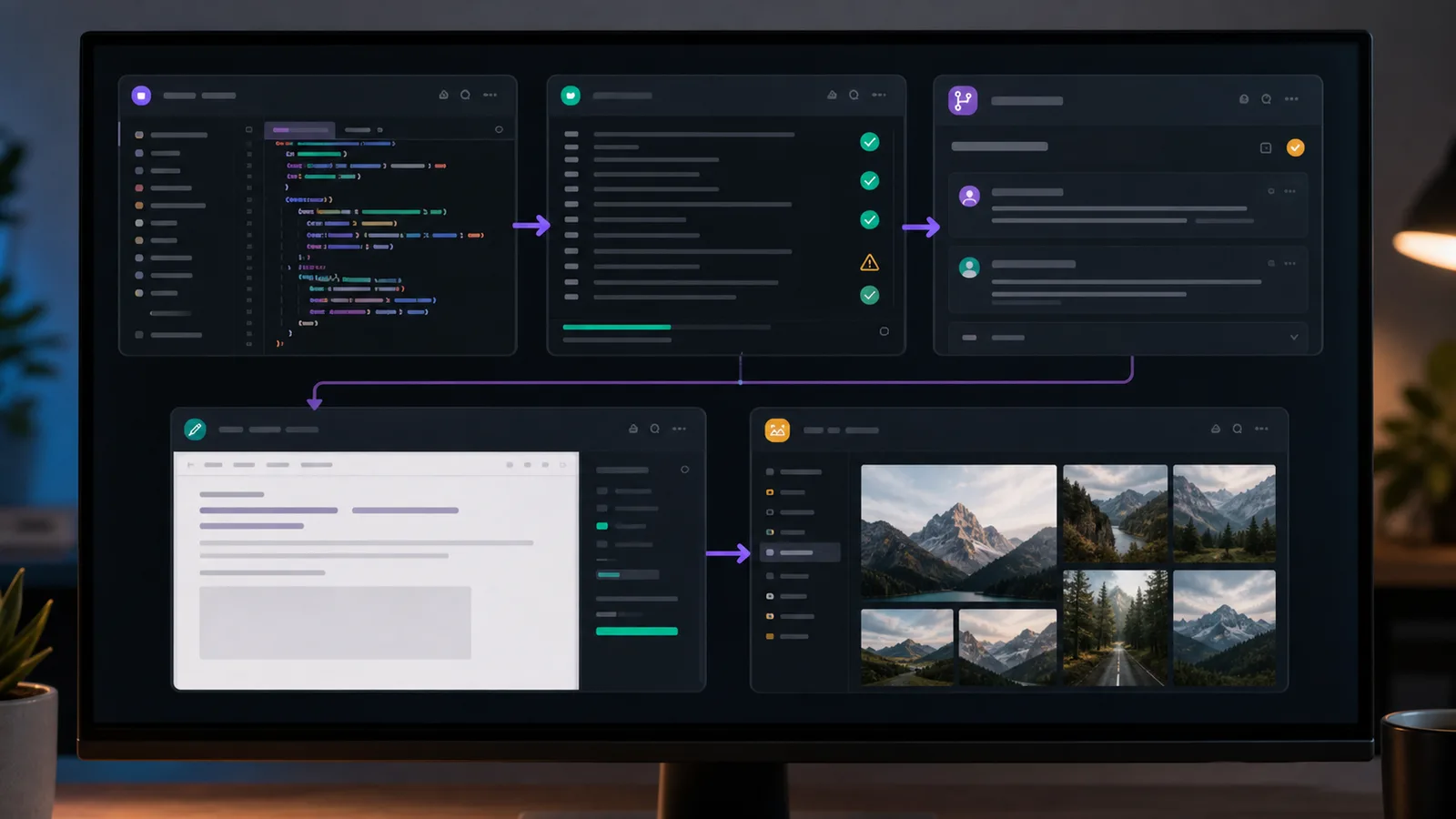
Code Quality Is Close Enough That Workflow Matters More
For pure coding ability, I do not think the gap is huge.
Claude Code can still produce strong patches. Codex can also produce strong patches. Both can make mistakes. Both need review. Both can over-edit if the prompt is vague. Both perform better when the repository has good tests, clear scripts, and sane project structure.
That is why the winner for me is not only "who writes the cleverer function?"
The better question is:
Which tool helps me ship the correct change with less steering, less context rebuilding, and fewer side tasks outside the coding session?
Codex is currently winning that question in my work.
When I am building Shopify apps, Next.js pages, SEO tools, or content-heavy developer pages, the code itself is only half the job. I also need naming, page copy, structured data, screenshots, image ideas, internal links, migration notes, and a final explanation I can give to a client or publish on my own site.
Claude Code is excellent inside the coding lane. Codex, because it sits closer to the broader ChatGPT product, feels better when the work crosses from code into content, UX, and publishing.
Writing Quality Became a Bigger Deal Than I Expected
This is probably the part that changed my mind the most.
I write a lot around the code I ship:
- Shopify app listing copy
- Blog posts
- SEO titles and descriptions
- Product documentation
- Support notes
- Upwork proposals
- Landing page sections
- Internal implementation notes
For that work, Codex and ChatGPT feel stronger to me.
The output needs fewer passes before it sounds like something I would actually publish. It is easier to push toward a direct, first-person developer voice instead of getting a polished but generic article. It also handles practical SEO writing better: not keyword stuffing, but writing around real questions, search intent, and answer-style sections that can work for both SEO and AEO.
That matters because Google does not reward another article that sounds like it came from the same template as every other article. A post needs examples, opinion, restraint, and a reason to exist.
When I ask Codex to help with content, I can keep it close to the code and the product. That makes the writing more specific. Instead of "AI coding tools help developers be productive," I can write, "I switched because the patch-review-copy-publish loop is faster for my actual Shopify and Next.js work."
That sentence has fingerprints. Generic content does not.
Image Generation Is Not a Side Feature for Me
At first, image generation felt unrelated to coding.
Now it matters.
A lot of my work ends up on public pages: blog posts, app pages, tool pages, Shopify App Store support content, and social previews. A good article image can increase clicks. A bad image can make the post look like filler before anyone reads the first paragraph.
OpenAI's ChatGPT Images help docs describe image creation and editing directly inside ChatGPT. The Pro plan also lists image creation as one of the included advanced features.
That is useful because I can work in one flow:
- Draft the article angle.
- Decide what visual would make someone click.
- Generate a blog thumbnail or supporting image.
- Adjust the article structure around the visual.
- Use the same context to write alt text and SEO metadata.
This is not about making random "AI art." Most blog images should not look like placeholder graphics. For technical posts, the best images usually look like product/editor screenshots, clean workflow scenes, dashboard-style compositions, or concrete visual metaphors.
Having image generation close to the writing and code workflow saves time. It also helps me think about the page as a full page, not just a markdown file.
The Token and Context Difference
The context question is messy because every company describes limits differently across chat, API, plans, and coding tools.
Here is the practical version for my work: Codex currently gives me more room before I feel cramped.
OpenAI's GPT-5.2-Codex model page lists a 400,000 token context window and 128,000 max output tokens. Anthropic's Max plan help page says the Claude plan context window remains 200K across plans, while Anthropic also has separate 1M context availability in API and cloud-provider beta paths.
That distinction matters. I am comparing what I can comfortably use in my daily coding setup, not every possible enterprise or API configuration.
For real projects, extra context helps in boring but important ways:
- Keeping the recent conversation useful for longer.
- Reading more related files before editing.
- Holding the implementation plan, test output, and review notes together.
- Avoiding constant summaries when a task has several steps.
- Writing a final explanation that still remembers the actual change.
More context does not automatically mean better code. A careless agent with more context is still careless. But when the model is already good enough, extra working room reduces friction.
The ChatGPT Pro Bundle Is the Quiet Advantage
The other reason I moved is that Codex is not isolated.
OpenAI's ChatGPT Pro help page lists Codex, deep research, image creation, memory, file uploads, and Pro models as advanced features. The same page describes significantly higher usage allowances for advanced tools like Deep Research and Codex on Pro tiers.
That matters for my workflow because I do not separate work into neat boxes.
A normal day can look like this:
- Use Codex to fix a Next.js or Payload CMS bug.
- Ask for a sharper explanation of the change.
- Draft a blog section from the implementation notes.
- Generate a featured image concept.
- Compare a Shopify documentation change.
- Rewrite a meta description.
- Review a Search Console issue.
- Come back to code and finish the patch.
If I need five different tools for that, the handoff cost adds up. With Codex inside the ChatGPT ecosystem, more of that work stays in the same mental place.
That is the real product advantage for me. Not just "Codex writes code." It is that Codex belongs to a broader assistant that is also strong at writing, research, images, and explanation.
Where Claude Code Still Fits
I still think Claude Code is worth using.
It has a clean terminal-first feel. It is strong for codebase Q&A, debugging, command-line workflows, and teams that already built their habits around Claude. Anthropic's docs also show serious attention to permissions, MCP, settings, memory, hooks, subagents, and enterprise deployment.
There are cases where I would still reach for Claude Code:
- A team already standardizes on Claude and has working permissions.
- A project has Claude-specific memory and workflow files.
- The task is pure terminal coding with no content or image work around it.
- I want a second opinion on a difficult patch.
- I am comparing model behavior before making a risky change.
Keeping both tools available is not a problem. The mistake is pretending one tool must win every task forever.
My current rule is simple: Codex is my default, Claude Code is my second opinion.
The Practical Difference in My Workflow

This is how the switch looks in practice:
| Work | Claude Code | Codex |
|---|---|---|
| Repository edits | Strong | Strong |
| Debugging with terminal context | Strong | Strong |
| Speed in my daily loop | Good | Slightly better |
| Product/content writing | Good | Better for my voice |
| Blog and SEO workflow | Usable | Better fit |
| Image generation nearby | Separate workflow | Built into ChatGPT |
| Context headroom in my setup | More limited | More comfortable |
| Broader Pro feature bundle | Narrower for my use | More useful |
That table is not universal. It is my working setup.
If your entire day is backend code in a terminal, your answer may be different. If your day includes code, content, SEO, app listings, screenshots, blog images, client explanations, and research, the Codex side starts to feel stronger.
What I Would Tell Another Developer
I would not tell another developer to uninstall Claude Code.
I would tell them to compare the full workflow, not only one coding prompt.
Try both on the same real task:
- Pick a bug or feature from an actual repository.
- Ask both tools to inspect before editing.
- Let each make the patch.
- Run the same tests.
- Ask each to explain the change for a pull request.
- Ask each to turn the work into a short documentation note.
- If your work is public-facing, ask for a blog title, meta description, and image direction.
The coding result may be close. The surrounding work may not be.
That is where Codex won for me.
Why This Is Not a Standard Tool Comparison
Most "Codex vs Claude Code" posts will age badly because the products are moving quickly.
That is why I am not treating this as a permanent ranking. I am treating it as a snapshot of my current development workflow.
The useful question is not "which model wins forever?" The useful question is "which assistant helps this developer ship real work today?"
For me, Codex currently wins because it sits closer to the full chain of work: repository edits, explanations, product writing, SEO copy, image direction, research, and publishing. Claude Code remains strong, but Codex reduces the number of handoffs in my day.
That is the reason I moved. Not because one product deserves hype and the other deserves dismissal. Because one product fits the shape of my work better right now.
Related Reading
- Claude Code Remote Control: Code from Your Phone Now Possible
- Claude Opus 4.6: 1M Context Window Goes GA
- The AI Coding Paradox: More Speed, Less Skill?
- Top 3 Essential MCP Servers to Supercharge Your Claude Workflow
Sources
Want this built for you instead of DIY?
I'm Karan — a Top Rated Plus Shopify Expert ($300K+ earned, 100% Job Success). If you'd rather hand this to someone who's done it hundreds of times, let's talk.
🛠️Generative AI Tools You Might Like
Tags
📬 Get notified about new tools & tutorials
No spam. Unsubscribe anytime.
Comments (0)
Leave a Comment
No comments yet. Be the first to share your thoughts!