Shopify Winter '26: The RenAIssance Begins
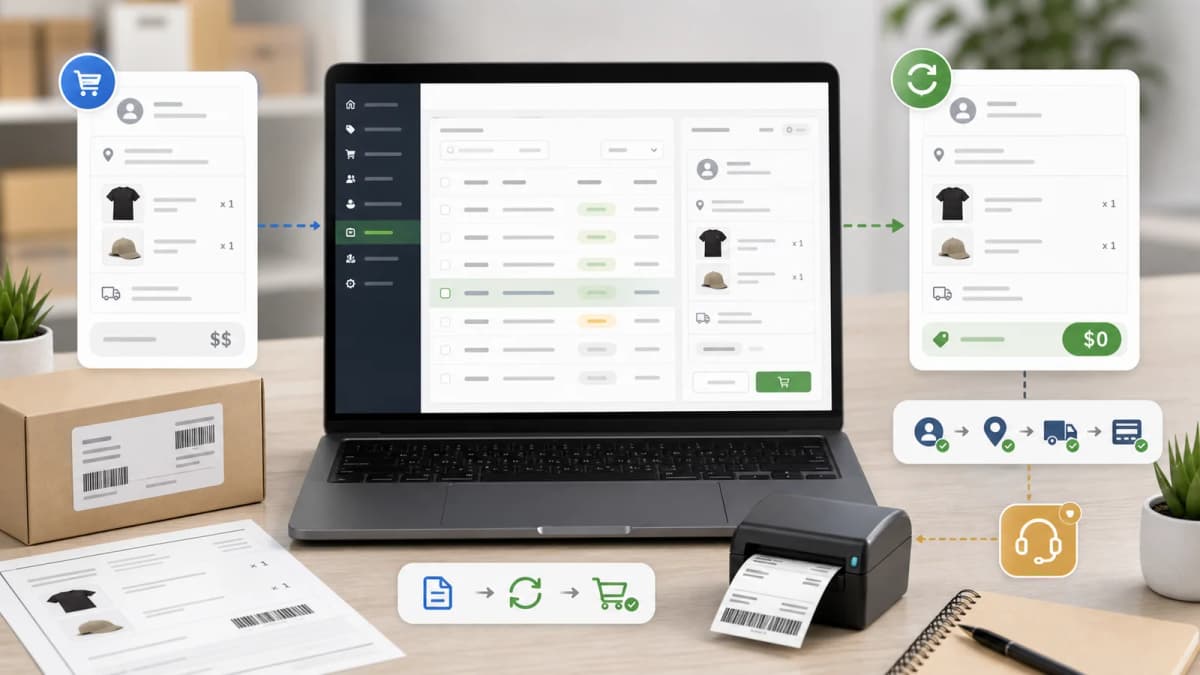
The 150+ updates in Shopify's Winter '26 RenAIssance Edition are a fundamental shift toward AI-native commerce.

1. Sidekick Is Now a Context-Aware Agent
Sidekick has gone from a basic assistant to something genuinely useful. It now delivers proactive Pulse recommendations based on your store's actual data combined with market trends. Theme editing via natural language actually works now — merchants can say "make this button rounded" and Sidekick adjusts the theme instantly.
What this means for developers:
- Your theme settings need to be crystal clear. Sidekick reads your settings_schema.json to understand what's configurable. Vague setting names like "style_1" or "option_a" will confuse the AI.
- Descriptions matter now. Every setting should have a clear "info" field explaining what it does. Sidekick uses these to make recommendations.
- Section presets need good names. When merchants ask Sidekick to "add a testimonials section," it searches by preset name. Name them well.
Here's an example of AI-friendly vs AI-unfriendly settings schema:
{
  "name": "Hero Banner",
  "settings": [
    {
      "type": "select",
      "id": "hero_layout",
      "label": "Layout Style",
      "info": "Controls how the hero image and text are arranged. 'Overlay' places text on top of the image, 'Split' shows them side by side.",
      "options": [
        { "value": "overlay", "label": "Text Overlay on Image" },
        { "value": "split", "label": "Image and Text Side by Side" },
        { "value": "below", "label": "Text Below Image" }
      ],
      "default": "overlay"
    },
    {
      "type": "range",
      "id": "hero_height",
      "label": "Banner Height",
      "info": "Height of the hero banner in pixels. Recommended: 500-700px for desktop.",
      "min": 300,
      "max": 900,
      "step": 50,
      "default": 600,
      "unit": "px"
    }
  ]
}
Compare that to settings like "opt_1" with no info field and options labeled "A", "B", "C". Sidekick can't work with that, and neither can merchants.
2. Agentic Commerce Is Here
This is the big one. Shopify's AI agents can now handle full workflows — not just single tasks. Think of it as the difference between asking "what's the weather?" and saying "plan my outfit based on today's weather and my calendar."
Practical examples of agentic commerce:
- A customer asks "I need a gift for my wife's birthday, she likes gardening, budget $50-75" — the AI agent searches products, checks inventory, suggests a bundle, and creates a cart
- A merchant says "run a flash sale on winter items, 20% off, for the next 48 hours" — the agent identifies seasonal products, creates discount codes, schedules the promotion, and drafts email campaigns
- POS staff say "customer wants to return item from order #1234" — the agent pulls up the order, checks return policy, processes the return, and updates inventory
For developers, the implication is clear: your apps and themes need to expose structured data and APIs that agents can interact with. If your app has a UI-only workflow that can't be triggered programmatically, it's invisible to the agent layer.
3. B2B Is Now Default (Not Premium)
Volume pricing, quantity rules, and quick order lists used to require custom apps or expensive themes. Now they're expected in every professional Shopify theme.
What you need to support:
- Volume pricing tables — show tiered pricing on product pages. B2B buyers expect to see "Buy 10+, save 15%" without asking.
- Quick order lists — let buyers add multiple SKUs and quantities from a single page. Essential for wholesale.
- Quantity rules — minimum order quantities, increment steps, and maximum limits per product.
- Company account management — multiple buyers under one company, with individual permissions and spending limits.
- Net payment terms — "Net 30" and "Net 60" payment options displayed at checkout.
Premium themes priced at $350+ absolutely need B2B features to compete in 2026. If your theme doesn't support them, merchants will choose one that does.
Here's the basic Liquid for volume pricing display:
{%- if product.quantity_price_breaks_configured? -%}
  <div class="volume-pricing">
    <h3>Volume Pricing</h3>
    <table>
      <thead>
        <tr>
          <th>Quantity</th>
          <th>Price per unit</th>
          <th>Savings</th>
        </tr>
      </thead>
      <tbody>
        {%- for price_break in current_variant.quantity_price_breaks -%}
          <tr>
            <td>{{ price_break.minimum_quantity }}+</td>
            <td>{{ price_break.price | money }}</td>
            <td>
              {%- assign savings = current_variant.price | minus: price_break.price -%}
              {%- assign pct = savings | times: 100 | divided_by: current_variant.price -%}
              Save {{ pct }}%
            </td>
          </tr>
        {%- endfor -%}
      </tbody>
    </table>
  </div>
{%- endif -%}
4. AI-Generated Content Requires Validation
With Sidekick generating theme edits and merchants using AI to create product descriptions, content pages, and email campaigns, there's a new category of bugs: AI-introduced errors.
I've already seen these in the wild:
- Broken Liquid syntax — Sidekick sometimes generates invalid Liquid when making complex changes. Always test after AI edits.
- Incomplete translations — AI-generated content often only creates the default language version, leaving translations empty.
- CSS conflicts — AI adds inline styles that override theme styles. Your CSS needs to be resilient to this.
- Schema mismatches — AI-generated sections may not match the expected schema format, causing silent failures.
How to make your theme AI-resilient:
- Use semantic CSS class names. .product-card__title is clear; .sc-1a2b3c is not. AI tools understand semantic names.
- Validate Liquid in CI. Run theme check in your deployment pipeline. Catch broken Liquid before it hits production.
- Complete all translations. Every string in your theme should have translations for all supported locales. Use Shopify CLI's shopify theme language-server for validation.
- Document your schema. Add comments explaining what each section and block does. Future AI tools will use these.
5. Developer Tooling Upgrades
Several under-the-radar changes that make development easier:
- POS UI extensions in App Bridge — you can now build Point of Sale customizations using the same framework as online store apps.
- Improved theme editor — natural language commands in the theme editor, plus better section reordering and template management.
- GraphQL Admin API updates — new mutations for managing discounts, fulfillments, and customer segments programmatically.
- Checkout extensibility GA — checkout UI extensions are now generally available. If you're still using checkout.liquid, it's time to migrate.
What I'm Doing With My Themes
Here's my action plan for updating my Suspended theme:
- Add complete B2B support — volume pricing, quantity rules, quick order lists
- Audit every settings_schema entry for AI clarity — clear labels, descriptions, and option names
- Ensure all translations are complete across 6 supported languages
- Add semantic CSS classes throughout — replacing any abbreviated or unclear class names
- Run full theme check validation and fix any warnings
- Test Sidekick compatibility — verify that natural language commands produce correct results
AI-native features are now baseline, not optional. The themes that win in 2026 will be the ones that work seamlessly with Shopify's AI layer — not fight against it.
Is B2B support mandatory for Shopify themes now?
For premium themes ($350+), yes. Volume pricing, quantity rules, and quick order lists are expected by merchants. Shopify has made these features available on more plans, so themes without B2B support will lose market share to those that include it.
Want this built for you instead of DIY?
I'm Karan — a Top Rated Plus Shopify Expert ($300K+ earned, 100% Job Success). If you'd rather hand this to someone who's done it hundreds of times, let's talk.
🛠️Shopify Development Tools You Might Like
📬 Get notified about new tools & tutorials
No spam. Unsubscribe anytime.
Comments (0)
Leave a Comment
No comments yet. Be the first to share your thoughts!