Shopify Plus: Essential Enterprise Features for Scaling Your E-commerce Business
Discover the powerful enterprise features of Shopify Plus that empower large-scale businesses to customize, automate, and expand their e-commerce operations globally. Learn how these tools can drive e
A client called me last year because their flash sale kept knocking their store offline. Standard Shopify handled their normal traffic fine, but the second they pushed a drop to 40,000 people on a Tuesday morning, checkout would choke and orders would stall. They didn't have a code problem. They'd outgrown the plan they were on. That's usually the moment Plus stops being a "nice to have" and starts being the cheapest fix on the table.
I've built on Shopify Plus for stores doing real volume, and I'll be honest about where it earns its keep and where the marketing oversells it. Plus runs you roughly $2,300/month and up, and at that price the question isn't "does it have more features." It's "do you have a specific operational problem that the standard plan can't solve." If you can't name that problem in one sentence, you're not ready for Plus yet, and no salesperson will tell you that.
Here's what actually matters once you're on it.
Checkout extensibility, and why it's the real reason most stores upgrade
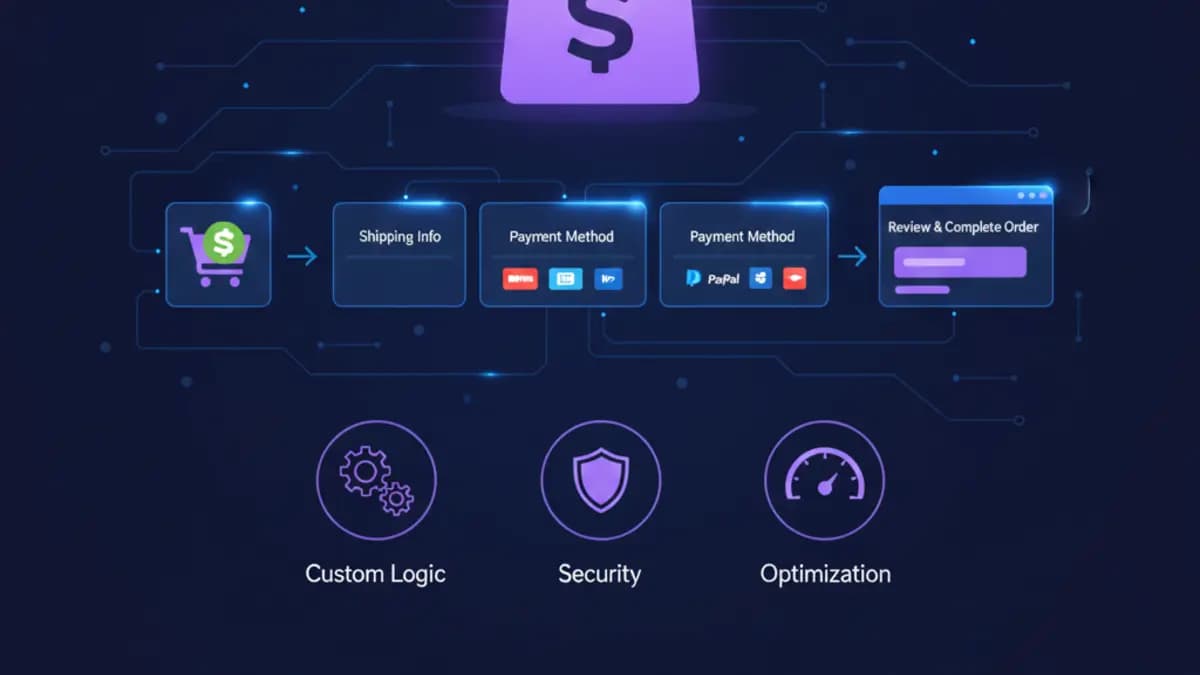
For years the locked-down checkout was the single biggest reason agencies pushed clients toward Plus. On standard Shopify you get a checkout you can barely touch. On Plus you get checkout extensibility, which means you can inject your own UI blocks, run custom logic at the most important step of the whole funnel, and build server-side validation that can't be bypassed in the browser.
This is where I spend a lot of client budget, and it's worth it. Real things I've shipped here:
- Custom fields that survive into the order: gift messages, engraving text, delivery-date pickers that write back to the order so the fulfillment team actually sees them.
- Cart and checkout validation as a Shopify Function, so a "minimum order for wholesale" or "this product can't ship to that region" rule runs on Shopify's side instead of being a client-side hack someone can disable with dev tools.
- Third-party blocks (loyalty, BNPL, address validation) sitting natively in checkout instead of bolted on with a fragile script.
The old checkout.liquid approach is dead, by the way. If you're still running legacy scripts in checkout, that migration alone is a reason to take this seriously. I wrote a fuller breakdown of the move in the checkout extensibility guide if you're planning that work.
Functions: the underrated part
People talk about checkout UI a lot. The part that doesn't get enough credit is Shopify Functions. These let you rewrite backend logic — discounts, delivery options, payment method ordering, cart transforms — and they run on Shopify's infrastructure, fast, no app proxy round-trips.
If your business logic is "spend $X get the cheapest item free" or "hide express shipping for oversized carts" or "bundle three SKUs into one line item," Functions is where that lives now. It replaced a whole category of clunky discount apps and Script Editor hacks. For my money, Functions plus checkout extensibility together are the strongest technical argument for Plus. Everything else is convenience.
Flow and Launchpad: useful, oversold
Flow is the no-code automation engine. Trigger, condition, action. Tag a customer who spends over a threshold, flag an order where billing and shipping countries don't match, ping a Slack channel when a high-value order comes in. It's genuinely handy and I set it up for almost every Plus client.
Here's my blunt take: Flow gets sold as a headline Plus feature, and it shouldn't be the reason you upgrade. A decent chunk of what Flow does, you could do with a mid-tier automation app on a cheaper plan. Where Flow wins is that it's native, free with the plan, and doesn't fall over at scale. Treat it as a bonus, not a justification.
Launchpad is the one I actually defend. It schedules events: publish a collection at midnight, swap to a sale theme, change prices, release pre-loaded inventory, then revert all of it automatically when the sale ends. For the client whose flash sales kept breaking, Launchpad plus the higher capacity is what made their drops boring in the good way — they run on schedule and nobody's manually flipping switches at 2am hoping nothing breaks.
B2B, when you're running wholesale and DTC together
Plenty of brands have a wholesale arm stapled onto their DTC store, usually held together with a clunky app and a spreadsheet. Plus has native B2B, and it's solid: company accounts with multiple buyers, per-company price lists, net payment terms, catalogs that show different products to different accounts, and fast reorder flows.
The honest caveat: B2B is only worth it if you actually clean up your data first. I've watched teams flip it on with messy company records and inconsistent catalog rules, and it turns into a support nightmare. The platform is good. The rollout is where people fail. Map your companies, tiers, and pricing before you build, not after.
API limits and headless
Plus gives you higher API rate limits and more headroom, which matters the moment you're syncing with an ERP, a CRM, a PIM, or any system that hammers the Admin API. On standard plans I've hit throttling on bulk inventory syncs that just disappears on Plus. If your stack involves real backend integration, this alone can be the deciding factor.
It also unlocks the cleaner path to headless with Hydrogen and Oxygen. Worth saying plainly though: headless is not a default. It's a serious commitment and it's wrong for most stores. Before anyone goes down that road I point them at my take on whether headless is actually worth it, because the answer is "probably not, unless you have a specific reason." A well-built Liquid theme beats a badly-built headless storefront every time.
The stuff that comes with the plan
A few things you get that are real but rarely the reason to upgrade:
- Unlimited staff accounts with granular permissions. Matters once your team is big enough that "who can see payouts" is a question. Below that, it's noise.
- Wholesale/expansion stores and multi-currency through Markets. Genuinely useful for going international without spinning up separate store instances.
- Priority support and a Merchant Success Manager. Helpful when something's on fire. Not something you'll feel day to day.
- Deeper analytics and custom reports. Nice, but if reporting is your real pain, you'll likely still want a proper analytics tool on top.
How I decide whether a client should upgrade
I don't start from the feature list. I start from the constraint. The process I run:
- Name the operational problem in one sentence. "Our checkout can't collect engraving data." "Wholesale invoicing is manual and eating a person's week." "Drops keep crashing the store."
- Map that problem to a specific Plus feature or Function.
- Estimate build plus maintenance cost, not just the plan price. Plus features still need development, QA, and someone who owns them after launch.
- Check the theme and app debt first. Half the time the real win is fixing a bloated theme, and your store speed is hurting conversions more than the plan ever could. I usually run a quick audit before anything else — sometimes a speed pass gets you most of the way without an upgrade at all.
- Pick the single highest-value workflow and ship that first. Not all of Plus at once.
Curious what a competitor or a store you admire is actually running? You can usually tell a lot from their stack with a quick theme detector before you assume Plus is the differentiator. Often it isn't.
Where rollouts go wrong
The most common mistake I see: buying the plan, then planning the rollout. It's backwards. A few failure modes I've cleaned up after:
- B2B switched on before company and catalog rules were sorted.
- Checkout extensions shipped without checking that analytics and conversion tracking still fire.
- Flow automations with no failure alerting, so they quietly stop working and nobody notices for a month.
- Custom apps granted broad admin scopes that nobody reviewed.
- The team keeping every old manual workaround after the upgrade, so you're paying Plus money to run the same processes.
A readiness memo I actually use
When a client asks "are we ready," I make them fill this in before we touch anything:
Plus readiness memo
Constraint:       wholesale buyers need company pricing + net terms
Feature path:     native B2B on Plus
Implementation:   catalogs, company accounts, theme visibility, checkout QA
Owner:            ops lead (named person, not a team)
Success metric:   fewer manual wholesale invoices, faster reorder flow
If you can't fill in the constraint and the success metric, you're not buying a solution, you're buying features. Wait until you can.
FAQ
Is Shopify Plus worth it for a store doing $1M a year? Depends entirely on what's hurting. Revenue isn't the trigger — a specific feature gap or an integration you can't support on standard is. I've kept stores doing well over a million on the standard plan because they had no problem Plus would solve.
What's the one Plus feature that actually justifies the cost? For most of my clients it's checkout extensibility plus Functions — real control over the checkout and the backend logic that drives it. Everything else is convenience that stacks on top.
Can I get custom checkout without Plus? Not the real version. You can tweak some surface-level things, but server-side validation, custom fields that persist to the order, and checkout UI blocks need Plus. That's the line.
Do I need to go headless on Plus? No, and most stores shouldn't. A solid Liquid theme is faster to build, easier to maintain, and plenty fast when done right. Headless is for teams with a specific reason and the budget to maintain it.
Want this built for you instead of DIY?
I'm Karan — a Top Rated Plus Shopify Expert ($300K+ earned, 100% Job Success). If you'd rather hand this to someone who's done it hundreds of times, let's talk.
🛠️Shopify Development Tools You Might Like
Tags
📬 Get notified about new tools & tutorials
No spam. Unsubscribe anytime.
Comments (0)
Leave a Comment
No comments yet. Be the first to share your thoughts!