How I Would Use Shopify SimGym Without Mistaking It for Real A/B Testing
Shopify SimGym can simulate AI shoppers, but it should guide hypotheses, not replace analytics, conversion QA, or real shopper behavior.

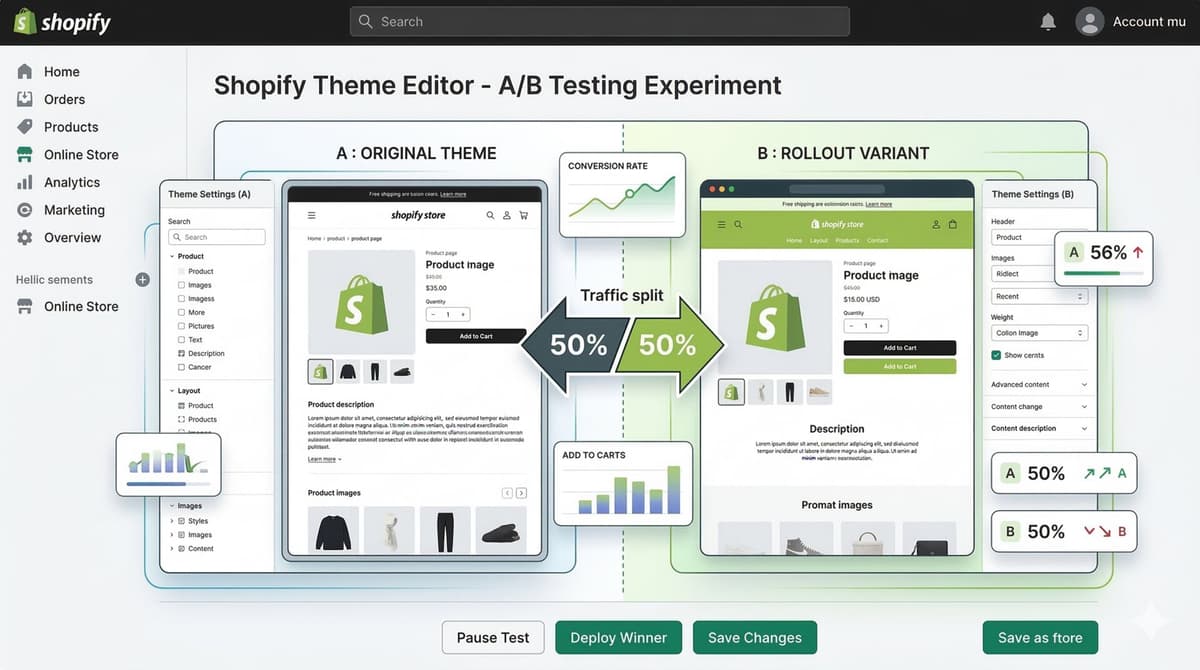
Short answer: I would use Shopify SimGym as a hypothesis generator, not as a replacement for A/B testing. Simulated shoppers can help you find obvious friction before real customers see it. They cannot prove that a change will lift conversion on your actual traffic.
Shopify announced SimGym as an AI Research Preview for eligible merchants on March 11, 2026. The useful part is not the hype around AI shoppers. The useful part is getting another way to inspect a storefront before shipping changes to paid traffic.
Where SimGym Fits in My Workflow
- Before launch: test whether AI shoppers understand the product, price, variants, and shipping expectations.
- Before an A/B test: use simulation results to choose better variants instead of testing random design ideas.
- After a redesign: look for navigation confusion, missing product proof, and unclear calls to action.
- Before peak season: test high-risk flows such as bundles, subscriptions, discounts, and out-of-stock paths.
What I Would Not Trust Blindly
I would not treat a simulated winner as a statistically valid winner. The model is not your audience, not your traffic mix, not your ad creative, and not your checkout abandonment data. It can point at friction. It cannot replace conversion analytics.
My rule: if SimGym says a variant is better, I still want a reason. If the reason is not visible in the page, the result is not enough to ship.
A Practical Test Brief
The quality of the test depends on the prompt or scenario you give it. A vague request like test my store will produce vague findings. I would write a brief the same way I would brief a human QA pass.
Scenario: first-time mobile shopper from paid social
Goal: buy one skincare bundle for sensitive skin
Constraints: compare ingredient proof, shipping time, discount clarity, and return policy
Pages: collection page, product page, cart drawer, checkout entry
Report: list the 5 moments where trust or clarity dropped
How I Would Turn Results Into Real Changes
- Group findings by page and buyer doubt, not by AI score.
- Fix obvious bugs immediately: broken filters, hidden buttons, missing prices, layout shift.
- Convert unclear findings into real analytics questions.
- Use real A/B testing only for changes with meaningful traffic and business impact.
- Keep a changelog so later conversion changes can be tied back to the actual edit.
Best Use Case
The best use case is not replacing a CRO team. It is giving small and mid-size Shopify merchants a faster preflight check before they spend money sending traffic into a confusing page.
Sources
- Shopify changelog, SimGym AI Research Preview, March 11 2026: https://changelog.shopify.com/posts/shopify-simgym-is-now-available-in-ai-research-preview-for-all-eligible-merchants
Questions I Would Ask Before Acting on a SimGym Result
- Which shopper segment did the simulation represent?
- Was the test run on mobile, desktop, or both?
- Did the simulated shopper have enough product information to make a decision?
- Did the result identify a visible page issue or only produce a score?
- Can the finding be validated with analytics, session replay, support tickets, or a small real test?
If the answer is unclear, I would not ship a design change purely because the simulation preferred it. I would turn the result into a hypothesis and decide what evidence would prove or disprove it.
Example: Product Page Proof Test
Hypothesis: shoppers hesitate because material and size proof are too low on the page.
Variant A: current layout.
Variant B: rating summary, size guide link, and one customer quote beside variant selection.
SimGym task: buy the correct size as a first-time mobile shopper.
Human validation: check PDP scroll depth, size-guide clicks, add-to-cart rate, and return reasons.
This keeps the AI test connected to real conversion work. The model can highlight friction, but the store still needs analytics and customer behavior to decide whether a change is worth keeping.
Where SimGym Could Be Especially Useful
- Low-traffic stores that cannot run meaningful A/B tests yet.
- Large catalogs where manual QA misses product-template edge cases.
- Stores preparing major merchandising changes before a sale.
- Teams comparing multiple PDP information architectures.
- Agencies that need a structured preflight report before launch.
Where I Would Still Use Human QA
I would still use human QA for checkout payment behavior, accessibility, local language nuance, trust concerns, and visual polish. AI shoppers may not notice that a returns paragraph sounds legally risky, that an image crop hides the important detail, or that a mobile sticky button covers variant errors.
Used correctly, SimGym can make the pre-launch checklist stronger. Used carelessly, it can become another score people optimize without understanding the buyer.
How I would apply this in a Shopify build
When I would review this in a client Shopify store, I would start with the operational surface instead of the headline. How I Would Use Shopify SimGym Without Mistaking It for Real A/B Testing only becomes useful when the reader can map it to a theme file, app setting, Admin API job, checkout rule, or storefront behavior they can actually test.
I would treat this as a real production decision: define the expected behavior, name the risk, make the smallest useful change, and verify the result with evidence from the page, command, metric, or support case.
Shopify QA checklist
- Check the exact Shopify surface before changing code.
- Test with products that have missing images, long variants, empty metafields, and unusual prices.
- Confirm the change is visible in server-rendered HTML where SEO/AEO matters.
- Keep a rollback path for app or theme changes.
- Write a handoff note so the merchant team knows what can be edited safely.
Shopify failure modes
- The article sounds correct but does not explain what to edit in Shopify.
- The guidance ignores app conflicts, API versions, or messy product data.
- The change helps desktop screenshots but hurts mobile checkout.
- The page makes a claim that is not backed by visible content or schema.
Shopify review block
Implementation check for How I Would Use Shopify SimGym Without Mistaking It for Real A/B Testing:
1. Confirm the Shopify surface involved: theme, Admin API, checkout, app, or storefront.
2. Test with messy catalog data, not only a demo product.
3. Verify permissions, API version, and rollback path.
4. Record the production edge case this change protects.
I keep this kind of note short so it can be reused during review without becoming another document nobody reads.
What I would improve in the store next
The next upgrade I would make is to add a real artifact: screenshot, command output, before/after table, benchmark, source link, or QA note. Those details give the page more authority and make it more useful to answer engines.
Want this built for you instead of DIY?
I'm Karan — a Top Rated Plus Shopify Expert ($300K+ earned, 100% Job Success). If you'd rather hand this to someone who's done it hundreds of times, let's talk.
🛠️Shopify Development Tools You Might Like
Tags
📬 Get notified about new tools & tutorials
No spam. Unsubscribe anytime.
Comments (0)
Leave a Comment
No comments yet. Be the first to share your thoughts!