Integrating AI Chatbots into Your E-commerce Store
Discover how AI-powered chatbots can transform customer support and boost sales in your online store with intelligent automation.
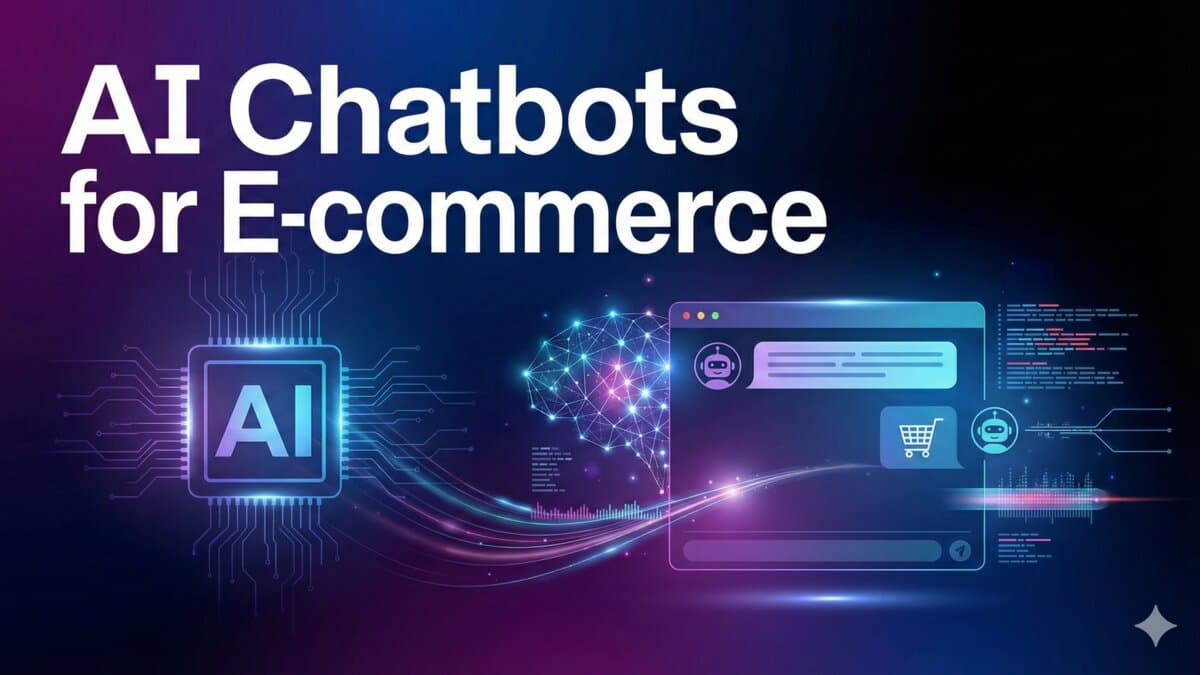
Why Most E-commerce Chatbots Fail
Let me be honest: most chatbot implementations I've seen are terrible. They frustrate customers, provide wrong answers, and make the brand look amateur. The common failure modes:
- Generic responses. If your chatbot can't answer questions specific to YOUR products, it's useless.
- No escalation path. Customers get trapped in a loop with no way to reach a human.
- Over-automation. Trying to automate everything instead of focusing on high-impact touchpoints.
- Stale training data. Product catalog changes but the bot still references old inventory.
The key to success: train your chatbot on YOUR data, not generic e-commerce responses. This means product descriptions, shipping policies, return procedures, sizing guides — everything a support agent would know.
Choosing the Right Platform
There are three tiers of chatbot solutions, and the right one depends on your store size and budget:
Tier 1: Plug-and-Play (Small Stores)
- Shopify Inbox — Free, basic, integrates natively. Good for simple FAQ automation.
- Tidio — Free tier available, visual flow builder. Best for stores doing under $50K/month.
- Gorgias — Starts at $10/month. Great for combining chat with email/social support.
Tier 2: AI-Powered (Growing Stores)
- Intercom Fin — Uses GPT-4 under the hood. Excellent at understanding natural language queries.
- Zendesk AI — Enterprise-grade with strong analytics. Best for stores with existing Zendesk setups.
- Re:amaze — Good balance of features and pricing for mid-market stores.
Tier 3: Custom-Built (Enterprise / Unique Needs)
For stores with unique requirements, building a custom chatbot using OpenAI's API gives you complete control. Here's a basic implementation:
// Custom AI chatbot endpoint using OpenAI
import OpenAI from 'openai';

const openai = new OpenAI({ apiKey: process.env.OPENAI_API_KEY });

// System prompt trained on your store's data
const SYSTEM_PROMPT = `You are a helpful shopping assistant for [Store Name].
You help customers find products, answer questions about shipping and returns,
and provide sizing guidance.

PRODUCTS: ${await fetchProductCatalog()}
POLICIES: ${await fetchStorePolicies()}

Rules:
- Be concise and helpful
- If unsure, say so and offer to connect with a human agent
- Never make up product information
- Always suggest specific products when relevant`;

export async function POST(req) {
  const { message, conversationHistory } = await req.json();

  const completion = await openai.chat.completions.create({
    model: 'gpt-4o-mini', // Cost-effective for chat
    messages: [
      { role: 'system', content: SYSTEM_PROMPT },
      ...conversationHistory,
      { role: 'user', content: message }
    ],
    max_tokens: 500,
    temperature: 0.7,
  });

  return Response.json({
    reply: completion.choices[0].message.content
  });
}
The cost for a custom solution like this? About $20-50/month in API fees for most stores. That's less than most SaaS chatbot subscriptions, with far more flexibility.
Where to Place Your Chatbot
Placement matters more than most people think. Don't just slap a chat widget on every page. Strategic placement:
- Product pages — trigger after 30 seconds or scroll depth of 50%. Ask "Need help choosing a size?" or "Have questions about this product?"
- Cart page — proactive message when cart value is high. "Questions about shipping? We offer free shipping over $75."
- Checkout — only if the customer pauses for 60+ seconds. Light touch: "Need help completing your order?"
- Post-purchase — order confirmation page. "Your order is confirmed! Need to change anything?"
Avoid the chat widget on the homepage unless your store has a complex product catalog. Homepage visitors are usually browsing, not buying.
Training Your Chatbot Effectively
The difference between a good chatbot and a great one is training data. Here's how I structure it:
- Export your support tickets. Last 6 months of customer emails and chats. Categorize by topic.
- Create a knowledge base. Product specs, sizing guides, shipping tables, return policies — in a structured format the AI can reference.
- Define escalation rules. Complaints, refund requests, and complex technical issues should always go to humans.
- Test with real scenarios. Have your support team test the bot with actual customer questions. Fix gaps before launch.
- Monitor and iterate. Review chatbot conversations weekly for the first month. Look for wrong answers and add them to training.
Measuring Chatbot ROI
Track these metrics to know if your chatbot is actually helping:
- Deflection rate — % of conversations resolved without human intervention. Target: 60-80%.
- CSAT score — customer satisfaction after chatbot interaction. Compare with human agent CSAT.
- Conversion influence — did customers who interacted with the chatbot convert at a higher rate?
- Average response time — chatbots should respond in under 3 seconds.
- Cost per resolution — chatbot resolution costs $0.10-0.50 vs. $5-15 for human agents.
Common Integration Mistakes
Avoid these pitfalls:
- Don't hide the human handoff. Always give customers a clear way to talk to a real person. The button should be visible, not buried in menus.
- Don't auto-open the chat. Pop-up chat widgets on page load annoy users. Use a subtle icon in the corner.
- Don't forget mobile. Chat widgets can cover critical UI elements on mobile. Test thoroughly on small screens.
- Don't ignore analytics. If you're not reviewing chatbot conversations, you're flying blind.
How long does it take to set up a chatbot properly?
A plug-and-play solution like Tidio takes 1-2 hours for basic setup. A properly trained AI chatbot with custom knowledge base takes 1-2 weeks — including data collection, training, testing, and iteration. Don't rush this; a poorly trained bot is worse than no bot.
How I Would Audit This
For ecommerce chatbots, I start with the support intents that already exist: order status, returns, sizing, warranty, product fit, delivery timing, and discount confusion. A chatbot is only useful if it has clean source material and clear escalation rules.
- Collect real support tickets before designing flows.
- Write source-of-truth policy pages.
- Limit order tools to the minimum fields needed.
- Decide when the bot must hand off.
- Log answers with source references.
Production Failure Modes
The common bug is launching a bot with broad permission and weak knowledge. It sounds helpful in demos but gives risky answers when a customer asks about refunds, damaged items, or exceptions.
- Bot invents policy details.
- No human handoff for angry or high-value customers.
- Order lookup exposes too much data.
- Generated responses are not audited.
- Product recommendations ignore stock or variant limits.
Copy/Paste Starting Point
{
  "intent": "return_eligibility",
  "sources": ["return_policy", "order.delivered_at"],
  "confidence": "high",
  "needsHuman": false,
  "safeActions": ["show_return_portal_link"]
}
Structured bot decisions make the system easier to test and safer to review. Free-form answers alone are not enough for customer support.
What I Would Ship First
I would launch the chatbot internally against old tickets before showing it to customers. That catches bad policy answers before they damage trust.
- Start read-only.
- Use source-backed answers.
- Escalate exceptions early.
- Measure CSAT and wrong-answer reports.
- Review transcripts weekly.
Want this built for you instead of DIY?
I'm Karan — a Top Rated Plus Shopify Expert ($300K+ earned, 100% Job Success). If you'd rather hand this to someone who's done it hundreds of times, let's talk.
🛠️Generative AI Tools You Might Like
Tags
📬 Get notified about new tools & tutorials
No spam. Unsubscribe anytime.
Comments (0)
Leave a Comment
No comments yet. Be the first to share your thoughts!