Shopify AI Search Optimization Starts with Product Data, Not Hype
A practical Shopify AEO checklist for product data, schema, collection copy, metafields, and answer-ready pages that AI systems can understand.
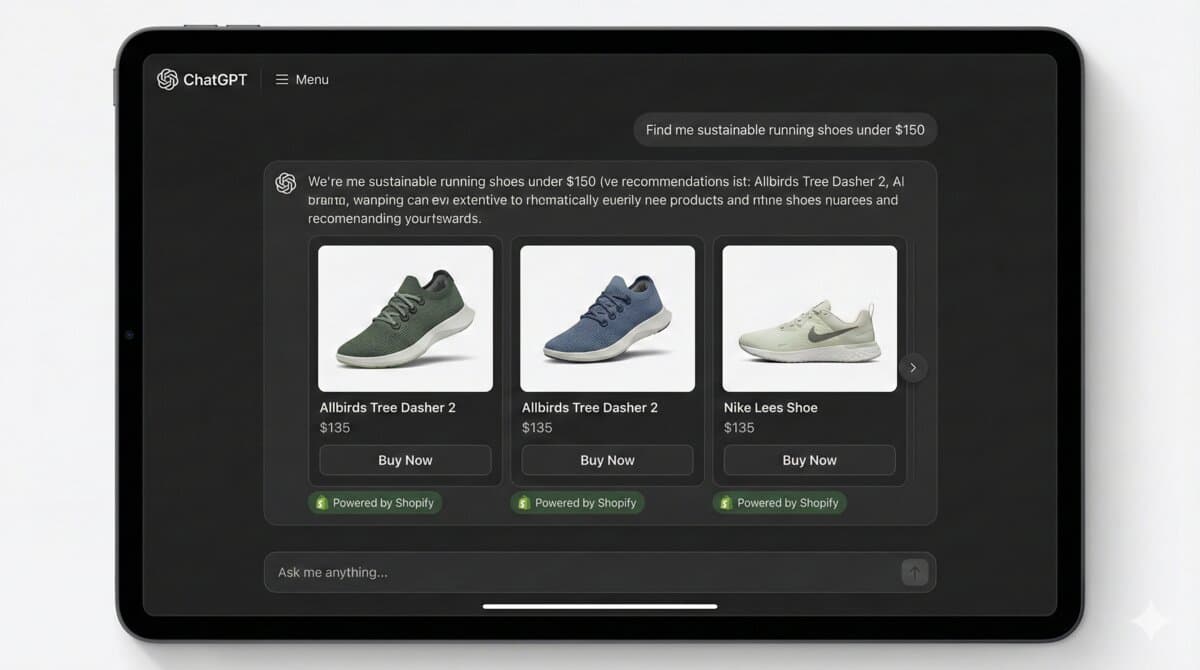
Short answer: AI search optimization for Shopify starts with complete, specific product data. If the product title, category, variant names, specifications, images, reviews, and structured data are vague, an answer engine has very little reason to recommend that product over a clearer competitor.
I would not treat AEO as a separate trick. It is the discipline of making the store understandable: to customers, search engines, AI assistants, and the merchant team maintaining the catalog.
The Product Data Fields I Check First
- Product title that names the actual item, not only a campaign phrase.
- Product category and type that match how shoppers compare products.
- Variant names that explain size, color, material, pack size, or compatibility.
- Metafields for material, dimensions, ingredients, care, fit, warranty, and use case.
- Image alt text that describes the product, not keyword stuffing.
- Visible product specs that match the structured data.
JSON-LD Should Match the Page
{
  "@context": "https://schema.org",
  "@type": "Product",
  "name": "Organic Cotton Oversized T-Shirt",
  "brand": { "@type": "Brand", "name": "Example Brand" },
  "sku": "TEE-OC-BLK-M",
  "material": "Organic cotton",
  "offers": {
    "@type": "Offer",
    "priceCurrency": "INR",
    "availability": "https://schema.org/InStock"
  }
}
Do not add schema that contradicts the visible page. Search and AI systems need consistency. If the page says one price, the schema says another, and the feed says a third, discovery systems will trust the store less.
Collection Pages Need Context Too
Many Shopify stores treat collections as grids with no explanation. That is weak for both SEO and AI retrieval. A good collection page should explain what the collection is, who it is for, how to choose, and which filters matter.
- Add a short buying guide above or below the grid.
- Use filterable product attributes instead of burying specs in prose.
- Link to care, sizing, material, compatibility, or comparison pages.
- Avoid duplicating the same paragraph across every collection.
AEO Content Blocks I Would Add
- Who this product is for.
- Who should not buy it.
- Compatibility or sizing notes.
- Material, ingredients, or technical specifications.
- Care, warranty, shipping, and returns details.
- Comparison notes against nearby products.
Measurement
I would track long-tail Search Console queries, internal search terms, support questions, ChatGPT/Perplexity referral notes where visible, product page impressions, and conversion rate changes on pages where the data was cleaned. AI visibility is still messy to measure, so the safest work is the work that also helps human buyers.
Sources
- Shopify Enterprise product data guidance for AI channels: https://www.shopify.com/enterprise/blog/product-data-tips-ai-channels
- Google Product structured data documentation: https://developers.google.com/search/docs/appearance/structured-data/product
Where this shows up in real stores
When I would review this in a client Shopify store, I would start with the operational surface instead of the headline. Shopify AI Search Optimization Starts with Product Data, Not Hype only becomes useful when the reader can map it to a theme file, app setting, Admin API job, checkout rule, or storefront behavior they can actually test.
The useful version of this advice is the version that survives a real project: one example, one validation step, one known edge case, and one clear next action.
Merchant-safe review list
- Check the exact Shopify surface before changing code.
- Test with products that have missing images, long variants, empty metafields, and unusual prices.
- Confirm the change is visible in server-rendered HTML where SEO/AEO matters.
- Keep a rollback path for app or theme changes.
- Write a handoff note so the merchant team knows what can be edited safely.
What can break after launch
- The article sounds correct but does not explain what to edit in Shopify.
- The guidance ignores app conflicts, API versions, or messy product data.
- The change helps desktop screenshots but hurts mobile checkout.
- The page makes a claim that is not backed by visible content or schema.
Implementation note template
Implementation check for Shopify AI Search Optimization Starts with Product Data, Not Hype:
1. Confirm the Shopify surface involved: theme, Admin API, checkout, app, or storefront.
2. Test with messy catalog data, not only a demo product.
3. Verify permissions, API version, and rollback path.
4. Record the production edge case this change protects.
The point of the block is not formality; it is to make the assumption, proof, and remaining risk visible.
Next useful store artifact
The best future improvement is evidence. A page becomes more defensible when readers can see the command, check, screenshot, metric, or source behind the recommendation.
For a shorter post, I would add depth through one tested example rather than filler. One good edge case or validation note is more useful than another generic overview.
- One real example from the workflow.
- One edge case that breaks the simple advice.
- One metric or signal to watch after the change.
- One clear action the reader can take today.
A real workflow example
For Shopify AI Search Optimization Starts with Product Data, Not Hype, I would keep one concrete example in the page so the advice does not stay abstract. The example should show the starting state, the decision being made, the check I would run, and the signal that tells me the change worked. That makes the content more useful for readers and more defensible for SEO/AEO because it demonstrates practical experience instead of repeating a general claim.
- Starting state: what the store, app, workflow, or codebase looks like before the change.
- Decision point: what the reader needs to choose or fix.
- Validation: the command, screenshot, metric, support ticket, or QA step that proves the change.
- Risk: the edge case that could still fail in production.
- Follow-up: the next improvement I would make after the first pass is stable.
Store owner takeaway
Use this as a review path, not a slogan. Pick one real case, validate it, and keep the result visible for the next decision.
Review path for shopify-ai-search-optimization:
1. Pick one real example.
2. Apply the checklist.
3. Record before/after evidence.
4. Watch one metric or failure signal.
5. Keep or revert based on the result.Want this built for you instead of DIY?
I'm Karan — a Top Rated Plus Shopify Expert ($300K+ earned, 100% Job Success). If you'd rather hand this to someone who's done it hundreds of times, let's talk.
📬 Get notified about new tools & tutorials
No spam. Unsubscribe anytime.
Comments (0)
Leave a Comment
No comments yet. Be the first to share your thoughts!