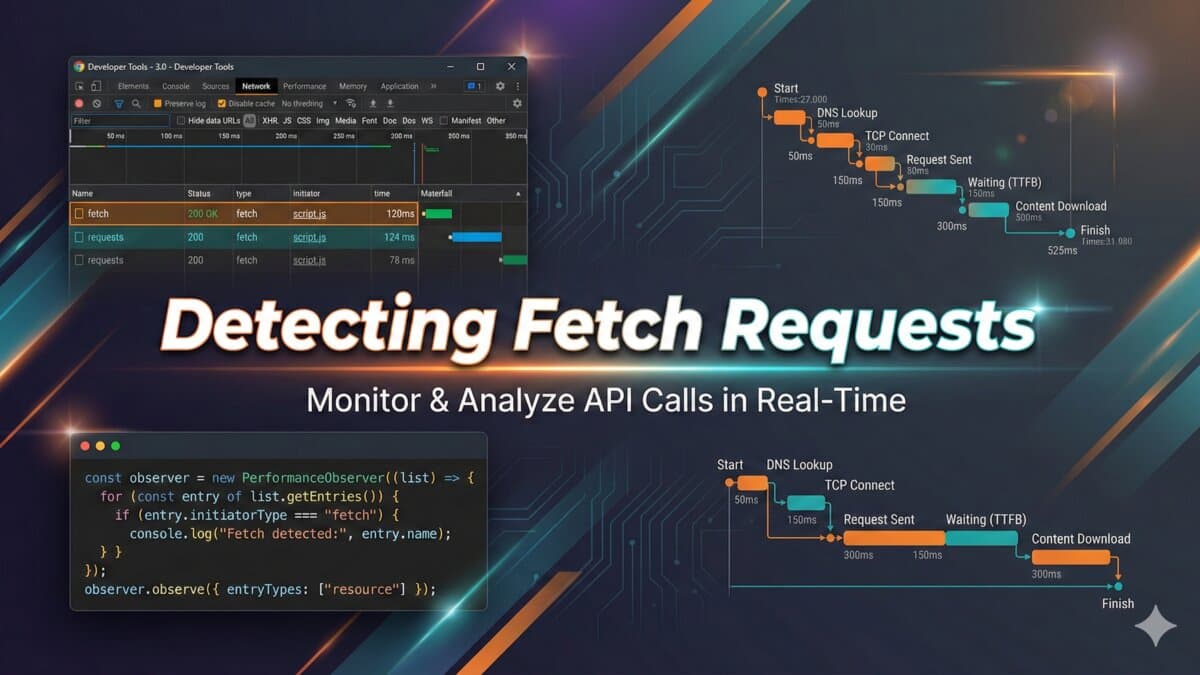
Intercepting AJAX Requests: A Step-by-Step Guide to Adding Custom Hooks
Learn how to listen to all AJAX requests on a webpage and attach custom functions to request start and completion events.

Introduction to AJAX Request Interception
In web development, it's often necessary to monitor or manipulate AJAX (Asynchronous JavaScript and XML) requests. Whether you're debugging, logging, or enhancing your web application's functionality, being able to intercept AJAX requests can be incredibly useful. In this post, we'll explore how to achieve this using JavaScript.
Understanding the Basics
AJAX requests are a crucial part of modern web applications, allowing for dynamic content updates without full page reloads. They are typically made using the XMLHttpRequest object or the fetch API. To intercept these requests, we need to modify or extend the behavior of these objects.
Modifying XMLHttpRequest to Intercept AJAX Requests
The provided code snippet demonstrates how to intercept AJAX requests made via XMLHttpRequest. Let's break it down:
(function() {
  var origOpen = XMLHttpRequest.prototype.open;
  XMLHttpRequest.prototype.open = function() {
    console.log('request started!');
    this.addEventListener('load', function() {
      console.log('request completed!');
      // You can access request details here, such as this.status
    });
    origOpen.apply(this, arguments);
  };
})();
How the Code Works
- Preserving the Original `open` Method: The code starts by storing the original
openmethod ofXMLHttpRequest.prototypein theorigOpenvariable. This is necessary because we're about to override this method.
- Overriding the `open` Method: We then override
XMLHttpRequest.prototype.openwith our own function. This allows us to inject custom behavior before calling the originalopenmethod.
- Adding a Load Event Listener: Inside our overridden
openmethod, we add an event listener to theloadevent of theXMLHttpRequestobject. This event is triggered when the request is complete.
- Calling the Original `open` Method: Finally, we call the original
openmethod usingorigOpen.apply(this, arguments);, ensuring that the AJAX request is actually initiated.
Extending the Concept to Fetch API
While the provided code snippet focuses on XMLHttpRequest, you can also intercept requests made using the fetch API by overriding window.fetch in a similar manner.
Practical Applications
Intercepting AJAX requests can be useful in various scenarios, such as:
- Logging: Automatically logging all AJAX requests for debugging purposes.
- Authentication: Checking or adding authentication tokens to requests.
- Analytics: Tracking AJAX requests to understand user interactions with your application.
Example: Logging Request Status
To log the status of completed requests, you can modify the load event listener as follows:
this.addEventListener('load', function() {
  console.log(`Request to ${this.responseURL} completed with status ${this.status}`);
});
Conclusion
Intercepting AJAX requests is a powerful technique that can enhance your web development workflow. By understanding and applying the concepts outlined in this post, you can add custom hooks to AJAX requests, enabling a range of useful functionalities. Whether you're looking to improve debugging, enhance security, or simply track user interactions, the ability to intercept and manipulate AJAX requests is an invaluable skill.
Implementation notes from the engineering side
When I would use this in production, I would turn the idea into a repeatable debug path. Intercepting AJAX Requests: A Step-by-Step Guide to Adding Custom Hooks should leave the reader with a command, fixture, checklist, or failure mode they can verify without guessing.
My review path is simple: connect the advice to one real workflow, make the risk visible, change only what is needed, and keep proof that the change worked.
Debugging checklist
- Create a small reproduction before editing the main codebase.
- Add logging or command output that proves the issue.
- Prefer a small fix over a broad rewrite.
- Test the failure case and the normal case.
- Document version, environment, and dependency assumptions.
Production risks I would test
- The fix works only for the demo case.
- The command succeeds locally but fails on the server.
- The article hides an environment assumption.
- No one can reproduce the bug after reading it.
Engineering review block
Debug checklist for Intercepting AJAX Requests: A Step-by-Step Guide to Adding Custom Hooks:
- Reproduce the issue with a small fixture.
- Log the failing input and expected output.
- Patch the smallest responsible module.
- Add a regression test or repeatable command.
- Document the remaining production risk.
This block is meant to force a practical check before code, content, or client advice moves forward.
Next engineering improvement
To make this stronger over time, I would add proof from the workflow itself: a screenshot, log excerpt, metric table, source link, or concrete QA result.
For a shorter post, I would add depth through one tested example rather than filler. One good edge case or validation note is more useful than another generic overview.
- One real example from the workflow.
- One edge case that breaks the simple advice.
- One metric or signal to watch after the change.
- One clear action the reader can take today.
One implementation example
For Intercepting AJAX Requests: A Step-by-Step Guide to Adding Custom Hooks, I would keep one concrete example in the page so the advice does not stay abstract. The example should show the starting state, the decision being made, the check I would run, and the signal that tells me the change worked. That makes the content more useful for readers and more defensible for SEO/AEO because it demonstrates practical experience instead of repeating a general claim.
- Starting state: what the store, app, workflow, or codebase looks like before the change.
- Decision point: what the reader needs to choose or fix.
- Validation: the command, screenshot, metric, support ticket, or QA step that proves the change.
- Risk: the edge case that could still fail in production.
- Follow-up: the next improvement I would make after the first pass is stable.
What to do next
The next step is deliberately small: test the idea on one real example, keep before/after evidence, then decide whether it deserves broader rollout.
Review path for intercepting-ajax-requests-with-custom-hooks:
1. Pick one real example.
2. Apply the checklist.
3. Record before/after evidence.
4. Watch one metric or failure signal.
5. Keep or revert based on the result.Want this built for you instead of DIY?
I'm Karan — a Top Rated Plus Shopify Expert ($300K+ earned, 100% Job Success). If you'd rather hand this to someone who's done it hundreds of times, let's talk.
🛠️Web Development Tools You Might Like
Tags
📬 Get notified about new tools & tutorials
No spam. Unsubscribe anytime.
Comments (0)
Leave a Comment
No comments yet. Be the first to share your thoughts!