How to Install wkhtmltopdf and wkhtmltoimage on Ubuntu 20.04, 18.04, and 16.04
A step-by-step guide on installing wkhtmltopdf and wkhtmltoimage on various Ubuntu versions
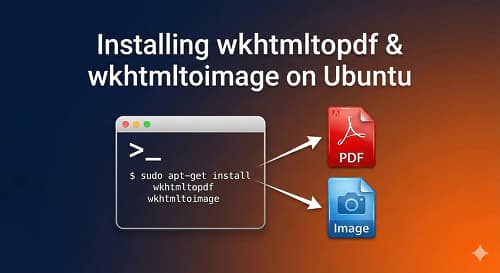
Introduction to wkhtmltopdf and wkhtmltoimage
wkhtmltopdf and wkhtmltoimage are open-source command-line tools used to convert HTML documents to PDF and image formats, respectively. These tools are particularly useful for generating reports, invoices, and other documents from web-based content. In this article, we will walk through the process of installing wkhtmltopdf and wkhtmltoimage on Ubuntu 20.04, 18.04, and 16.04.
Prerequisites
Before proceeding with the installation, ensure you have:
- An Ubuntu system (20.04, 18.04, or 16.04)
- Access to a terminal or command line
- wget installed for downloading the necessary packages
Installing wkhtmltopdf and wkhtmltoimage
The installation process involves downloading the appropriate .deb package for your Ubuntu version and then installing it using apt.
For Ubuntu 20.04 and Later
- Download the .deb package using wget:
wget https://github.com/wkhtmltopdf/packaging/releases/download/0.12.6-1/wkhtmltox_0.12.6-1.focal_amd64.deb- Install the downloaded package:
sudo apt install ./wkhtmltox_0.12.6-1.focal_amd64.debFor Ubuntu 18.04
- Download the .deb package:
wget https://github.com/wkhtmltopdf/packaging/releases/download/0.12.6-1/wkhtmltox_0.12.6-1.bionic_amd64.deb- Install the package:
sudo apt install ./wkhtmltox_0.12.6-1.bionic_amd64.debFor Ubuntu 16.04
- Download the .deb package:
wget https://github.com/wkhtmltopdf/packaging/releases/download/0.12.6-1/wkhtmltox_0.12.6-1.xenial_amd64.deb- Install the package:
sudo apt install ./wkhtmltox_0.12.6-1.xenial_amd64.debVerifying the Installation
After installation, you can verify that wkhtmltopdf is working correctly by checking its version:
wkhtmltopdf --versionThe output should be similar to:
wkhtmltopdf 0.12.6 (with patched qt)Testing wkhtmltopdf
To test wkhtmltopdf, you can convert a webpage to a PDF file:
wkhtmltopdf https://google.com google.pdfThis command will generate a PDF file named 'google.pdf' in your current directory, containing the content of the Google homepage.
Conclusion
In this guide, we have successfully installed wkhtmltopdf and wkhtmltoimage on Ubuntu 20.04, 18.04, and 16.04. These tools are invaluable for converting web content into PDF and image formats, making them ideal for various applications such as report generation and document creation. If you have any questions or need further assistance, feel free to comment below.
How I Would Audit This
For wkhtmltopdf installs, I care less about the install command and more about repeatability. The correct package depends on Ubuntu version, CPU architecture, and whether the server has the fonts and libraries needed for the HTML being rendered.
- Confirm Ubuntu version and architecture.
- Install required fonts for the document language.
- Run wkhtmltopdf --version after installation.
- Render a known HTML fixture.
- Check output in headless/server environment, not only local desktop.
Production Failure Modes
The production bug is usually missing fonts or incompatible packages. The command succeeds, but invoices, labels, or reports render with broken glyphs, wrong spacing, or blank images.
- Using a package built for the wrong Ubuntu version.
- Missing lib dependencies on minimal servers.
- No CJK/Indic font package for multilingual PDFs.
- Rendering remote assets blocked by network rules.
- No timeout around PDF generation.
Copy/Paste Starting Point
wkhtmltopdf --version
wkhtmltoimage --version
wkhtmltopdf https://example.com /tmp/test.pdf
file /tmp/test.pdf
I run a real render test because binary installation alone does not prove the production document pipeline works.
What I Would Ship First
I would containerize or document the exact package version for any client workflow that depends on PDF output.
- Pin binary version.
- Install fonts deliberately.
- Add render timeout.
- Store failed HTML for debugging.
- Monitor PDF job failures.
How I would debug this in production
When I would use this in production, I would turn the idea into a repeatable debug path. How to Install wkhtmltopdf and wkhtmltoimage on Ubuntu 20.04, 18.04, and 16.04 should leave the reader with a command, fixture, checklist, or failure mode they can verify without guessing.
I would treat this as a real production decision: define the expected behavior, name the risk, make the smallest useful change, and verify the result with evidence from the page, command, metric, or support case.
Engineering validation checklist
- Create a small reproduction before editing the main codebase.
- Add logging or command output that proves the issue.
- Prefer a small fix over a broad rewrite.
- Test the failure case and the normal case.
- Document version, environment, and dependency assumptions.
Technical failure modes
- The fix works only for the demo case.
- The command succeeds locally but fails on the server.
- The article hides an environment assumption.
- No one can reproduce the bug after reading it.
Debug note template
Debug checklist for How to Install wkhtmltopdf and wkhtmltoimage on Ubuntu 20.04, 18.04, and 16.04:
- Reproduce the issue with a small fixture.
- Log the failing input and expected output.
- Patch the smallest responsible module.
- Add a regression test or repeatable command.
- Document the remaining production risk.
I keep this kind of note short so it can be reused during review without becoming another document nobody reads.
What I would test next
The next upgrade I would make is to add a real artifact: screenshot, command output, before/after table, benchmark, source link, or QA note. Those details give the page more authority and make it more useful to answer engines.
For a shorter post, I would add depth through one tested example rather than filler. One good edge case or validation note is more useful than another generic overview.
- One real example from the workflow.
- One edge case that breaks the simple advice.
- One metric or signal to watch after the change.
- One clear action the reader can take today.
A concrete debug example
For How to Install wkhtmltopdf and wkhtmltoimage on Ubuntu 20.04, 18.04, and 16.04, I would keep one concrete example in the page so the advice does not stay abstract. The example should show the starting state, the decision being made, the check I would run, and the signal that tells me the change worked. That makes the content more useful for readers and more defensible for SEO/AEO because it demonstrates practical experience instead of repeating a general claim.
- Starting state: what the store, app, workflow, or codebase looks like before the change.
- Decision point: what the reader needs to choose or fix.
- Validation: the command, screenshot, metric, support ticket, or QA step that proves the change.
- Risk: the edge case that could still fail in production.
- Follow-up: the next improvement I would make after the first pass is stable.
Bottom line for developers
The practical takeaway is to apply the checklist to one real case first. If it improves that page, workflow, client conversation, or production bug, then it is worth scaling.
Review path for install-wkhtmltopdf-wkhtmltoimage-ubuntu:
1. Pick one real example.
2. Apply the checklist.
3. Record before/after evidence.
4. Watch one metric or failure signal.
5. Keep or revert based on the result.Want this built for you instead of DIY?
I'm Karan — a Top Rated Plus Shopify Expert ($300K+ earned, 100% Job Success). If you'd rather hand this to someone who's done it hundreds of times, let's talk.
🛠️Web Development Tools You Might Like
Tags
📬 Get notified about new tools & tutorials
No spam. Unsubscribe anytime.
Comments (0)
Leave a Comment
No comments yet. Be the first to share your thoughts!