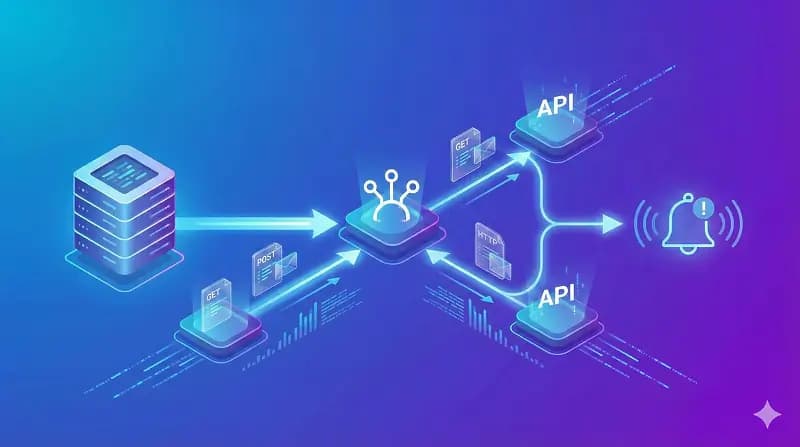
Leveling Up User Experience: Building Real-Time Features with WebSockets
Transform your web applications from static to reactive. Learn how WebSockets enable live inventory updates, instant chat, and collaborative features to boost engagement.

The Problem with Traditional HTTP
To understand the value of WebSockets, we first need to look at how the web traditionally works. The standard HTTP model is request-response based. The client (browser) asks for data, and the server provides it. The server cannot speak unless spoken to.
If you wanted to build a real-time feature—say, a stock ticker—using standard HTTP, you'd have to use Long Polling. This involves the client repeatedly asking the server, "Do you have new data?" every few seconds. This approach is resource-intensive, introduces latency, and scales poorly. It's like calling a restaurant every 10 seconds to ask if your table is ready.
Enter WebSockets: A Two-Way Conversation
WebSockets (RFC 6455) provide a full-duplex communication channel over a single TCP connection. Once a WebSocket connection is established between the client and the server, it stays open. Both parties can send data to the other at any time, with minimal overhead.
It's the difference between sending letters back and forth versus having a phone call. The line is open, and communication is instant.
High-Impact Use Cases in E-commerce & SaaS
As a Shopify and web developer, I frequently implement WebSockets to solve specific business problems. Here are some of the most impactful applications:
1. Live Inventory Management
Nothing kills a sale faster than a user trying to checkout an item that just went out of stock. With WebSockets, you can broadcast inventory changes to all connected clients instantly. If a user buys the last pair of sneakers, the "Add to Cart" button can instantly disable for everyone else viewing that product page.
2. Customer Support Chat
Chatbots and live support are standard now. WebSockets allow for the "is typing..." indicators, message read receipts, and instant delivery that mimic native messaging apps, keeping customers engaged on your site.
3. Collaborative Dashboards
For SaaS applications, real-time collaboration is key. Think of tools like Figma or Google Docs. WebSockets allow multiple users to edit a document or view analytics simultaneously, seeing each other's cursors and changes in real-time without collisions.
4. Real-Time Notifications
Pushing order status updates, price drops, or auction bids directly to the user's screen without a page reload keeps them immersed in the experience.
Implementing WebSockets: The Stack
While the raw WebSocket API is available in all modern browsers, using a library simplifies handling reconnection logic, broadcasting, and fallbacks.
Socket.io (Node.js)
Socket.io is the industry standard for Node.js applications. It handles the heavy lifting of establishing connections and provides a simple event-based API.
// Server-side (Node.js)
const io = require('socket.io')(server);

io.on('connection', (socket) => {
  console.log('User connected');

  // Listen for a 'chat message' event
  socket.on('chat message', (msg) => {
    // Broadcast to everyone
    io.emit('chat message', msg);
  });
});
WebSocket Support in Next.js
For modern React frameworks like Next.js, you can implement WebSockets using custom servers or, more commonly, by leveraging serverless-friendly solutions like Pusher or Ably. These managed services handle the infrastructure scaling, allowing you to focus purely on the frontend logic.
Challenges and Best Practices
While powerful, WebSockets introduce complexity:
- State Management: You need to decide how to handle state when a user loses connection briefly. Optimistic UI updates are often required.
- Scaling: A single server can only hold so many open connections (file descriptors). Scaling horizontally requires a pub/sub mechanism (like Redis) so that a user connected to Server A can receive messages sent by a user on Server B.
- Security: Always validate WebSocket connections just as you would an HTTP request. Ensure you are using WSS (WebSocket Secure) to encrypt data in transit.
Conclusion
Implementing real-time features is no longer just a "nice-to-have"—it's often a requirement for a competitive user experience. if you are building a custom Shopify app to track flash sales or a SaaS platform for team collaboration, mastering WebSockets adds a crucial tool to your development arsenal.
Ready to add real-time capabilities to your project? Start small with a simple notification system, and watch your user engagement metrics climb.
How I would debug this in production
For freelance work, the practical value is in making expectations explicit. Leveling Up User Experience: Building Real-Time Features with WebSockets should help a developer or client avoid ambiguity, not just feel motivated for a few minutes.
I would treat this as a real production decision: define the expected behavior, name the risk, make the smallest useful change, and verify the result with evidence from the page, command, metric, or support case.
Engineering validation checklist
- Write the business outcome in plain language.
- Name assumptions beside estimates.
- Separate urgent from important work.
- Show proof of completion with screenshots, tests, or notes.
- Close the loop with a clear next decision.
Technical failure modes
- The advice is too broad to change behavior.
- Scope or risk is discussed too late.
- The client receives output but not context.
- The developer underprices uncertainty.
What I would test next
The next upgrade I would make is to add a real artifact: screenshot, command output, before/after table, benchmark, source link, or QA note. Those details give the page more authority and make it more useful to answer engines.
A concrete debug example
For Leveling Up User Experience: Building Real-Time Features with WebSockets, I would keep one concrete example in the page so the advice does not stay abstract. The example should show the starting state, the decision being made, the check I would run, and the signal that tells me the change worked. That makes the content more useful for readers and more defensible for SEO/AEO because it demonstrates practical experience instead of repeating a general claim.
- Starting state: what the store, app, workflow, or codebase looks like before the change.
- Decision point: what the reader needs to choose or fix.
- Validation: the command, screenshot, metric, support ticket, or QA step that proves the change.
- Risk: the edge case that could still fail in production.
- Follow-up: the next improvement I would make after the first pass is stable.
Bottom line for developers
The practical takeaway is to apply the checklist to one real case first. If it improves that page, workflow, client conversation, or production bug, then it is worth scaling.
Review path for building-real-time-features-websockets:
1. Pick one real example.
2. Apply the checklist.
3. Record before/after evidence.
4. Watch one metric or failure signal.
5. Keep or revert based on the result.Want this built for you instead of DIY?
I'm Karan — a Top Rated Plus Shopify Expert ($300K+ earned, 100% Job Success). If you'd rather hand this to someone who's done it hundreds of times, let's talk.
🛠️Web Development Tools You Might Like
Tags
📬 Get notified about new tools & tutorials
No spam. Unsubscribe anytime.
Comments (0)
Leave a Comment
No comments yet. Be the first to share your thoughts!